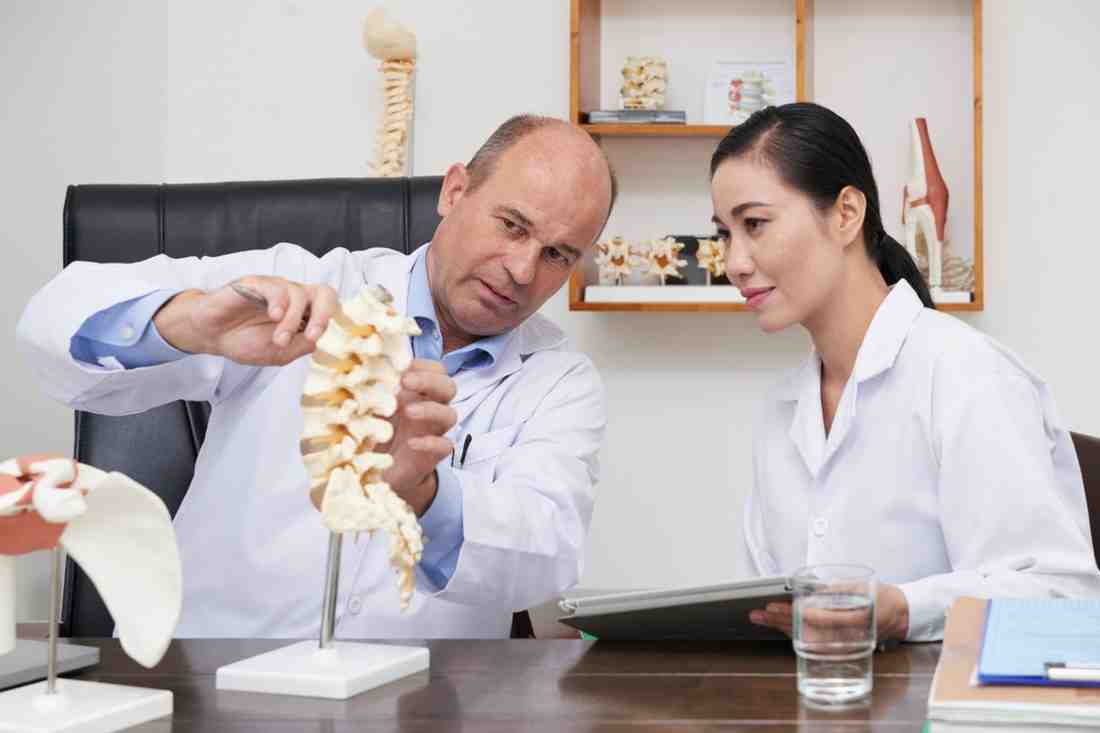
• Back pain from bad posture? You’re not alone! In this video, Dr. Hemal Paneri from Granville Physiotherapy & Massage Clinic shares how poor posture affects your spine and shows you simple, effective exercises to help correct it. Whether you sit at a desk all day or just want to improve your posture, this routine is a great place to start.

    Why Posture Matters:
    Poor posture places unnecessary strain on your spine and surrounding muscles, often leading to pain, tightness, and long-term discomfort. The good news? A few mindful exercises and ergonomic adjustments can make a big difference.

    Ergonomic Tips for a Healthy Back:
    • Adjust your chair so feet are flat on the floor
    • Keep your monitor at eye level to reduce neck strain
    • Take movement breaks every 30 minutes to avoid stiffness

    These small changes and exercises can lead to long-term relief and better posture throughout your day.

    Granville Physiotherapy & Massage Clinic
    3010 Granville Dr NW, Edmonton, AB T5T 4V3, Canada

    Call us: +1 587-400-2011

    Visit: www.granvillephysiotherapy.ca

    Like this video and subscribe for more expert physiotherapy tips from Dr. Hemal Paneri and the team at Granville Physio!

    #fixyourposture #relievebackpain #posturecorrection #healthyspine #backpainrelief #healthtips #postureexercises #spinehealth #healthyliving #painfreeliving #mindfulmovement #posturematters #backhealth #wellnessjourney #stretchandstrengthen #healthyhabits #chronicpainrelief #fitnessforall #selfcareroutine #betterposture #physio #physiotherapy #physiotherapist #recovery #recoveryispossible #injury #injuryprevention #PainRelief #painrelief #painfree #rehab #rehabilitation #healthyliving #healthylifestyle #healthylife #healthybody #therapy #healing #healingjourney #CallingwoodPark #TheHamptonsEdmonton #BessieNicholsPark #physiotherapyEdmonton #physioEdmonton #Edmontonphysio
    Back pain from bad posture? You’re not alone! 😣 In this video, Dr. Hemal Paneri from Granville Physiotherapy & Massage Clinic shares how poor posture affects your spine and shows you simple, effective exercises to help correct it. Whether you sit at a desk all day or just want to improve your posture, this routine is a great place to start. 🧘‍♂️ 📌 Why Posture Matters: Poor posture places unnecessary strain on your spine and surrounding muscles, often leading to pain, tightness, and long-term discomfort. The good news? A few mindful exercises and ergonomic adjustments can make a big difference. 🪑 Ergonomic Tips for a Healthy Back: • Adjust your chair so feet are flat on the floor • Keep your monitor at eye level to reduce neck strain • Take movement breaks every 30 minutes to avoid stiffness These small changes and exercises can lead to long-term relief and better posture throughout your day. 📍 Granville Physiotherapy & Massage Clinic 3010 Granville Dr NW, Edmonton, AB T5T 4V3, Canada 📞 Call us: +1 587-400-2011 🌐 Visit: www.granvillephysiotherapy.ca 👍 Like this video and subscribe for more expert physiotherapy tips from Dr. Hemal Paneri and the team at Granville Physio! #fixyourposture #relievebackpain #posturecorrection #healthyspine #backpainrelief #healthtips #postureexercises #spinehealth #healthyliving #painfreeliving #mindfulmovement #posturematters #backhealth #wellnessjourney #stretchandstrengthen #healthyhabits #chronicpainrelief #fitnessforall #selfcareroutine #betterposture #physio #physiotherapy #physiotherapist #recovery #recoveryispossible #injury #injuryprevention #PainRelief #painrelief #painfree #rehab #rehabilitation #healthyliving #healthylifestyle #healthylife #healthybody #therapy #healing #healingjourney #CallingwoodPark #TheHamptonsEdmonton #BessieNicholsPark #physiotherapyEdmonton #physioEdmonton #Edmontonphysio
    0 Commenti 0 condivisioni 2K Views 0 Anteprima
  • Screen size brings together many of the factors that determine how comfortable and responsive mobile gaming feels. A casino https://en.motsepecasino.co.za/ application displayed on a 6.1-inch phone can offer excellent usability, while a 6.7-inch model can provide additional space for graphics, controls, and information. The difference is not simply a matter of diagonal measurement: a 6.7-inch 20:9 display has a different physical area and geometry from a 6.7-inch 16:9 panel. Experts in mobile ergonomics therefore evaluate screen dimensions alongside weight, width, resolution, brightness, refresh rate, and touch performance. A larger display can improve visibility, but only when the rest of the device remains manageable.

    The practical benefits of additional screen area are measurable. A 6.7-inch display has roughly 20% greater diagonal measurement than a 5.6-inch screen, while its usable area can be substantially larger depending on aspect ratio. Larger touch targets can improve selection accuracy, and increased spacing between controls can reduce accidental presses. Research into touchscreen interaction has repeatedly demonstrated that target size and distance influence performance. However, the gains eventually encounter ergonomic limits: increasing the display also increases thumb travel, grip width, and often device weight. Experts therefore describe screen size as a trade-off between visual capacity and physical effort rather than a specification that can simply be maximized.

    User opinions demonstrate how personal this balance can be. Reddit discussions frequently identify 6.3–6.7 inches as a comfortable range for gaming, while some users prefer compact 6.1-inch models because they are easier to hold for long periods. Others favor displays above 6.7 inches and accept the additional weight because they value larger graphics and more spacious controls. Similar opinions appear on X, where users often mention that refresh rate, brightness, battery life, and touch responsiveness influence their preference as much as diagonal size. These experiences show that there is no universal ideal display because hand dimensions, eyesight, posture, and gaming habits differ.

    For most users, a modern display around 6.4–6.7 inches offers a strong balance between visibility, control space, portability, and comfort. A 120 Hz refresh rate can provide smoother movement, while 1080p or higher resolution is generally sufficient for sharp text on this size of panel. Moderate brightness, reliable touch response, low latency, and effective palm rejection can matter more than a small increase in diagonal measurement. Experts therefore recommend evaluating the complete device rather than selecting a phone from one specification. The most effective gaming display is the one that provides enough visual and interactive space while allowing the user to maintain a relaxed grip, comfortable viewing distance, and stable performance throughout a long session.
    Screen size brings together many of the factors that determine how comfortable and responsive mobile gaming feels. A casino https://en.motsepecasino.co.za/ application displayed on a 6.1-inch phone can offer excellent usability, while a 6.7-inch model can provide additional space for graphics, controls, and information. The difference is not simply a matter of diagonal measurement: a 6.7-inch 20:9 display has a different physical area and geometry from a 6.7-inch 16:9 panel. Experts in mobile ergonomics therefore evaluate screen dimensions alongside weight, width, resolution, brightness, refresh rate, and touch performance. A larger display can improve visibility, but only when the rest of the device remains manageable. The practical benefits of additional screen area are measurable. A 6.7-inch display has roughly 20% greater diagonal measurement than a 5.6-inch screen, while its usable area can be substantially larger depending on aspect ratio. Larger touch targets can improve selection accuracy, and increased spacing between controls can reduce accidental presses. Research into touchscreen interaction has repeatedly demonstrated that target size and distance influence performance. However, the gains eventually encounter ergonomic limits: increasing the display also increases thumb travel, grip width, and often device weight. Experts therefore describe screen size as a trade-off between visual capacity and physical effort rather than a specification that can simply be maximized. User opinions demonstrate how personal this balance can be. Reddit discussions frequently identify 6.3–6.7 inches as a comfortable range for gaming, while some users prefer compact 6.1-inch models because they are easier to hold for long periods. Others favor displays above 6.7 inches and accept the additional weight because they value larger graphics and more spacious controls. Similar opinions appear on X, where users often mention that refresh rate, brightness, battery life, and touch responsiveness influence their preference as much as diagonal size. These experiences show that there is no universal ideal display because hand dimensions, eyesight, posture, and gaming habits differ. For most users, a modern display around 6.4–6.7 inches offers a strong balance between visibility, control space, portability, and comfort. A 120 Hz refresh rate can provide smoother movement, while 1080p or higher resolution is generally sufficient for sharp text on this size of panel. Moderate brightness, reliable touch response, low latency, and effective palm rejection can matter more than a small increase in diagonal measurement. Experts therefore recommend evaluating the complete device rather than selecting a phone from one specification. The most effective gaming display is the one that provides enough visual and interactive space while allowing the user to maintain a relaxed grip, comfortable viewing distance, and stable performance throughout a long session.
    EN.MOTSEPECASINO.CO.ZA
    Motsepe Casino App – Get Up to R15,000 + 100 Free Spins!
    Join Motsepe Casino today! 🎰 Get a 150% bonus up to R15,000 + 100 free spins. Limited-time offer, only for South African players!
    0 Commenti 0 condivisioni 593 Views 0 Anteprima
  • Screen size affects not only what users see but also how they position their head, neck, arms, and hands during mobile gaming. When a casino https://jokerpokies.com/ interface is displayed on a small screen, users may bring the phone closer to read small elements, while a larger display can make information readable at a greater distance. A recent Scientific Reports study examining smartphone gaming compared standing and walking conditions using devices with screens from 5.5 to 6.5 inches. The researchers found greater visual fatigue during walking than standing, demonstrating that posture and movement can alter the visual demands of smartphone gaming.

    Viewing distance is particularly important. Holding the phone very close increases the visual angle occupied by the display and can require greater accommodative effort, while holding it too far away makes small interface elements harder to distinguish. Ergonomic specialists generally recommend keeping a smartphone at a comfortable distance rather than fixing the eyes on a predetermined number of centimeters. The 2025 gaming study measured users' gaze angle and viewing distance during the final minute of each task, finding that these postural characteristics stabilized after participants had spent several minutes engaged with the game. This suggests that users naturally adapt their position to the screen and task.

    Community opinions reveal a clear trade-off between visibility and handling. Reddit users recently described 6.7-inch phones as ideal for gaming because they provide more visual space, while others preferred 6.1–6.3-inch models because larger devices caused hand discomfort. In one discussion, a player using a 6.68-inch smartphone reported hand cramps, whereas another user said 6.6 inches was the smallest acceptable size for gaming. These reports are not controlled experiments, but they illustrate how strongly individual anatomy affects the preferred display size.

    The healthiest gaming posture therefore depends on more than the display diagonal. A 6.4–6.7-inch screen can provide a useful compromise if the phone is held at a relaxed distance, supported when necessary, and used with both hands during longer sessions. Experts recommend changing posture periodically rather than maintaining the same neck and wrist position continuously. If a larger display encourages the user to hold the phone farther away without increasing grip strain, it can improve comfort; if it forces the hands and shoulders into a fixed position, the visual advantage may be outweighed by ergonomic disadvantages.
    Screen size affects not only what users see but also how they position their head, neck, arms, and hands during mobile gaming. When a casino https://jokerpokies.com/ interface is displayed on a small screen, users may bring the phone closer to read small elements, while a larger display can make information readable at a greater distance. A recent Scientific Reports study examining smartphone gaming compared standing and walking conditions using devices with screens from 5.5 to 6.5 inches. The researchers found greater visual fatigue during walking than standing, demonstrating that posture and movement can alter the visual demands of smartphone gaming. Viewing distance is particularly important. Holding the phone very close increases the visual angle occupied by the display and can require greater accommodative effort, while holding it too far away makes small interface elements harder to distinguish. Ergonomic specialists generally recommend keeping a smartphone at a comfortable distance rather than fixing the eyes on a predetermined number of centimeters. The 2025 gaming study measured users' gaze angle and viewing distance during the final minute of each task, finding that these postural characteristics stabilized after participants had spent several minutes engaged with the game. This suggests that users naturally adapt their position to the screen and task. Community opinions reveal a clear trade-off between visibility and handling. Reddit users recently described 6.7-inch phones as ideal for gaming because they provide more visual space, while others preferred 6.1–6.3-inch models because larger devices caused hand discomfort. In one discussion, a player using a 6.68-inch smartphone reported hand cramps, whereas another user said 6.6 inches was the smallest acceptable size for gaming. These reports are not controlled experiments, but they illustrate how strongly individual anatomy affects the preferred display size. The healthiest gaming posture therefore depends on more than the display diagonal. A 6.4–6.7-inch screen can provide a useful compromise if the phone is held at a relaxed distance, supported when necessary, and used with both hands during longer sessions. Experts recommend changing posture periodically rather than maintaining the same neck and wrist position continuously. If a larger display encourages the user to hold the phone farther away without increasing grip strain, it can improve comfort; if it forces the hands and shoulders into a fixed position, the visual advantage may be outweighed by ergonomic disadvantages.
    JOKERPOKIES.COM
    Joker Pokies Australia – Win up to AU$500 on Classic Slots!
    Play Joker Pokies Australia and get 50 Free Spins! Classic gameplay, high RTP, real cash wins – spin now and enjoy the fun!
    0 Commenti 0 condivisioni 567 Views 0 Anteprima
  • Landscape orientation changes the way a smartphone's weight and dimensions are distributed across the hands. When a casino https://crowngoldaustralia.com/ interface is used horizontally, the user's thumbs typically control the lower left and lower right areas, while the palms support the sides. A 6.7-inch display can provide a generous workspace, but a large chassis may also require the hands to remain farther apart. Ergonomic specialists note that grip stability depends on width, thickness, weight distribution, and surface friction rather than display diagonal alone. A phone that is only 10–15 grams heavier can feel substantially different when held horizontally for an extended period.

    Research into mobile ergonomics shows that static grip can create localized muscle fatigue when the hands remain in one position. Larger devices generally require greater thumb movement and can increase the distance between opposing control zones. Tests of smartphone interaction have demonstrated that users adjust grip repeatedly when important controls are located near difficult-to-reach areas. Reddit users often describe 6.1–6.4-inch models as easier to hold in landscape mode, while owners of 6.7-inch and larger devices appreciate the additional visual area but sometimes support the phone against a desk or their legs during longer sessions.

    Case design can significantly change grip stability. A textured case can increase friction and reduce the force required to prevent the phone from slipping, while a smooth glass or metal surface may require a tighter grip. Users on X and technology forums frequently mention that adding a rugged case improves handling despite increasing the total weight by 20–40 grams. Experts therefore recommend considering the complete device configuration instead of judging the bare smartphone. Finger placement, hand size, and the position of physical buttons can also affect comfort.

    For extended landscape gaming, balanced weight distribution and moderate width are usually more important than maximizing screen size. A large display is valuable when additional visual information is genuinely useful, but excessive dimensions can increase hand fatigue. Experts recommend periodically changing grip and supporting the phone when possible rather than maintaining a rigid posture for hours. The ideal design combines enough screen area for comfortable viewing with a chassis that allows both hands to maintain a relaxed position and the thumbs to reach frequently used controls without excessive stretching.
    Landscape orientation changes the way a smartphone's weight and dimensions are distributed across the hands. When a casino https://crowngoldaustralia.com/ interface is used horizontally, the user's thumbs typically control the lower left and lower right areas, while the palms support the sides. A 6.7-inch display can provide a generous workspace, but a large chassis may also require the hands to remain farther apart. Ergonomic specialists note that grip stability depends on width, thickness, weight distribution, and surface friction rather than display diagonal alone. A phone that is only 10–15 grams heavier can feel substantially different when held horizontally for an extended period. Research into mobile ergonomics shows that static grip can create localized muscle fatigue when the hands remain in one position. Larger devices generally require greater thumb movement and can increase the distance between opposing control zones. Tests of smartphone interaction have demonstrated that users adjust grip repeatedly when important controls are located near difficult-to-reach areas. Reddit users often describe 6.1–6.4-inch models as easier to hold in landscape mode, while owners of 6.7-inch and larger devices appreciate the additional visual area but sometimes support the phone against a desk or their legs during longer sessions. Case design can significantly change grip stability. A textured case can increase friction and reduce the force required to prevent the phone from slipping, while a smooth glass or metal surface may require a tighter grip. Users on X and technology forums frequently mention that adding a rugged case improves handling despite increasing the total weight by 20–40 grams. Experts therefore recommend considering the complete device configuration instead of judging the bare smartphone. Finger placement, hand size, and the position of physical buttons can also affect comfort. For extended landscape gaming, balanced weight distribution and moderate width are usually more important than maximizing screen size. A large display is valuable when additional visual information is genuinely useful, but excessive dimensions can increase hand fatigue. Experts recommend periodically changing grip and supporting the phone when possible rather than maintaining a rigid posture for hours. The ideal design combines enough screen area for comfortable viewing with a chassis that allows both hands to maintain a relaxed position and the thumbs to reach frequently used controls without excessive stretching.
    CROWNGOLDAUSTRALIA.COM
    CrownGold Casino Australia – 7000+ Pokies & Big Bonus
    Discover CrownGold Casino Australia with 7000+ games, crypto payments, fast withdrawals, and a welcome bonus up to €3,000 + 250 free spins.
    0 Commenti 0 condivisioni 436 Views 0 Anteprima
  • Anunta Technology: Trusted Enterprise IT Partner for DaaS, Endpoint & Cloud Solutions

    Anunta Technology is a specialist enterprise IT managed services provider with deep expertise in Desktop as a Service (DaaS), Virtual Desktop Infrastructure (VDI), Managed Endpoint Services, and Cloud Solutions. Serving global enterprises across BFSI, healthcare, manufacturing, retail, and public sector, Anunta delivers IT managed services that drive digital workspace transformation, improve security posture, and optimise IT costs.

    Visit Us: https://www.anunta.com/solutions/daas/
    Anunta Technology: Trusted Enterprise IT Partner for DaaS, Endpoint & Cloud Solutions Anunta Technology is a specialist enterprise IT managed services provider with deep expertise in Desktop as a Service (DaaS), Virtual Desktop Infrastructure (VDI), Managed Endpoint Services, and Cloud Solutions. Serving global enterprises across BFSI, healthcare, manufacturing, retail, and public sector, Anunta delivers IT managed services that drive digital workspace transformation, improve security posture, and optimise IT costs. Visit Us: https://www.anunta.com/solutions/daas/
    0 Commenti 0 condivisioni 966 Views 0 Anteprima
  • Endpoint Security Management: Building a Zero-Trust Endpoint Programme with Anunta

    Zero-trust security is now the gold standard for enterprise cybersecurity — and the endpoint is where zero-trust must begin. Building a zero-trust endpoint programme requires a combination of strong identity verification, device health attestation, continuous compliance monitoring, and least-privilege access enforcement. Anunta's endpoint security management practice provides the technical foundation for zero-trust endpoint architecture — combining Symantec endpoint protection, Microsoft Defender for Endpoint, device compliance policies, and conditional access with 24x7 managed security operations. The programme begins with an endpoint security posture assessment that identifies gaps relative to zero-trust principles, followed by a phased remediation and hardening plan. Anunta's Managed Endpoint Services then maintain the programme on an ongoing basis — continuously validating device health, investigating anomalies, and adapting security policies to the evolving threat landscape. Build your zero-trust endpoint foundation with Anunta.

    Visit Us: https://www.anunta.com/solutions/managed-endpoint-services/
    Endpoint Security Management: Building a Zero-Trust Endpoint Programme with Anunta Zero-trust security is now the gold standard for enterprise cybersecurity — and the endpoint is where zero-trust must begin. Building a zero-trust endpoint programme requires a combination of strong identity verification, device health attestation, continuous compliance monitoring, and least-privilege access enforcement. Anunta's endpoint security management practice provides the technical foundation for zero-trust endpoint architecture — combining Symantec endpoint protection, Microsoft Defender for Endpoint, device compliance policies, and conditional access with 24x7 managed security operations. The programme begins with an endpoint security posture assessment that identifies gaps relative to zero-trust principles, followed by a phased remediation and hardening plan. Anunta's Managed Endpoint Services then maintain the programme on an ongoing basis — continuously validating device health, investigating anomalies, and adapting security policies to the evolving threat landscape. Build your zero-trust endpoint foundation with Anunta. Visit Us: https://www.anunta.com/solutions/managed-endpoint-services/
    Managed Endpoint Services
    Explore Anunta's Managed Endpoint Services unifying device lifecycle, security enforcement, & user experience management across hybrid workforces. Delivering proactive resolution, zero-touch provisioning, & continuous compliance for seamless endpoint operations.
    0 Commenti 0 condivisioni 952 Views 0 Anteprima
  • Find Trusted Doctor Physiotherapy Clinic in Krishna Nagar – Searching24
    Searching24 helps you connect with experienced healthcare professionals for better treatment and recovery solutions. If you are looking for a reliable doctor physiotherapy clinic in Krishna Nagar, expert services are available for pain management, injury rehabilitation, and mobility improvement. A certified physiotherapist in Delhi can provide personalised treatment plans, posture correction, and physical therapy support according to your health needs. Get professional care and take a step toward a healthier, pain-free, and more active lifestyle with trusted physiotherapy services. Visit here: https://searching24.in/search.php?doctor-physiotherapy-clinic-in-delhi/krishna-nagar

    Find Trusted Doctor Physiotherapy Clinic in Krishna Nagar – Searching24 Searching24 helps you connect with experienced healthcare professionals for better treatment and recovery solutions. If you are looking for a reliable doctor physiotherapy clinic in Krishna Nagar, expert services are available for pain management, injury rehabilitation, and mobility improvement. A certified physiotherapist in Delhi can provide personalised treatment plans, posture correction, and physical therapy support according to your health needs. Get professional care and take a step toward a healthier, pain-free, and more active lifestyle with trusted physiotherapy services. Visit here: https://searching24.in/search.php?doctor-physiotherapy-clinic-in-delhi/krishna-nagar
    SEARCHING24.IN
    Doctor Physiotherapy Clinic in Krishna Nagar , Delhi | Searching24
    Looking for the best doctor physiotherapy clinic in Krishna Nagar Delhi? Orthonova Physio Centre offers expert rehab, pain relief & trusted care. Visit Searching24.
    0 Commenti 0 condivisioni 3K Views 0 Anteprima
  • Gynecomastia surgery in Delhi NCR helps men achieve a flatter, more masculine chest by removing excess fat and glandular tissue. Skilled cosmetic surgeons use advanced techniques to ensure minimal scarring, safe recovery, and natural-looking results. The procedure can improve body confidence, posture, and overall physical appearance effectively. For more information, visit here: https://www.resplendentcosmetics.com/gynecomastia-surgery-in-delhi.php
    Gynecomastia surgery in Delhi NCR helps men achieve a flatter, more masculine chest by removing excess fat and glandular tissue. Skilled cosmetic surgeons use advanced techniques to ensure minimal scarring, safe recovery, and natural-looking results. The procedure can improve body confidence, posture, and overall physical appearance effectively. For more information, visit here: https://www.resplendentcosmetics.com/gynecomastia-surgery-in-delhi.php
    WWW.RESPLENDENTCOSMETICS.COM
    Gynecomastia Surgery in Delhi NCR by Dr. Sukhbir Singh
    Experience expert gynecomastia surgery in delhi ncr with Dr. Sukhbir singh. Regain your confidence today. Book a consultation!
    0 Commenti 0 condivisioni 2K Views 0 Anteprima
  • Podiatrist Central Hong Kong – Expert Foot Care

    Looking for a podiatrist in Central? Professional podiatry services help manage foot pain, nail conditions, and posture-related issues with structured assessment and treatment.
    Visit: https://www.douglashornepodiatryhk.com/clinics
    Podiatrist Central Hong Kong – Expert Foot Care Looking for a podiatrist in Central? Professional podiatry services help manage foot pain, nail conditions, and posture-related issues with structured assessment and treatment. Visit: https://www.douglashornepodiatryhk.com/clinics
    Clinics | Hong Kong Podiatry Clinic | Podiatry Clinic Hong Kong
    Here is the list of podiatry clinics Hong Kong that Douglas Horne Podiatry Services works out of. For more details of hong kong podiatry clinic Visit.
    0 Commenti 0 condivisioni 1K Views 0 Anteprima
  • Best place to buy a TV wall mount for professional installations

    North Bayou delivers ergonomic excellence as the best place to buy tv wall mount for commercial and residential use. Every system improves posture, optimises viewing comfort, and supports efficient space management. The best place to buy tv wall mount also ensures premium durability, smooth installation, and a wholesale solution that meets corporate demands and modern design expectations.

    https://northbayou.co.za/
    #bestplacetobuyatvwallmount
    Best place to buy a TV wall mount for professional installations North Bayou delivers ergonomic excellence as the best place to buy tv wall mount for commercial and residential use. Every system improves posture, optimises viewing comfort, and supports efficient space management. The best place to buy tv wall mount also ensures premium durability, smooth installation, and a wholesale solution that meets corporate demands and modern design expectations. https://northbayou.co.za/ #bestplacetobuyatvwallmount
    NORTHBAYOU.CO.ZA
    Monitor Desk Mount Arm | TV Wall Mount | North Bayou
    No More Mounting Issues. NORTH BAYOU delivers Nb Monitor Mount, North Bayou Wall Mount, North Bayou Tv Mount, North Bayou Vesa Mount and more within South Africa.
    0 Commenti 0 condivisioni 2K Views 0 Anteprima