


Why a Good Website Can Still Struggle in Search Results
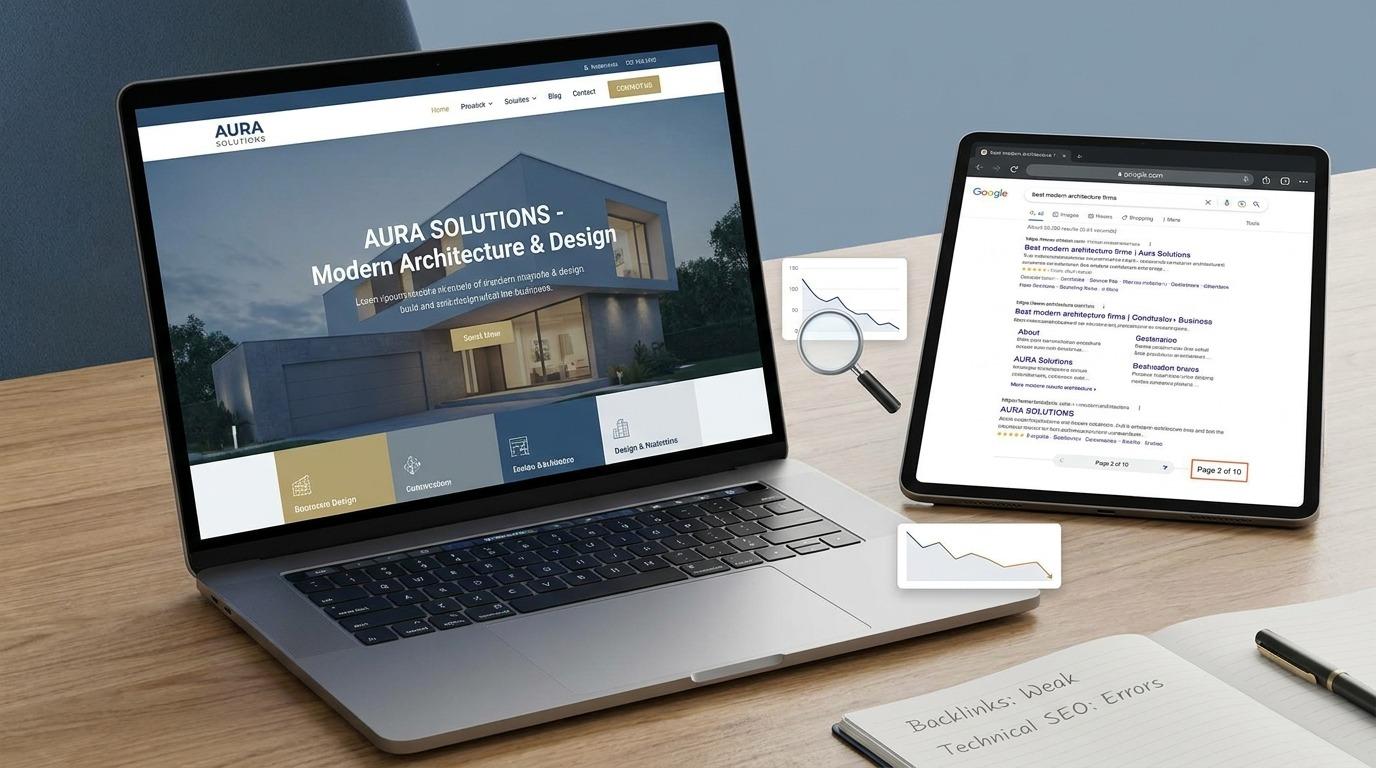
A website can look great, load properly, and contain useful information, yet still struggle to appear in search results. This can confuse many business owners. They may invest time and money into a modern website but see little organic traffic afterward.
The reason is that website design and search visibility are not the same thing.
A good-looking website helps visitors interact with a business. Search engines, however, need to understand what each page is about, how useful it is, and whether it answers a searcher's question.
A website may have attractive visuals and strong products but still face problems with content, page structure, keywords, technical setup, internal links, or competition.
This article explains why a good website can still struggle in search results and what businesses should review.
A Good Website Does Not Automatically Mean a Search-Friendly Website
Many people judge a website by its appearance. They look at colors, layouts, images, menus, and animations.
Search engines look at many other signals.
For example, a search engine needs to understand:
-
What the website is about
-
What each page covers
-
Which search terms match the content
-
How pages connect to each other
-
Whether the website can be crawled
-
Whether important pages can be indexed
-
Whether users find useful answers
A website can have an attractive homepage but weak content across its service pages. It can also have strong content but technical issues that prevent search engines from properly finding important pages.
Website Quality vs Search Visibility
|
Website Area |
What Visitors May See |
What Search Engines Need to Understand |
|
Design |
Layout and visual appearance |
Page structure and content relevance |
|
Images |
Attractive visuals |
Image context and supporting information |
|
Content |
Written information |
Topic relevance and search intent |
|
Navigation |
Menus and buttons |
Page relationships and internal links |
|
Pages |
Business information |
Crawlable and indexable content |
|
Speed |
Loading experience |
Technical performance signals |
Both sides matter. A website should serve human visitors while also providing a clear structure for search engines.
1. The Website May Target the Wrong Search Intent
One major reason websites struggle in search results is a mismatch between the page and the searcher's intent.
Search intent means the reason behind a search.
For example, a person searching for:
“how to improve website rankings”
is likely looking for information.
A person searching for:
“SEO agency near me”
may be looking for a service provider.
These searches require different types of pages.
If a business creates one general page for every search, it may fail to answer specific user needs.
Common Types of Search Intent
|
Search Intent |
Example Search |
Common Page Type |
|
Informational |
How does SEO work? |
Blog article |
|
Commercial |
SEO agencies for small businesses |
Service comparison |
|
Transactional |
Hire an SEO company |
Service page |
|
Navigational |
Company name |
Brand or homepage |
A page should match the reason behind the search. When the content does not match what users expect, ranking can become more difficult.
2. The Content May Be Too Thin
A website can have many pages without having enough useful information.
For example, a service page may only contain:
We provide web design services. Contact us today.
This does not give users much information.
A stronger service page may explain:
-
What the service includes
-
Who needs the service
-
Common problems it solves
-
The process involved
-
Important considerations
-
Related questions
The goal is not to add unnecessary words. The content should answer the questions a visitor may have.
Search engines try to understand whether a page is useful for a particular topic. Pages with little information may struggle against pages that cover the topic in a clearer way.
3. Important Pages May Not Be Indexed
Search engines must discover and process a page before it can appear in search results.
Sometimes a business creates an important page but search engines do not include it in their index.
Possible reasons include:
-
The page is blocked from crawling
-
A noindex setting is active
-
The page has technical errors
-
The page has little unique content
-
The page has weak internal links
-
Another page is selected instead
Businesses should regularly check which important pages appear in search engines.
A page that is not indexed cannot compete for organic rankings.
4. Weak Internal Linking Can Limit Visibility
Internal links connect pages within the same website.
For example, a blog article about website performance can link to:
-
Web development services
-
Related blog articles
-
Website optimization pages
Internal links help visitors move through a website. They also help search engines understand relationships between pages.
Example Internal Link Structure
Homepage
↓
Services
↓
SEO Services
↓
Keyword Research
↓
Technical SEO
Without internal links, important pages may become difficult to discover.
Businesses should avoid creating isolated pages that have little connection to the rest of the website.
5. Keyword Research May Be Missing
Businesses often create content based only on what they want to say.
The problem is that customers may use different words when searching.
For example, a business may use:
“Digital Growth Solutions”
while customers search for:
“SEO company for small businesses.”
Both phrases may relate to the same subject, but they have different search behavior.
Keyword research helps businesses understand:
-
What people search for
-
How topics are described
-
Which questions users ask
-
How competitive a search topic may be
-
Which pages may be needed
Keywords should support useful content. Repeating the same phrase too often can make writing sound unnatural.
6. Technical Problems Can Hold Back a Good Website
Technical issues may not always be visible to website visitors.
A website can look normal while having hidden problems such as:
-
Broken pages
-
Redirect chains
-
Duplicate pages
-
Incorrect canonical settings
-
Missing page titles
-
Crawl problems
-
Mobile layout issues
These problems can make it harder for search engines to process the website correctly.
Common Technical Issues
|
Issue |
Possible Effect |
|
Broken page |
Visitors and search engines cannot access content |
|
Duplicate content |
Search engines may struggle to choose the main page |
|
Poor internal links |
Important pages may receive less attention |
|
Incorrect redirects |
Page signals may become unclear |
|
Indexing problems |
Pages may not appear in search |
|
Mobile issues |
Mobile visitors may have problems using the website |
Regular technical reviews can help businesses identify these issues.
7. The Website May Have Strong Competition
Sometimes a website struggles because other websites already have strong coverage of the same topic.
For example, a new business may try to rank for a broad search term that has:
-
Large brands
-
Industry publications
-
Established companies
-
Long-standing content
-
Many related pages
This does not mean ranking is impossible. It means businesses should plan their content around realistic opportunities.
Instead of targeting only broad topics, a business can also create pages around:
-
Specific services
-
Customer problems
-
Industry topics
-
Location-based searches
-
Detailed questions
A focused content strategy can help a website build topic coverage over time.
8. Poor Page Titles Can Affect Search Visibility
A page title gives search engines and users a summary of the page topic.
Weak title:
Home | ABC Company
More descriptive title:
Website Development Services for Growing Businesses | ABC Company
The second example gives more context about the page.
Page titles should describe the content clearly. Each important page should have a title that matches its purpose.
9. The Website May Not Build Topic Depth
Publishing random articles on unrelated subjects can make it difficult to build a clear content structure.
For example, a technology company might publish one article about SEO, one about gardening, one about cooking, and one about software.
The topics do not connect.
A stronger content plan focuses on subjects related to the business.
Example Topic Structure
Main Topic: Search Optimization
Related topics:
-
Keyword research
-
Technical SEO
-
Internal linking
-
Content planning
-
Local search
-
Website audits
This structure creates meaningful connections between pages.
10. User Experience Can Affect Search Performance
Search engines aim to show pages that help users complete their goals.
A visitor may leave a website if:
-
The page is difficult to read
-
Important information is hidden
-
Pop-ups block the content
-
Navigation is confusing
-
The page does not work well on mobile
Good user experience does not require complex design.
Clear headings, readable text, logical navigation, and useful information can help visitors interact with the website.
Common Reasons a Website Struggles in Search
|
Problem |
What Happens |
|
Wrong search intent |
The page does not match the user's goal |
|
Thin content |
Users may not find enough information |
|
Indexing issues |
Important pages do not appear in search |
|
Weak internal links |
Search engines may miss page relationships |
|
Poor keyword targeting |
Content does not match common searches |
|
Technical problems |
Search engines may have difficulty processing pages |
|
Strong competition |
Other websites already cover the topic deeply |
|
Weak titles |
Page topics are unclear |
|
Random content |
The website lacks topic focus |
A Practical Search Visibility Review
Businesses can review their website using the following steps.
Step 1: Check Important Pages
List the pages that matter most to the business.
Examples include:
-
Homepage
-
Service pages
-
Product pages
-
Location pages
-
Contact page
Check whether these pages can be found through search.
Step 2: Review the Page Content
Ask:
-
Does the page answer a real customer question?
-
Does the page explain the topic clearly?
-
Is the information related to the page title?
-
Does the page contain useful headings?
Each page should have a clear purpose.
Step 3: Check Technical Health
Review:
-
Broken links
-
Redirects
-
Page indexing
-
Mobile pages
-
Duplicate content
-
Page titles
-
Internal links
Technical issues should be handled based on their impact on important pages.
Step 4: Review Competitors
Search for the topics your business wants to rank for.
Look at:
-
Type of pages ranking
-
Topics they cover
-
Questions they answer
-
Content structure
-
Related subjects
The goal is to understand what searchers are finding.
Step 5: Build a Content Plan
Create content around topics connected to the business.
For example:
|
Main Service |
Related Content |
|
Web Development |
Website planning guide |
|
SEO |
Keyword research guide |
|
Digital Marketing |
Content planning topics |
|
E-commerce |
Online store management |
|
Website Maintenance |
Website performance checks |
This can help businesses organize future content.
How InovexaTech Can Help Businesses Improve Search Visibility
Businesses that have a good website but still struggle to gain visibility may need to review both content and technical areas. InovexaTech helps businesses examine their website structure, search-focused content, page issues, and growth opportunities. Through its seo-services, businesses can claim a service consultation to discuss their current website performance and identify areas that may be affecting search visibility. A focused review can help businesses understand where their website needs attention and create a clearer path for improving its presence in search results.
Comparing Website Design and Search Optimization
|
Area |
Website Design Focus |
Search Optimization Focus |
|
Main Goal |
Present the business clearly |
Help relevant pages appear in search |
|
Layout |
Visual structure |
Content organization |
|
Content |
Brand messaging |
Search intent and useful information |
|
Navigation |
Help visitors move through pages |
Help visitors and search engines discover pages |
|
Images |
Visual presentation |
Supporting page context |
|
Technical Setup |
Website functionality |
Crawling and indexing |
Both areas should work together.
A visually strong website can attract visitors, while search-focused planning can help the right visitors discover it.
Mistakes Businesses Should Avoid
Publishing Content Without a Clear Purpose
Every page should answer a question or serve a specific business purpose.
Creating Pages Only for Search Engines
Pages should be written for people first. Search engines also look for useful and relevant content.
Ignoring Existing Pages
Businesses often focus on publishing new content while older pages need updates.
Using the Same Content on Multiple Pages
Pages should have a clear purpose and original information.
Focusing Only on Rankings
Search visibility is important, but businesses should also review whether visitors become leads, customers, or subscribers.
Final Thoughts
A good website can struggle in search results for many reasons. Design alone does not determine whether a page appears for relevant searches.
Businesses need to think about search intent, content quality, indexing, internal links, technical health, keywords, and competition.
Search visibility usually develops through consistent work. Pages need to be reviewed, content may need updates, and technical issues should be addressed when they affect important parts of the website.
The strongest approach is to connect website design with useful content and a clear search strategy. When these areas work together, a business has a stronger foundation for reaching people who are actively searching for related products or services.
Frequently Asked Questions
1. Why is my website not appearing on Google even though it looks good?
A visually attractive website may still have problems with indexing, content, keywords, internal links, or technical setup. Search engines need more than design to understand a website.
2. How long does it take for a website to improve in search results?
The time can vary depending on competition, website history, content, and technical conditions. Search visibility often develops gradually.
3. Can poor content affect search rankings?
Yes. Content that does not answer the searcher's question or provides very little useful information may struggle against pages that cover the topic more clearly.
4. Do internal links matter for search visibility?
Internal links help connect related pages. They can help visitors discover more information and help search engines understand the structure of a website.
5. Should businesses focus only on keywords?
No. Keywords are only one part of search optimization. Content relevance, technical health, page structure, search intent, and website organization also matter.

 Arabic
 French
 Spanish
 Portuguese
 Deutsch
 Turkish
 Dutch
Dutch
 Italiano
 Russian
 Romaian
 Portuguese (Brazil)
 Greek
Greek