


How Does Payment Collection Tracking Software Handle Unpaid Invoices?
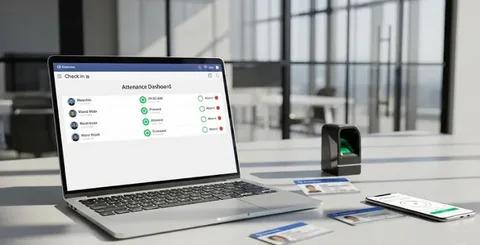
Unpaid invoices can create cash flow pressure when businesses rely on spreadsheets, emails, or scattered records. Teams require visibility on what customers owe, their due dates, and if there is any account that requires follow-up. Manual tracking also can cause problems in determining previous collection activity and overdue balances. As a result, having an organized procedure that maintains the connection of the invoice details and provides the finance teams with a clear view of outstanding receivables is essential for businesses.
Having accurate records is essential for businesses to keep track of outstanding balances, due dates, invoice status, and ageing periods. Payment Collection Tracking Software can arrange these details and also help you deal with reminders, partial repayments, and conflicts, as well as collection history. A centralized system allows finance to see each invoice without having to scour multiple systems. In addition, having payment history in order will offer more context in follow-ups. This means that teams can track unpaid accounts and have regular collection procedures.
Why Do Businesses Need to Track Unpaid Invoices?
Unpaid Invoices Can Accumulate Over Time
It's possible that a single unpaid bill might not be too bad, but multiple unpaid bills can be hard to keep track of. Finance needs to be aware of customers that have not yet paid and how much is still owed. They also should have clarity regarding the due date of the invoice and terms of payment. If there is no record of this, older balances can go unnoticed, and new invoices can be added to the collection process.
Frequent reviews of the accounts receivable can provide businesses with greater visibility into outstanding balances. One of the most common ways of sorting receivables is by "ageing" reports based on the time an invoice remains outstanding. This method also helps collection teams to understand what is going on with a customer's account when they are looking at it.
Manual Tracking Can Miss Important Follow-Ups
Spreadsheets, calendars, emails and personal reminders are often used for manual collection work. These techniques can be used with a limited number of invoices. But it is challenging when there are numerous customers and payment due dates in a business.
An invoice tracking system is centralized and maintains the information about the invoice and how it was collected. No need to search through a number of platforms to check past reminders, payment updates, or notes about customers. This helps ensure a uniform process in the tracking of unpaid accounts.
Outstanding and Overdue Invoices Are Different
Not every time when an invoice is outstanding is it because the customer failed to pay on time. An unpaid invoice can still be a viable business that is within the agreed payment terms. When an invoice is overdue, you should pay special attention to it because it has expired.
This is important, and the distinction should be considered before contacting customers, as the collection teams need to be aware of the current status. Remove status information to avoid unnecessary reminders and provide more context to teams for each account.
How Does Payment Collection Tracking Software Identify Unpaid Invoices?
Records Invoice Status
Payment Collection Tracking Software can also provide the invoice with status according to their payment status. Some of the typical statuses are sent, open, partially paid, overdue, paid, disputed, and written off.
These statuses provide a view to the finance team of outstanding receivables at a quick glance. If a payment is received, the status of the related invoice can be changed. Teams can then differentiate between active collection cases and paid-in cases of invoices.
Tracks Outstanding Balances
The system will keep track of the original invoice amount and the amount already paid. Then it displays the outstanding balance that the customer still has. This information is particularly relevant if customers make multiple payments against a single bill.
Precise balance tracking also helps to eliminate confusion with followups. Before making a call to the customer, a collection team can check how much the customer has. This means that staff will not have to ask for a repayment which the customer has already paid.
Monitors Payment Due Dates
Another helpful clue to use for unpaid invoices is due dates. Invoice dates, payment terms and payment deadlines can be stored in the system. Then it will pinpoint invoices that are near or past due.
From this information teams can differentiate between pending payments and overdue accounts. Businesses can also set up follow-up schedules based on the terms of payment, rather than on memory.
How Does Software Organize Overdue Invoices?
Uses Invoice Ageing
Invoice ageing is a report that details the outstanding time of an invoice. Typical classifications of ageing are less than 30 days, 31–60 days, 61–90 days and over 90 days. These categories provide a better perspective of older receivables for the finance teams.
Payment Collection Tracking Software can sort invoices by these periods of time. Teams can then check the current invoices alone from accounts which have been outstanding for a few months. This perspective is helpful for planning collections and financial reporting.
Shows the Oldest Outstanding Invoices
Older invoices may need to be looked at more closely, as they have not been paid for longer. These accounts can be moved to older classes with an old report. Teams are then able to review the customer's history, payment activity and prior follow-ups.
This can also inform managers of their collection patterns. They can detect when some accounts continue to be unpaid after the agreed time period.
Groups Invoices by Customer or Account
It's common for businesses to receive multiple invoices from the same customer. You might not have enough context when viewing each invoice individually. Invoices grouped by customer provide a more comprehensive perspective of the customer.
The team can check outstanding amounts, outstanding individual invoice date, history of payments and notes received on the invoice. This helps to maintain customer-level information linked to invoice-level information.
How Does Payment Collection Tracking Software Handle Payment Reminders?
Schedules Reminders Around Due Dates
Agreed payment terms can be used to set up reminder schedules for businesses. A reminder might be sent prior to the due date, shortly after, or at other subsequent collection phases.
The timing should be in accordance with the policies of the company and the relationship it keeps with its customers. A structured approach also helps ensure that staff do not use their own calendars or remember things. Current accounts receivable guidelines suggest reminders prior to and after the due date for payment.
Records Previous Follow-Ups
An extensive collection history should include details of the business's interaction with the customer and its subsequent actions. Emails, calls, payment promises, disputes, and so on can be included in the notes.
A brief history will provide enough background for another teammate to join the discussion. It also minimises repeat messages as staff have the opportunity to check past collections before.
Adjusts Reminders When Payment Is Received
When you make a payment, the status of the invoice and outstanding balance is updated. Reminders should thus take into account the most recent payment data prior to sending another reminder.
A customer might pay a part of an invoice after receiving a reminder, for instance. In the subsequent follow-up, the remaining balance should be referred to and not the original amount. Repetitive collection communication can be minimized with real-time reporting and synchronization of financial information.
How Does Software Handle Partial Payments and Payment Updates?
Records Partial Payments
Often customers do not pay an invoice in one payment. For some businesses, the entire amount is not paid in full, but rather the business is paid a deposit, installments, or partial payments first.
The system must match up each payment to the proper invoice. It can then display the original amount, amount received and the balance remaining. This record provides finance teams with increased visibility of the account.
Updates the Outstanding Amount
The balance after each payment should be the updated balance. Up-to-date information helps collection staff not use outdated numbers for follow-up calls with customers.
In the case of an invoice of $5,000, for example, the payment is $2,000. On the collection record, the remaining balance should then be $3,000. This basic separation can be vital when a team is handling hundreds of invoices.
Maintains Payment History
A payment history is a log of key information regarding transactions over time. These details may include reference dates, amounts, reference and invoice numbers.
When customers ask for context when a balance is outstanding, it's also helpful for a business to have a full history. Staff are able to see previous transactions, rather than having to manually build these up.
How Does It Handle Disputed Unpaid Invoices?
Flags Disputed Invoices
This isn't always the case with unpaid invoices, as there are other reasons for them. Billing inaccuracies, missing data, service queries or service disputes may hold up payment.
The system has the ability to record disputed invoices separately from the normal overdue invoices. This separation means that collection teams can't act in the same manner on all unpaid balances.
Pauses Routine Collection Actions
If there is an invoice that is disputed, it may need to be reviewed prior to sending a second reminder. Teams can review the invoice and determine if the invoice needs to be corrected or discussed further.
This will help to have a more controlled workflow for collecting. Additionally, it provides employees an opportunity to work out billing issues before moving up the line.
Records Resolution and Follow-Up
Dispute records should have the cause of the dispute and what steps were taken after. Teams are able to document customer replies, internal decisions, revised invoices or agreed-upon payment dates.
The notes provide a clear history of the conflict. They also provide other employees some context when they take over the account.
What Information Should Be Tracked for Unpaid Invoices?
Invoice and Customer Details
The basic details that should be included in an unpaid invoice record include the customer name, invoice number, invoice date, due date and payment terms. These facts create the fundamental identity and timeline of the receivable.
These fields help to simplify searching for the invoice. It also provides the collection staff with the information they should have before calling a customer.
Financial Details
The financial records shall report the original bill, the payments received, the outstanding amount and the days that the payment was late. These figures will enable teams to see how well each invoice is doing at this moment.
Usually, ageing reports will be a mix of customer information, invoice details, outstanding amounts, ageing categories and collection notes.
Collection Activity
The last reminder, customer response, promised payment date, collection owner and the status of a dispute can be added to the collection records. These are details that occur since the invoice went out the door as an outstanding invoice.
They also foster accountability amongst the finance team. Clearly a ‘next step' and a responsible person can be identified for each account.
What Should Businesses Look for in Payment Collection Tracking Software?
Invoice Status and Ageing Tracking
Businesses need to search for obvious aging and invoice statuses. The features enable teams to differentiate between outstanding and current bills and from older receivables.
These details should be easily filterable and reviewable with a useful system. Ageing reports can also help managers to see the bigger picture regarding accounts receivable.
Automated Payment Reminders
Automating reminders can help cut down on repetitive administrative tasks. For businesses, it is important to seek out payment schedules that are flexible and can be altered to align with a company's payment terms and collection strategies.
Reminder activities should be updated in the system as well when the payment is received. This stops unnecessary messages and ensures that communication with the customer is in line with the account status.
Partial Payment and Reconciliation Tracking
It is important for businesses to check whether the software will allow for partial payments to be made and associated with the right invoices. Outstanding balances are kept up to date with accurate reconciliation.
This feature is especially useful in the event of multiple payments by customers. Teams have access to all the history of each invoice and can review all transactions.
Customer Communication History
Send emails/notes, make calls, and record responses and promises of payment to the collection in a communication history. This information will be helpful as a reference for future follow-ups.
This also decreases the reliance on individual staff. Another team member can see what has happened in the account's history and catch up on what's been discussed previously.
Reporting and Accounts Receivable Dashboards
Dashboards can combine great balances, aging categories, overdue invoices and collection activity. These reports can be used by managers in their routine AR reviews.
Businesses can also analyze the payment behavior of customers or analyse payment patterns from one period to another. This data can expose any recurring delays or regions that need to be looked at more carefully in terms of finances.
Conclusion
When bills are not paid, there needs to be proper documentation and regular follow-ups, as well as an understanding of how they will be paid. A centralized system can provide invoice status, due dates, ageing periods, balances, and reminders and communicate with customers. Payment Collection Tracking Software integrates all these details into a connected workflow and simplifies finance teams' understanding of each outstanding account. But software is not enough to ensure successful collections. It's also important for businesses to have clear payment terms and periodically check receivables. The system should be appropriate for the company's volume of invoices, customer workflow, reporting requirements and financial systems. Data and follow-up ensure that teams have the right information and are able to keep track of outstanding receivables and collection activity.
FAQs
What does the payment collection tracking software do with unpaid invoices?
It monitors all invoice statuses, outstanding balances, due dates, overdue periods, reminders and payment history from one place.
Does payment collection software have the ability to monitor overdue invoices?
Yes. Can locate overdue invoices, provide ageing information of invoices, and present invoice ageing information in different time durations.
Does the software have a partial payment tracker?
Yes. It does partial payments, and the remaining balance is automatically updated.
What is the ability of the payment collection software to manage disputed invoices?
Yes. Can mark disputed invoices, document communication and monitor the resolution of disputed invoices separately to normal overdue invoices.

 English
 Arabic
 French
 Spanish
 Portuguese
 Deutsch
 Turkish
 Dutch
Dutch
 Russian
 Romaian
 Portuguese (Brazil)
 Greek
Greek