


What Pages Should You Include in a Physiotherapy Website Template for a Growing Clinic?
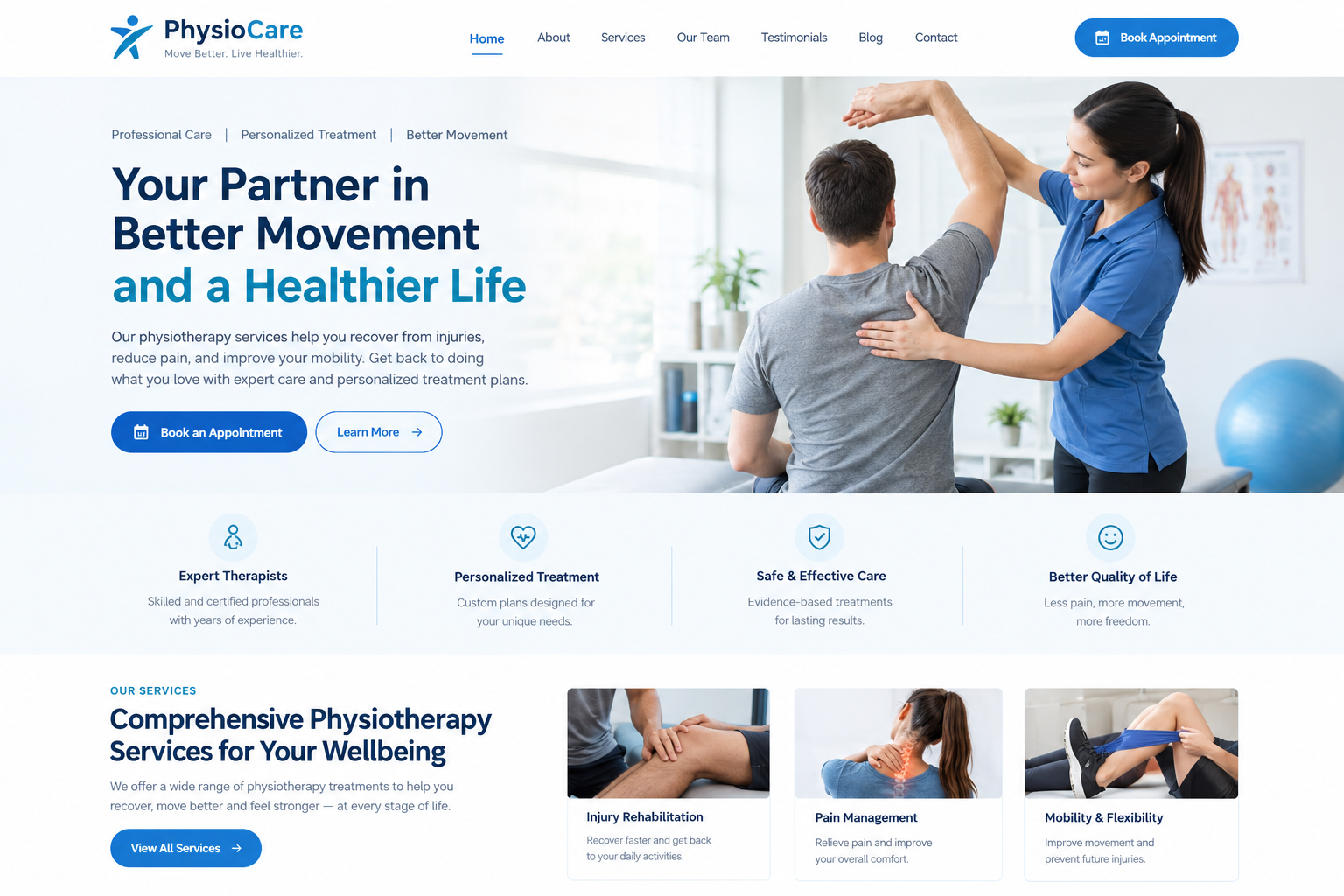
When a clinic is small, a handful of pages is usually enough. A home page, a few services, a contact page, and you're done. But as your clinic grows, with more therapists, more treatments, and maybe a second location, that simple website starts to feel cramped. Patients can't find what they need, new staff have nowhere to be introduced, and referrers don't know how to contact you. A flexible physiotherapy website template can help your clinic organize new pages, introduce therapists, showcase additional treatments, and keep information easy to find as your practice grows.
The right website template can grow with you, as long as it includes the right pages. Here's a practical guide to the pages a growing physiotherapy clinic should include, and why each one matters.
Start With the Core Pages Every Clinic Needs
Home Page
Your home page is the front door. It should say clearly what you do, where you are and how to book. Add a few highlights, such as your main services, a short note about your team and a couple of reviews. Keep one obvious button for booking.
About the Clinic
This page tells your story. Explain who you are, what you care about and how you work. For a growing clinic, it's also a chance to show that you're established and trustworthy. Add photos of your real space and team.
Services or Treatments
This is one of your most-visited pages. Show an overview of what you offer, with each treatment linking to its own detailed page. Use plain words and clear headings.
Contact and Location
Include your address, phone number, email, opening hours, map and parking details. If you have more than one location, give each its own section or page.
Book an Appointment
Make booking its own clear page as well as a button. Link it to your booking system, and keep the steps short.
Pages That Help New Patients Feel Comfortable
First Visit or "What to Expect"
Nervous patients love this page. Explain what happens at the first appointment, how long it takes, what to wear and what to bring. It cuts down on phone calls and no-shows.
Frequently Asked Questions
Gather common questions in one place, such as referrals, costs, insurance and cancellations. Accordion layouts keep it neat.
Prices and Payment
Be open about session fees, payment methods and insurance. If prices vary, explain what they depend on. Hiding costs makes people hesitant.
New Patient Forms
A page with downloadable or online forms saves time at the clinic. Make sure forms are short and mobile-friendly.
Pages That Show Your Expertise
Meet the Team
As you add therapists, give each one their own profile page, along with a team overview page. Include a photo, qualifications, areas of interest and a friendly note. Link each profile to a booking button.
Conditions We Treat
Create pages for common problems such as back pain, neck pain, sports injuries, knee pain and post-surgery rehab. Use everyday words patients search for, and link each page to relevant treatments and therapists.
Specialist Programmes
If you offer special services, like children's physiotherapy, women's health, balance and falls prevention or workplace injury, give each its own page. It helps you attract the right patients.
Patient Reviews and Stories
A dedicated page for testimonials builds trust. Use real, permission-based reviews, and avoid promising results.
Pages for Growing Clinics With Multiple Locations
Individual Location Pages
If you have more than one clinic, create a page for each location. Include the address, directions, parking, opening hours, local team members and a booking link. This also helps local search visibility.
A Locations Overview Page
A simple page listing all locations, with a map and links, helps patients pick the closest one.
Location-Specific Details
Different sites may have different services or hours. Make sure each page reflects the real situation, and update it as things change.
Pages for Referrers and Partners
For Referrers
Doctors, specialists and other health professionals may refer patients to you. A "For Referrers" page with a short explanation of how referrals work, a simple referral form and a direct contact makes their job easier.
Insurance and Funding Information
Explain which insurers and funding schemes you work with, and how patients can claim. This reduces confusion and billing questions.
Corporate or Workplace Services
If you offer services to businesses, such as ergonomic assessments or workplace injury programmes, add a dedicated page with a clear contact option.
Read More: 37 Best Healthcare Website Templates for WordPress (Free & Paid)
Pages That Build Long-Term Value
Blog or Resources
A blog lets you share helpful articles, exercise tips and clinic news. Start small, maybe one post a month. Over time, it brings in new visitors and shows your expertise.
Patient Resources and Exercise Guides
A section with downloadable guides or short exercise videos helps patients between sessions. Have your therapists check accuracy, and remind patients to ask if anything feels unclear.
News and Announcements
A simple news area is handy for opening hour changes, new team members or new services. It keeps the website fresh.
Pages for Growing Your Team
Careers or Join Our Team
As you expand, you'll need to hire. A careers page with current openings, a short description of your culture and how to apply attracts good candidates. Even a simple page with a contact email helps.
Student Placements or Training
If you offer placements or training, a short page explaining how to apply can build links with universities and colleges.
Pages for Trust, Privacy and Practicalities
Privacy Policy
Because you collect personal details through forms, you need a clear privacy policy. Check with a qualified professional about what rules apply where you work.
Terms and Cancellation Policy
Explain cancellation rules, late arrival policies and payment terms. Clear policies prevent awkward conversations later.
Accessibility Information
Explain how patients with mobility needs can access your clinic, including parking, steps, lifts and toilets. It's a thoughtful addition that many patients appreciate.
Choose a Template That Lets You Add Pages Easily
Flexible Page Layouts
Pick a template with plenty of ready-made layouts for services, team members, locations, blog posts and forms. You'll be glad of them as you grow.
Easy Menu Management
A growing site needs a tidy menu. Look for a template that supports dropdown menus, grouped sections and a clear mobile menu, so visitors don't feel lost.
Simple Editing for Staff
As your site grows, more people will update it. Choose a template that works with drag-and-drop editing and has clear documentation.
Room for Growth
Check that the template stays fast and organized even with dozens of pages. Lightweight code and good structure make a big difference.
Don't Add Everything at Once
You don't need every page on day one. Start with the core pages, then add more as your clinic grows and you have good content to put on them. A few well-written pages beat many thin ones. Review all pages regularly to keep them accurate.
Conclusion
A growing physiotherapy clinic needs a website that can keep up. Start with the essentials, such as home, services, team, contact, and booking. Then add helpful pages for new patients, conditions, locations, referrers, resources and careers as your needs expand. With a flexible template and a clear menu, your site can grow naturally, without becoming messy or confusing. If you'd like a head start, premium WordPress templates made for physiotherapy clinics typically include layouts for many of these pages, along with menu tools and booking features, so you can add new pages quickly as your clinic grows.
Frequently Asked Questions
1. What are the most important pages for a physiotherapy website?
A home page, services, about the clinic, meet the team, contact and location, and a clear booking page. A "What to expect" page and FAQs are also very helpful for new patients.
2. Do I need separate pages for each location?
Yes, if you have more than one clinic. Each location page should include its own address, directions, hours, team, and booking link, which also helps local search visibility.
3. Should I have a page for referrers?
It's a good idea. A simple page explaining how doctors and other professionals can refer patients, with a form and contact details, makes the process easier and builds good relationships.
4. How many pages should a growing clinic website have?
There's no fixed number. Start with the core pages, then add more as you have useful content. A few clear, well-written pages are better than many thin ones.
5. Is a blog really necessary?
Not at the start, but it's useful over time. A blog lets you share helpful advice, shows your expertise, and can bring in new visitors. Even one short post a month helps.

 English
 Arabic
 Spanish
 Portuguese
 Deutsch
 Turkish
 Dutch
Dutch
 Italiano
 Russian
 Romaian
 Portuguese (Brazil)
 Greek
Greek