


How to Convert an OFM File for Professional Embroidery Results
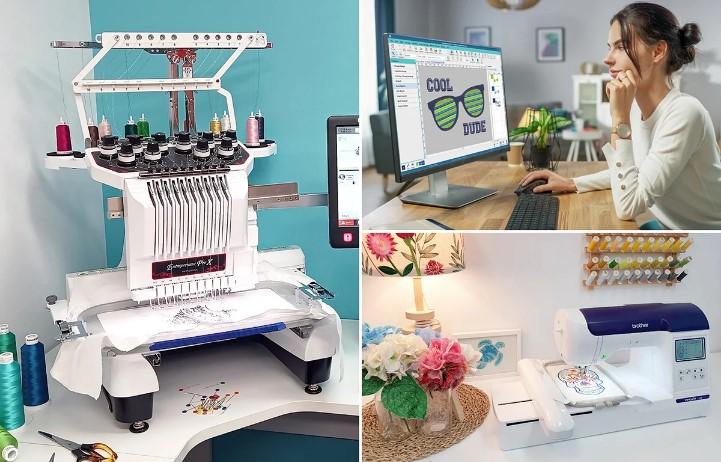
If you work with embroidery machines, learning How to Convert an OFM File is an important skill. OFM files are common in embroidery, but not all machines can read them. Many designs look great on screen but fail on fabric because the file was not converted the right way. Good conversion keeps stitches clean, smooth, and strong.
This guide explains OFM files in simple terms. You will learn what they are, why conversion matters, and how to get professional embroidery results without stress.
What Is an OFM File in Embroidery?
An OFM file is an embroidery design file used by certain machine brands. It contains stitch data, color changes, and sewing paths.
Why OFM Files Are Used
OFM files are designed for accuracy. They control:
- Stitch order
- Stitch direction
- Thread color sequence
- Needle movement
Because of this, they are useful for detailed embroidery designs.
Why You May Need to Convert an OFM File
Not all embroidery machines support OFM files. Many popular machines use PES, DST, EXP, or other formats.
Common Reasons for Conversion
- Machine does not read OFM files
- Client requests a different format
- Production uses multiple machines
- Design needs resizing or editing
Conversion allows one design to work across many setups.
Why Proper Conversion Is Important
Embroidery files are not like image files. A wrong conversion can ruin the design.
Problems Caused by Poor Conversion
- Broken stitches
- Thread breaks
- Distorted shapes
- Lost details
- Poor fabric hold
Professional results depend on correct stitch mapping.
Manual vs Auto OFM File Conversion
There are two main ways to convert OFM files.
Automatic Conversion Tools
These tools convert files in seconds.
- Fast
- Easy to use
- Low accuracy
They often ignore stitch logic and fabric needs.
Manual Conversion
Manual conversion is done by skilled digitizers.
- Stitch paths are adjusted
- Density is controlled
- Fabric type is considered
Manual work always produces better embroidery results.
Step-by-Step Guide to Convert an OFM File
Below is a simple and professional process.
Step 1: Open the OFM File
Use embroidery software that supports OFM format. Check the design carefully.
Step 2: Review Stitch Structure
Look at:
- Stitch count
- Stitch direction
- Color order
- Jump stitches
Fix issues before conversion.
Step 3: Adjust for Fabric Type
Cotton Fabric
- Medium density
- Balanced underlay
Stretch Fabric
- Light density
- Strong underlay
Caps and Thick Fabric
- Firm underlay
- Strong outlines
Fabric choice affects stitch behavior.
Step 4: Edit Stitch Density
Too many stitches cause stiffness. Too few causes gaps. Balance is key.
Step 5: Fix Small Text and Details
Small text often needs resizing or stitch changes to stay readable.
Step 6: Choose the Target File Format
Select the format your machine needs, such as:
- PES
- DST
- EXP
- JEF
Each format handles stitches differently.
Step 7: Convert and Save the File
Export the design carefully. Avoid changing size after conversion.
Step 8: Test the Design
Always test stitch on similar fabric. Testing avoids wasted material.
Best Software for OFM File Conversion
Professional results depend on good software.
Features to Look For
- Manual stitch editing
- Format support
- Density control
- Underlay options
- Real stitch preview
Avoid tools that only offer quick export options.
Common Mistakes to Avoid During OFM Conversion
Even small mistakes can ruin embroidery.
Ignoring Stitch Direction
Wrong stitch direction causes uneven shine and weak areas.
Overlooking Underlay
Underlay supports top stitches and improves shape.
Not Testing the File
Skipping test runs leads to costly errors.
OFM File Conversion for Different Embroidery Uses
Different products need different approaches.
Logo Embroidery
Logos need clean edges and readable text.
Patch Designs
Patches require strong borders and stable fill stitches.
Large Back Designs
Large designs need balanced stitch flow to avoid puckering.
Cap Embroidery
Caps need angled stitches to match curved surfaces.
How Proper Conversion Improves Production
Good OFM conversion saves time and money.
Faster Machine Run Time
Smooth stitch paths reduce stops and thread breaks.
Less Fabric Waste
Clean designs reduce rejected items.
Better Brand Image
High-quality embroidery improves customer trust.
When to Choose Professional OFM Conversion
If your design includes:
- Fine details
- Small lettering
- Complex logos
- High production volume
Professional conversion is the safer choice.
Final Thoughts
Learning how to convert an OFM file the right way makes a huge difference in embroidery quality. Clean stitch paths, correct density, and fabric planning turn a simple design into professional embroidery. Whether you run a small shop or manage bulk orders, proper conversion ensures consistent results and fewer problems.
For reliable and professional embroidery file conversion, digitizing buddy provides expert solutions that help designs stitch clean, smooth, and production-ready every time.

 English
 Arabic
 French
 Spanish
 Portuguese
 Deutsch
 Turkish
 Dutch
Dutch
 Russian
 Romaian
 Portuguese (Brazil)
 Greek
Greek