


Penetration Testing Tools: How Security Teams Use Them Across a Modern Attack Surface
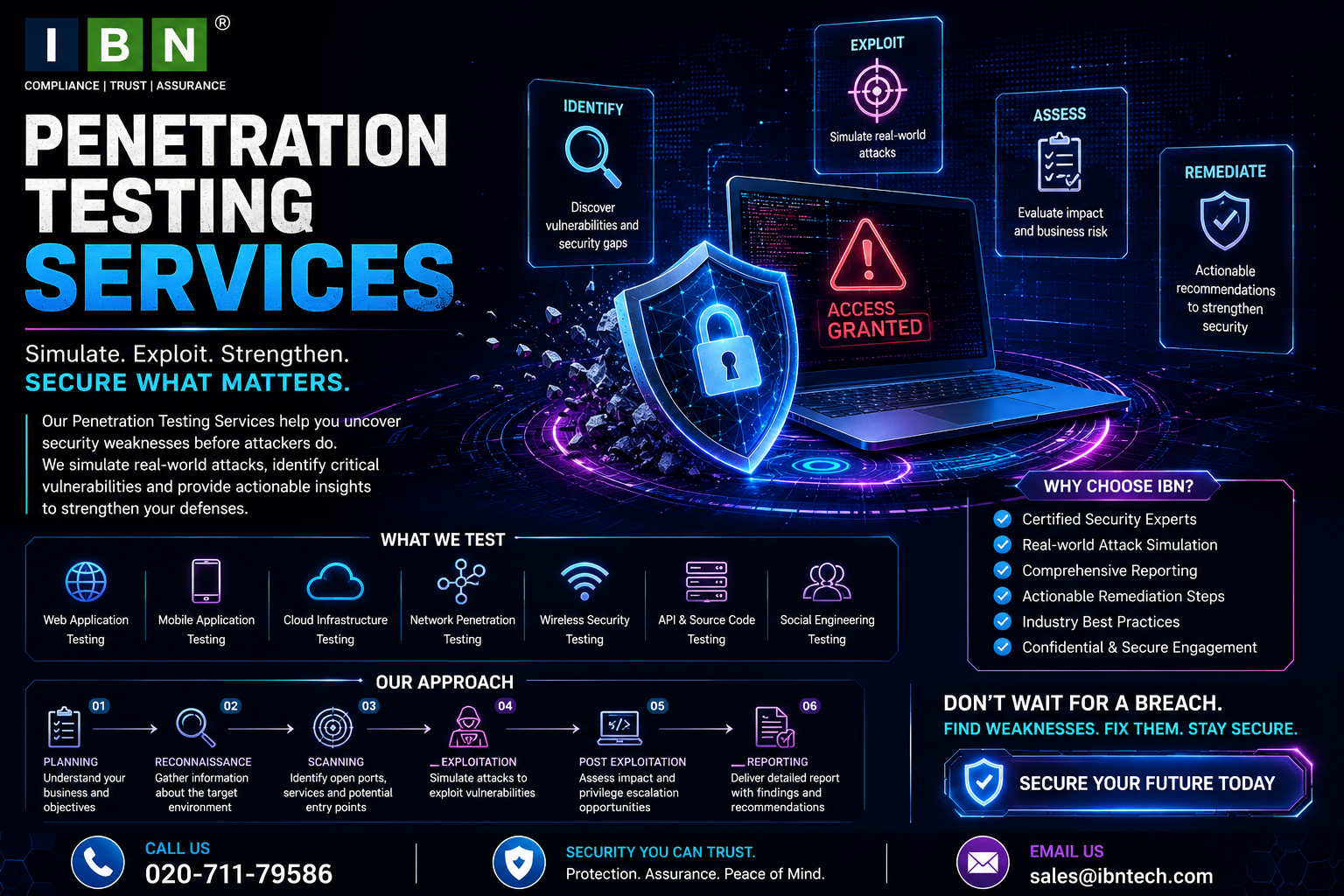
Modern penetration testing involves much more than manually checking individual systems.
Businesses operate websites, APIs, cloud environments, networks, mobile applications, identity platforms, databases, and other connected technologies. Security professionals therefore need different technologies to understand how these environments behave and where security weaknesses may exist.
This is where penetration testing tools become useful.
Tools can help testers discover assets, analyze services, inspect applications, identify potential vulnerabilities, validate security controls, collect evidence, and organize assessment results.
However, tools are only one part of a professional security assessment.
A tool can identify an unusual response or potential vulnerability. A security professional needs to determine whether the finding is genuine, whether it is relevant to the environment, whether it can be exploited within the authorized scope, and what the potential business impact could be.
What Are Penetration Testing Tools?
Penetration testing tools are technologies used to support different stages of an authorized security assessment.
Depending on the engagement, tools can assist with:
- Reconnaissance
- Asset discovery
- Network analysis
- Service enumeration
- Web application testing
- API assessment
- Vulnerability discovery
- Authentication testing
- Configuration analysis
- Evidence collection
Different tools have different purposes.
A network assessment may require technologies that provide visibility into services and infrastructure, while a web application assessment may require tools capable of analyzing requests, sessions, parameters, and application behavior.
Why Penetration Testing Requires Multiple Tools
There is no single technology capable of testing every aspect of a modern environment.
Consider a business with:
- A public website
- Several APIs
- Mobile applications
- Cloud infrastructure
- Internal networks
- Remote-access systems
- Databases
Each component presents different security questions.
A professional assessment may therefore combine several categories of tools.
The important factor is not the number of tools used.
It is whether the tools help the tester answer the right security questions.
Reconnaissance and Asset Discovery
Security testing usually begins by understanding the authorized target environment.
Discovery technologies can help identify:
- Domains
- Subdomains
- IP addresses
- Hosts
- Network services
- Application endpoints
- Cloud resources
This can reveal assets that an organization may not have included in its original inventory.
For example, a business may discover an old subdomain or legacy server that is still publicly accessible.
Unknown assets can create security exposure because they may not receive the same patching, monitoring, or security attention as known systems.
Network Enumeration Tools
Once authorized network assets are identified, testers can investigate the services running on them.
This can provide information about:
- Open ports
- Network services
- Service versions
- Operating systems
- Protocols
- Network exposure
An open port does not automatically represent a vulnerability.
The tester needs to understand why the service is exposed and whether its configuration creates meaningful risk.
Vulnerability Discovery Tools
Security professionals can use automated technologies to identify potential weaknesses.
These tools may detect:
- Known vulnerabilities
- Outdated software
- Missing updates
- Insecure configurations
- Exposed services
- Vulnerable components
Automated discovery can provide broad coverage across large environments.
However, a detected condition should not automatically be treated as a confirmed vulnerability.
Validation is still necessary.
Web Application Testing Tools
Web applications can contain complex functionality.
Testing technologies can help security professionals inspect:
- HTTP requests
- HTTP responses
- Parameters
- Cookies
- Headers
- Authentication flows
- Sessions
- Application endpoints
This can make it easier to investigate how an application handles different requests.
However, tools may not understand the business purpose behind those requests.
A tester still needs to determine whether the application's behavior creates a genuine security issue.
API Testing Tools
APIs are often responsible for critical application functionality.
They may handle:
- Customer accounts
- Payments
- Orders
- User profiles
- Authentication
- Administrative operations
Testing technologies can help inspect API requests and responses and analyze authentication mechanisms.
But API security frequently depends on authorization.
For example, the important question may not be whether an API endpoint responds correctly.
It may be whether one authorized user can access another user's information.
That requires understanding the application's access-control model.
Authentication Testing
Authentication testing can examine how applications verify user identity.
Depending on the authorized scope, testers may assess:
- Login functionality
- Password recovery
- Session creation
- Authentication tokens
- Multi-factor authentication
- Account lockout behavior
- Session termination
Tools can automate portions of this work.
However, authentication testing should consider the application's entire authentication lifecycle rather than focusing only on the login form.
Authorization Testing
Authorization determines what an authenticated user is allowed to access.
This can be particularly difficult to test automatically.
Consider:
Customer
↓
Employee
↓
Manager
↓
Administrator
Each role should have appropriate permissions.
Testing can compare authorized accounts and determine whether users can access resources or functionality belonging to other roles.
Tools can assist with request manipulation and analysis.
The tester provides the business and security context.
Session Testing
Sessions allow applications to maintain a user's authenticated state.
Security tools can help analyze:
- Session tokens
- Cookie attributes
- Session expiration
- Logout behavior
- Token handling
- Session changes
Weak session controls can potentially allow unauthorized access even when authentication itself appears secure.
Input and Request Testing
Applications receive user-controlled data through:
- Forms
- URLs
- API requests
- Search fields
- File uploads
- Headers
- JSON payloads
Testing tools can help security professionals analyze how applications respond to unexpected input.
Automated testing can examine large numbers of parameters efficiently.
Manual investigation is then used to determine whether unusual behavior represents an actual security vulnerability.
Business Logic Cannot Always Be Automated
Business logic vulnerabilities are among the clearest examples of why tools cannot replace human testing.
Consider an application that processes:
Order → Payment → Cancellation → Refund
A tool may be able to test each request individually.
But the important security question could involve the sequence.
For example:
- Can a refund be requested after cancellation?
- Can the same transaction be refunded twice?
- Can an approval step be skipped?
- Can a discount be reused?
- Can a user access a function before completing a required step?
These questions require an understanding of the application's intended business behavior.
Configuration Assessment Tools
Security weaknesses can also result from incorrect configuration.
Assessment technologies can identify:
- Unnecessary services
- Weak security settings
- Excessive permissions
- Public exposure
- Insecure protocols
- Configuration inconsistencies
However, security teams should interpret configuration findings in business context.
A configuration that appears unusual may be intentional.
Cloud Security Testing Tools
Cloud environments introduce additional complexity.
Security professionals may need to assess:
- Identity permissions
- Storage
- Network configurations
- Public resources
- Cloud services
- Access policies
Cloud environments can also change rapidly.
A configuration that was secure last month may become exposed after a new resource or policy is introduced.
Tools can help maintain visibility, while deeper manual assessment can investigate significant attack paths.
Mobile Application Assessment
Mobile applications frequently depend on backend APIs.
Security testing can therefore involve both:
Mobile application
and
Backend infrastructure
Depending on scope, assessment can examine:
- Authentication
- Local data storage
- API communication
- Session management
- Application configuration
- Authorization
The mobile application should not necessarily be viewed as an isolated component.
Its relationship with backend services is often equally important.
Vulnerability Validation
Automated tools can produce potential findings.
Professional testing requires validation.
A simplified process is:
Potential finding
↓
Manual inspection
↓
Controlled validation
↓
Impact analysis
↓
Confirmed finding
This helps reduce inaccurate reporting.
It also allows the tester to determine whether the vulnerability can realistically affect the organization.
False Positives
A false positive occurs when a tool identifies a potential security issue that does not represent meaningful vulnerability under the actual conditions.
For example, a tool may identify vulnerable software.
Further analysis could show that:
- The vulnerable component is disabled.
- The affected service is inaccessible.
- A security control prevents exploitation.
- A vendor-specific patch has already addressed the issue.
Important findings should therefore be manually validated.
False Negatives
Tools can also fail to identify genuine weaknesses.
This is particularly likely with:
- Business logic
- Complex authorization
- Multi-step workflows
- Application-specific behavior
- Vulnerability chains
A clean automated result should therefore not be treated as proof that the target is completely secure.
Vulnerability Chaining
Security professionals should consider how individual weaknesses may interact.
For example:
Weak authentication
↓
Low-privilege access
↓
Authorization weakness
↓
Sensitive data exposure
↓
Credential discovery
↓
Privilege escalation
Each issue may appear independently in automated results.
The combined attack path could represent much greater risk.
Understanding these relationships is one of the areas where manual penetration testing provides significant value.
Penetration Testing Tools and Network Security
Network-focused tools can help testers investigate:
- Services
- Ports
- Network exposure
- Authentication
- Segmentation
- Infrastructure vulnerabilities
For internal assessments, they can also support investigation of potential lateral movement.
The objective is not to generate as much traffic as possible.
It is to understand whether network controls prevent unauthorized movement between systems.
Penetration Testing Tools and Vulnerability Assessment
Vulnerability assessment and penetration testing can complement each other.
A practical process may look like:
Asset discovery
↓
Automated vulnerability assessment
↓
Finding validation
↓
Manual penetration testing
↓
Attack-path analysis
↓
Risk prioritization
↓
Remediation
↓
Retesting
Automation provides scale.
Manual testing provides depth.
How to Select the Right Tools
Businesses and security teams should avoid choosing tools simply because they are popular.
Selection should begin with the assessment requirements.
Application Testing
Does the environment require web or API testing?
Network Testing
Does the assessment include external or internal infrastructure?
Cloud
Does the organization operate cloud environments?
Authentication
Are authenticated workflows within scope?
Reporting
Can the tool provide useful technical evidence?
Integration
Can results fit into the existing security workflow?
The right toolset depends on the environment.
Tool Accuracy Matters
A tool that generates a huge number of inaccurate findings is not necessarily better than one that produces fewer, higher-quality results.
Security teams should consider:
- Detection accuracy
- False positives
- False negatives
- Update frequency
- Asset coverage
- Reporting quality
The number of findings should never be treated as the primary measure of assessment quality.
Keeping Security Tools Updated
Security technologies need current vulnerability intelligence and detection capabilities.
New vulnerabilities are discovered regularly.
If a tool's detection data is outdated, security teams may miss relevant vulnerabilities.
Organizations should understand how their tools are maintained and updated.
Tool Configuration Is Critical
A capable security tool can still produce poor results if it is incorrectly configured.
Important configuration areas include:
- Scope
- Authentication
- Scan policies
- Exclusions
- Rate limits
- Scheduling
- Detection settings
Incorrect configuration can cause:
- Missing assets
- Incomplete assessment
- Excessive false positives
- Unnecessary traffic
Configuration should therefore be reviewed as part of the assessment process.
Using Tools Against Production Systems
Security testing in production requires additional planning.
Some testing activities can potentially:
- Trigger security alerts
- Lock accounts
- Increase network traffic
- Affect application performance
- Interact with sensitive functionality
Before testing production systems, businesses should define:
- Authorized targets
- Testing windows
- Restrictions
- Monitoring
- Emergency contacts
- Exclusions
The rules of engagement should guide all testing activity.
Evidence Collection
Testing tools can help collect technical evidence supporting findings.
Evidence may include:
- Affected assets
- Requests
- Responses
- Service information
- Configuration details
- Vulnerability identifiers
- Relevant screenshots or output
However, raw tool output should not simply become the final report.
The tester needs to explain what the evidence means.
Reporting With Context
A professional penetration-testing report should communicate more than technical output.
For each significant finding, the organization should understand:
- What is wrong?
- Where does it occur?
- Why does it matter?
- What could potentially happen?
- How can it be fixed?
- Has the fix been verified?
This makes the assessment useful to both technical teams and management.
Prioritizing Penetration Testing Findings
Technical severity is important, but it is not the only consideration.
Businesses should also consider:
- Exploitability
- Internet exposure
- Business criticality
- Data sensitivity
- Required privileges
- Number of affected users
- Existing controls
- Attack-path potential
This allows organizations to focus remediation efforts where they can reduce the greatest amount of risk.
Choosing a Security Testing Provider
Businesses evaluating providers should ask how their pen testing tools fit into the overall methodology.
Useful questions include:
- What activities are automated?
- What is tested manually?
- How are findings validated?
- How are false positives handled?
- Are business-logic vulnerabilities assessed?
- Are APIs included?
- How are attack paths analyzed?
- What does the final report contain?
- Is remediation guidance provided?
- Is retesting available?
This helps distinguish a comprehensive assessment from a service based mainly on automated scanning.
Certifications and Tool Expertise
A security professional may hold a vapt certificate or another cybersecurity credential.
This can demonstrate structured knowledge, but it does not automatically demonstrate expertise with every testing technology or environment.
Businesses should consider:
- Practical experience
- Relevant technical skills
- Testing methodology
- Tool familiarity
- Reporting ability
- Understanding of business risk
Certifications can support professional credibility, while practical experience demonstrates how that knowledge is applied.
Common Mistakes When Using Penetration Testing Tools
Using Tools Without a Defined Scope
Testing should begin with clearly authorized targets.
Assuming Every Tool Finding Is a Vulnerability
Important findings require validation.
Using One Tool for Everything
Different environments require different capabilities.
Ignoring Manual Testing
Business logic and complex authorization often require human analysis.
Focusing on the Number of Findings
More findings do not necessarily mean better testing.
Ignoring Tool Updates
Outdated detection data can reduce visibility.
Poor Configuration
Incorrect settings can lead to incomplete or inaccurate assessments.
Treating Tool Output as the Final Report
Technical results need professional interpretation.
Building a Practical Tool-Assisted Testing Process
Organizations can create a repeatable approach:
Define Scope
↓
Map Assets
↓
Select Appropriate Tools
↓
Configure Testing
↓
Perform Automated Assessment
↓
Validate Findings
↓
Conduct Manual Testing
↓
Analyze Attack Paths
↓
Prioritize Risks
↓
Remediate
↓
Retest
This ensures that tools support the overall security objective rather than becoming the objective themselves.
How Often Should Penetration Testing Tools Be Used?
There is no universal schedule.
Assessment frequency depends on:
- Business risk
- Number of assets
- Application releases
- Infrastructure changes
- Cloud deployments
- New vulnerabilities
- Security incidents
- Changes to the attack surface
Rapidly changing environments may require more frequent security assessment.
Major changes to authentication, infrastructure, APIs, or business-critical functionality can also justify targeted testing.
Final Thoughts
Penetration testing tools can make security assessments faster, broader, and more repeatable.
They can help professionals discover assets, analyze services, inspect applications, identify potential vulnerabilities, validate findings, and collect technical evidence.
But tools alone cannot determine the complete security posture of an organization.
A strong assessment combines:
- Appropriate tools
- Correct configuration
- Automated testing
- Manual investigation
- Security expertise
- Business context
- Risk prioritization
- Remediation
- Retesting
The important question is not:
“How many penetration testing tools were used?”
It is:
“Did the assessment provide reliable information about the organization's actual security risks?”
When tools are used as part of a structured methodology, they can significantly improve the efficiency and depth of professional security testing.
Frequently Asked Questions About Penetration Testing Tools
What are penetration testing tools?
Penetration testing tools are technologies that help security professionals perform activities such as asset discovery, network analysis, vulnerability identification, application testing, validation, evidence collection, and reporting during authorized security assessments.
Are penetration testing tools enough to perform a complete penetration test?
No. Tools can automate many activities, but manual testing and professional analysis are important for business logic, authorization, attack paths, and vulnerability chaining.
What types of systems can penetration testing tools assess?
Depending on the technology, tools can support testing of networks, servers, web applications, APIs, cloud environments, mobile applications, databases, and other authorized systems.
Can penetration testing tools identify business-logic vulnerabilities?
Automated tools have limitations with complex business logic. Manual investigation is often required to determine whether legitimate workflows can be manipulated.
Why do penetration testing tools produce false positives?
Tools may identify potential weaknesses without fully understanding application behavior, environmental controls, configurations, or compensating security measures.
Can penetration testing tools miss vulnerabilities?
Yes. Complex authorization, business logic, multi-step workflows, and vulnerability chains can be difficult to detect automatically.
Should businesses use several penetration testing tools?
The appropriate toolset depends on the organization's environment. Different technologies may require specialized capabilities.
How should security teams choose penetration testing tools?
They should consider the target environment, assessment objectives, asset coverage, detection accuracy, authentication support, application and cloud capabilities, reporting, updates, and integration with the existing security process.
Should penetration testing tools be used against production systems?
They can be used with proper authorization, scope, testing restrictions, monitoring, rate controls, and operational safeguards.
How should findings generated by penetration testing tools be prioritized?
Severity should be considered alongside exploitability, exposure, business criticality, data sensitivity, required privileges, existing controls, and potential attack paths.
What happens after a tool identifies a potential vulnerability?
The finding should be investigated and validated. Confirmed issues can then be prioritized, remediated, and retested where appropriate.
Do more penetration testing tools mean better security?
No. A well-designed methodology, appropriate tools, accurate configuration, and experienced security professionals are more important than the number of tools used.

 English
 Arabic
 French
 Spanish
 Portuguese
 Deutsch
 Turkish
 Dutch
Dutch
 Italiano
 Russian
 Romaian
 Portuguese (Brazil)