


What Is Vehicle Management Software and How Does It Work
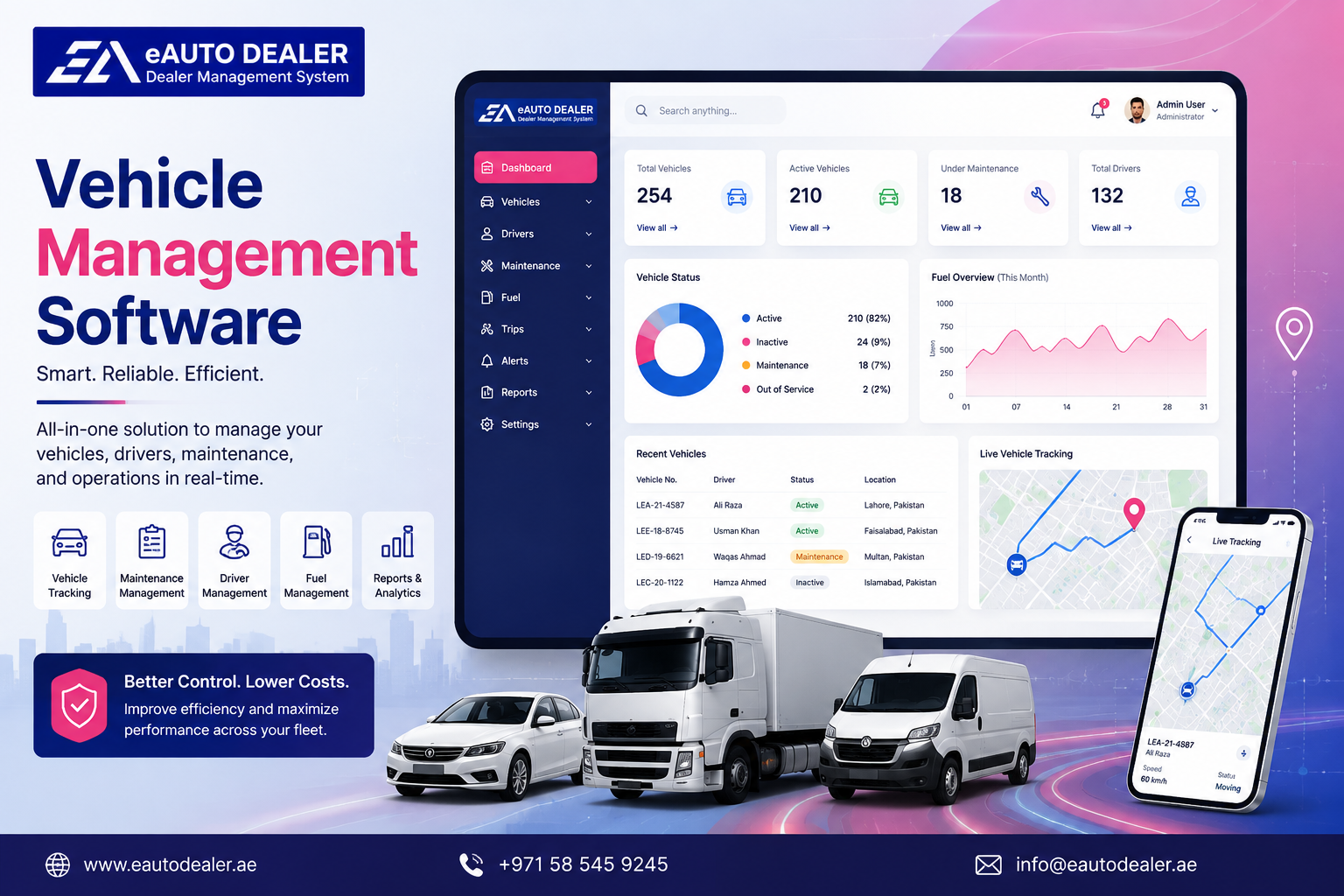
A dealership can have dozens or hundreds of vehicles moving through different stages at the same time. Some cars may be newly purchased, others may be undergoing preparation, while others are already listed for sale, reserved, or delivered to customers. Keeping these details accurate is difficult when vehicle information is maintained manually.
The Vehicle Management Software gives automotive businesses a structured way to control vehicle data, monitor stock movement, and connect each car with the activities surrounding it.
For an auto dealer, effective vehicle management is about having the right information available when it is needed. Sales teams need current vehicle details, managers need visibility into stock, and accounting teams need access to purchase and sales information. A connected system brings these requirements into one workflow.
What Is Vehicle Management Software?
Vehicle Management Software is a digital platform designed to help automotive businesses maintain and manage information about their vehicles throughout their business lifecycle.
Instead of keeping vehicle details in separate spreadsheets, files, or applications, dealers can create individual digital records for their cars. These records can include identification details, specifications, acquisition information, pricing, location, documents, and current status.
The system can also connect vehicle records with sales, customers, purchasing, accounting, and reporting, making vehicle information useful across different dealership departments.
Managing Every Vehicle From One Place
Every vehicle has its own history and business value. A dealership may need to know when a car was acquired, how much it cost, where it is located, whether it is available, and whether a customer has already shown interest in it.
A centralized vehicle record can bring these details together.
Depending on the dealership's requirements, a record may contain:
-
VIN or chassis number
-
Make and model
-
Manufacturing year
-
Vehicle type
-
Mileage
-
Color
-
Engine and transmission details
-
Purchase information
-
Selling price
-
Current location
-
Stock status
-
Vehicle documents
-
Sales information
Having this information in one place makes it easier for authorized employees to find and update vehicle records.
Track Vehicle Status Throughout Its Lifecycle
A vehicle does not remain in the same condition or status from purchase to sale. Its position in the dealership changes as different activities take place.
For example, a vehicle may move through stages such as:
Purchased → In Preparation → Available → Reserved → Sold → Delivered
A Vehicle Management Software system can help dealerships maintain these status changes digitally.
This gives managers a clearer view of active stock and helps sales representatives avoid relying on outdated vehicle lists.
Keep Vehicle Locations Organized
Knowing that a vehicle exists in the system is not always enough. Sales teams may also need to know where it is physically located.
A dealership operating several showrooms or storage locations can use vehicle management tools to record the current branch or location of each car.
When a customer asks for a particular vehicle, the sales team can check its location and availability instead of contacting different departments to find it.
Connect Vehicles With Sales
Vehicle management becomes more useful when it works directly with the sales process.
When a customer is interested in a vehicle, the sales representative can access the vehicle's specifications and current status while managing the customer's information.
If the vehicle is reserved, sold, or unavailable, the representative can identify other suitable vehicles from the current inventory.
This creates a smoother connection between vehicle records and customer conversations.
Support Purchasing and Acquisition
Vehicle management begins before a car becomes available for sale.
When a dealership acquires a vehicle, important information needs to be recorded from the start. Purchase price, supplier information, vehicle identification, documents, and associated costs can all become part of the vehicle's digital record.
Connecting purchasing with vehicle management provides a clearer history of how each vehicle entered the dealership.
It can also help management understand the financial commitment associated with current stock.
Understand Vehicle Costs and Pricing
A vehicle's purchase price is only one part of its financial picture. Depending on the dealership's operations, additional costs may be associated with transportation, preparation, repairs, or other activities.
Keeping relevant cost information connected with the vehicle can help managers assess its overall position before setting or reviewing the selling price.
This information can also support more informed decisions about stock that has remained unsold for an extended period.
Vehicle Management and Automotive CRM
Customer information and vehicle information are closely connected in automotive sales.
An Automotive CRM can record what a customer is looking for, while vehicle management provides the current stock information needed to respond to that requirement.
For example, a customer may request a particular model within a certain budget. The sales representative can review the customer's requirements and search available vehicles at the same time.
This can help sales teams recommend relevant options instead of manually checking different inventory lists.
Why Dealerships Benefit From Vehicle Management Software
Less Manual Data Entry
Centralizing vehicle information reduces the need to maintain the same records across multiple spreadsheets or systems.
Faster Access to Vehicle Information
Sales and management teams can find important details without depending on another employee to provide the information.
Better Stock Visibility
Managers can see what vehicles are available, reserved, sold, transferred, or otherwise unavailable according to the dealership's configured workflow.
Improved Coordination
When sales, inventory, purchasing, and accounting work from connected information, departments can coordinate more efficiently.
More Organized Vehicle Records
A digital history gives dealerships a consistent place to maintain vehicle specifications, documents, costs, locations, and transaction information.
Useful Reports for Vehicle Management
Data becomes more valuable when dealership managers can turn it into practical reports.
Vehicle management reporting can help businesses review:
-
Current stock
-
Available vehicles
-
Reserved vehicles
-
Sold vehicles
-
Vehicle locations
-
Purchase values
-
Selling prices
-
Aging inventory
-
Stock movement
-
Sales activity
These insights can help management understand what is happening with inventory and identify areas that require attention.
What Should You Look For in Vehicle Management Software?
Every dealership has different requirements, but a useful platform should be able to handle both vehicle information and the business processes connected to it.
Consider features such as:
-
Individual vehicle records
-
VIN and chassis tracking
-
Vehicle status management
-
Location tracking
-
Purchase management
-
Cost management
-
Pricing information
-
Inventory search and filtering
-
Sales integration
-
CRM integration
-
Accounting connectivity
-
Reporting
-
Multi-branch support
-
User permissions
The system should also be straightforward enough for employees to use regularly. A complicated platform can create more administrative work instead of reducing it.
Why Choose Emirates Auto Dealer Management System for Car Dealerships
Emirates Auto Dealer Management System provides an integrated platform for automotive businesses that need greater control over their vehicles and dealership operations. Vehicle information can work alongside inventory, CRM, sales, purchasing, accounting, invoicing, and reporting functions.
This connected approach allows dealerships to manage vehicle records while keeping related customer and transaction information within the same business environment.
For dealers managing a growing inventory, multiple users, or multiple locations, having vehicle data connected with wider dealership operations can make everyday management more organized and provide better visibility for decision-makers.
Frequently Asked Questions
What is Vehicle Management Software?
Vehicle Management Software is a digital solution that helps automotive businesses maintain vehicle records, monitor stock status, track locations, manage costs, and connect vehicles with sales and other dealership activities.
Can Vehicle Management Software track VIN numbers?
Yes. Automotive vehicle management systems can maintain individual records using VIN, chassis numbers, stock numbers, and other identification details.
Can vehicle software manage cars across different branches?
Yes. A platform with multi-location functionality can help dealerships identify where vehicles are currently located and manage stock across different branches.
Can Vehicle Management Software connect with CRM?
Yes. Connecting vehicle records with CRM allows sales teams to view customer requirements alongside current vehicle availability, making it easier to identify suitable vehicles for prospects.
Conclusion
Managing vehicles efficiently requires more than maintaining a list of available cars. Dealerships need accurate information about each vehicle's identity, location, status, costs, sales activity, and history. Vehicle Management Software brings these details into a centralized environment and can connect them with CRM, sales, purchasing, accounting, and reporting. With Emirates Auto Dealer Management System, automotive businesses can create a more organized vehicle management process, improve access to important information, and maintain better control as their dealership operations grow.

 English
 Arabic
 French
 Portuguese
 Deutsch
 Turkish
 Dutch
Dutch
 Italiano
 Russian
 Romaian
 Portuguese (Brazil)
 Greek
Greek