


How to Choose the Best EPOS System for a Small Business in the UK
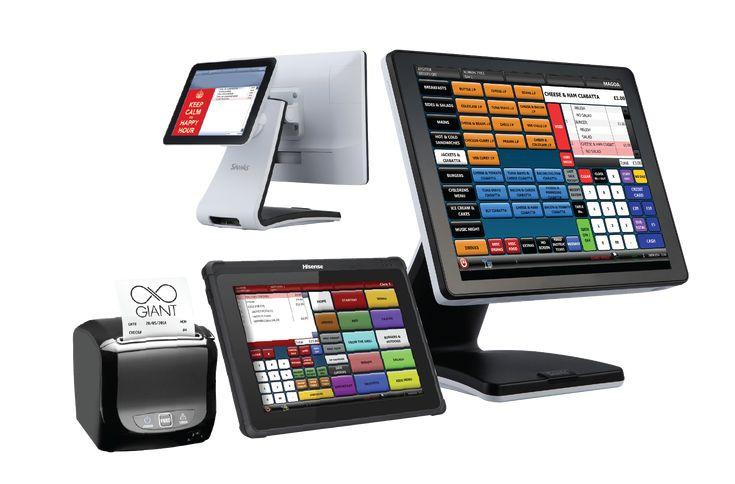
Running a small business involves managing sales, payments, stock, staff and customer transactions every day. When these tasks are handled through separate systems, it can become difficult to keep business information organised and up to date. An EPOS system for small business can bring many of these everyday processes together in one place.
For UK businesses such as retail shops, cafés, restaurants, pubs and salons, the right EPOS solution can make sales and payment management more organised while giving owners easier access to useful business information. Brits Business Hub helps UK businesses explore EPOS systems and payment solutions suited to different business needs.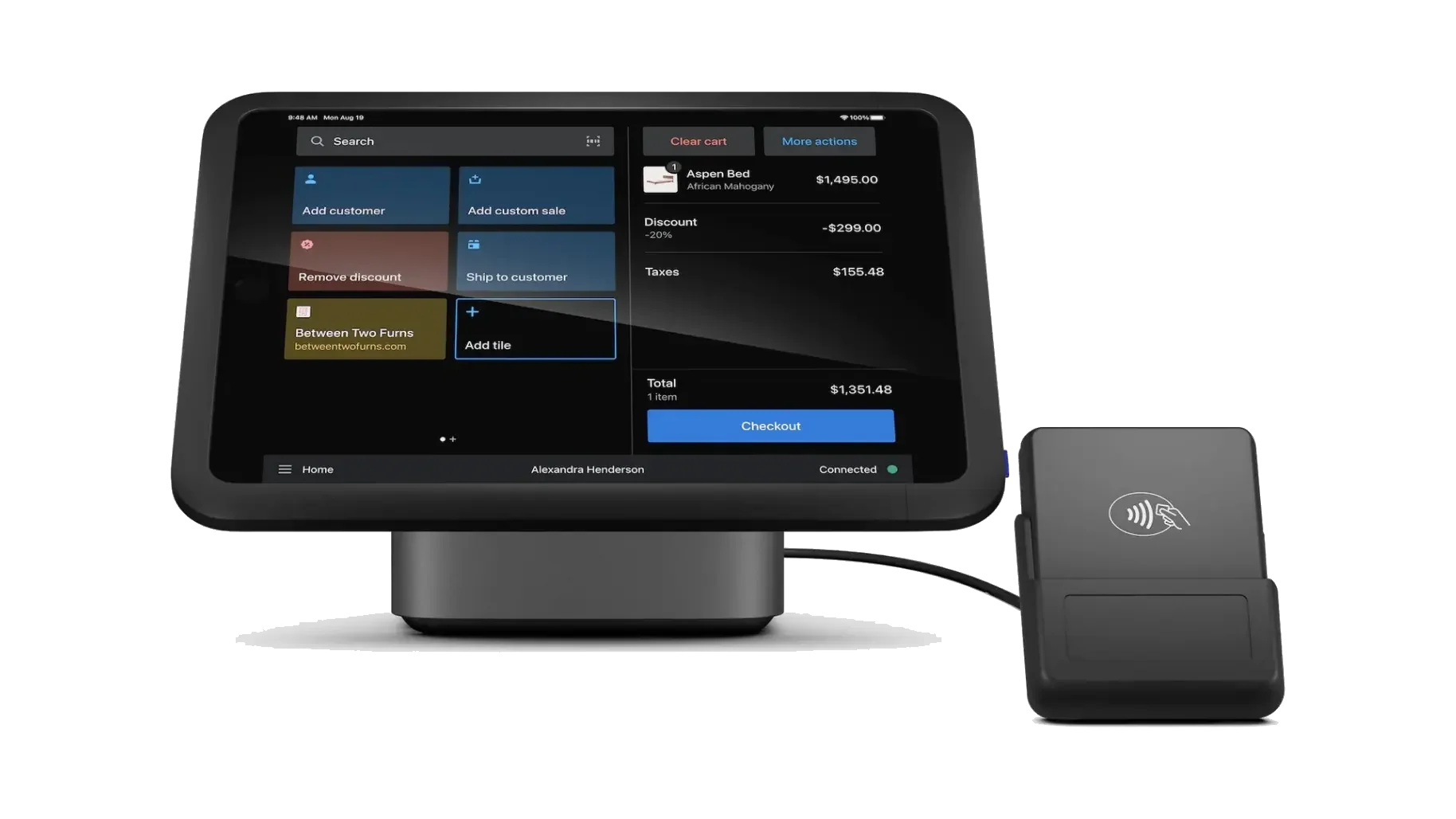
What Should a Small Business EPOS System Do?
EPOS system is more than a modern cash register. It can combine checkout functions with payment processing, product information, reporting and other business management features.
A suitable small business EPOS setup may help a business:
-
Process customer sales
-
Accept card and contactless payments
-
Keep product or service information organised
-
Monitor stock levels
-
Track sales performance
-
Manage employee access
-
Generate business reports
-
Connect payment and sales information
The exact features available will depend on the provider and the requirements of the business.
Why EPOS Systems Are Useful for UK Small Businesses
Small businesses often need to manage several operational tasks with limited staff and resources. An EPOS management system can help bring important sales information into a central platform.
Instead of manually recording every transaction and checking different systems, business owners can use one system to manage day-to-day sales activity. This can make routine processes easier to monitor and provide a clearer view of business performance.
Easier Sales Processing
An EPOS system can record transactions electronically and provide businesses with organised sales information. This can be particularly useful for businesses handling a large number of daily purchases.
More Convenient Payment Management
Modern EPOS setups can work with card machines and contactless payment methods. Depending on the provider, businesses may also be able to connect payment processing directly with their checkout system.
Better Access to Sales Information
Reports can help business owners understand sales activity, popular products and transaction patterns. Having this information available can support better operational decisions.
Choosing an EPOS System Based on Your Business Type
There is no single EPOS for small business solution that is suitable for every company. The features a business needs can depend heavily on its industry.
Retail Shops
Retail businesses may need an EPOS system that supports product catalogues, stock monitoring, barcode scanning and sales reporting.
A retail-focused setup can make it easier to record purchases and keep track of products as they are sold.
Cafés and Restaurants
Food businesses often need an EPOS payment system that can handle frequent transactions efficiently. Depending on the setup, additional features may include order management, table-related functions and payment integration.
Pubs and Hospitality Businesses
Pubs and hospitality businesses can benefit from systems designed around quick transactions and different payment methods. Staff access and sales reporting can also be important when several employees use the system.
Salons and Service Businesses
Salons may require a different approach because their transactions can involve services rather than physical products. Appointment-related functions, staff management and payment processing may therefore be important considerations.
EPOS Features Worth Comparing Before You Buy
Before choosing an EPOS system for small business, it is useful to compare the features offered by different providers rather than choosing a system based only on price.
Consider the following areas:
Payment Integration
Check whether the system can work with the payment methods your customers commonly use, including contactless and chip & PIN payments.
Stock Management
If your business sells physical products, stock functionality can help you monitor available inventory and identify products that may need replenishing.
Reporting Tools
Useful reporting features can provide information about sales, transactions and business activity. Look for reports that are easy to understand and relevant to your business.
Staff Management
Businesses with multiple employees may benefit from user accounts, permissions and staff-related reporting.
Hardware Compatibility
Consider whether the system works with the hardware you need, such as receipt printers, barcode scanners, cash drawers and card payment terminals.
Understanding EPOS Integration
EPOS integration connects an EPOS system with other business or payment tools so information can move between systems more efficiently.
For example, an integrated EPOS system may connect sales activity with payment processing. Depending on the provider, integrations may also be available for inventory, accounting or other business software.
The advantage is that businesses may spend less time entering the same information into multiple systems.
How Much Does an EPOS System Cost?
The cost of an EPOS solution can vary significantly depending on the provider, hardware, software features and payment services involved.
Some businesses may only need a basic checkout and payment setup, while others may require advanced stock management, reporting, multiple terminals or additional integrations.
When comparing costs, consider:
-
Initial hardware costs
-
Software or subscription fees
-
Payment processing charges
-
Installation or setup fees
-
Additional terminal costs
-
Support and maintenance
-
Optional integrations
Looking only at the initial price may not provide a complete picture of the overall cost.
Questions to Ask Before Selecting an EPOS Solution
Before committing to an EPOS provider, small business owners should consider how the system will fit into their existing operations.
Ask questions such as:
-
Does the system support my business type?
-
Can I accept the payment methods my customers use?
-
Is payment integration available?
-
Can I manage stock through the system?
-
Does it provide useful sales reports?
-
Can multiple employees use the system?
-
What hardware is required?
-
Are there ongoing software or transaction fees?
-
What support is included?
Answering these questions can make it easier to compare different EPOS systems for small business.
When Should a Small Business Consider Upgrading Its EPOS Setup?
A business may need to review its current system when existing processes become difficult to manage.
For example, an upgrade may be worth considering if:
-
Sales records are still heavily manual
-
Payment processing takes too long
-
Stock information is difficult to track
-
Business reports are limited
-
Multiple systems do not communicate with each other
-
The business is opening another location
-
Existing EPOS hardware or software no longer meets business requirements
The goal should not simply be to purchase newer technology. The system should solve genuine operational needs.
Explore EPOS Options with Brits Business Hub
Finding the right EPOS system starts with understanding what your business actually needs. A retail shop may prioritise stock management, while a café may focus on fast payments and order handling. A salon may have different requirements again.
Brits Business Hub helps businesses across the UK explore card payment and EPOS options for different industries. Businesses can learn more about EPOS systems for small business, payment solutions and related technologies before deciding which option best fits their requirements.
Explore the available EPOS system for small business options with Brits Business Hub and compare solutions based on your business needs.
Frequently Asked Questions
Is an EPOS system suitable for a small business?
Yes. An EPOS system for small business can be suitable for many types of UK businesses, including retail shops, cafés, restaurants, pubs and salons. The right choice depends on the business's size, industry and operational requirements.
What is the difference between EPOS and a traditional till?
A traditional till mainly records transactions, while an EPOS system can provide additional functions such as payment integration, reporting, stock management and business information.
Can an EPOS system accept card payments?
Many EPOS setups can connect with card payment solutions, allowing businesses to process card, contactless and other supported payment methods.
What does EPOS integration mean?
EPOS integration means connecting the EPOS system with another system or service so relevant information can be shared between them. Payment processing, accounting and stock tools are examples of possible integrations.
Is an integrated EPOS system better for a small business?
An integrated EPOS system can be useful when a business wants its sales, payment and other operational processes to work together. However, the best setup depends on the business's actual requirements.
Final Thoughts
The right EPOS for small business should make everyday operations easier rather than adding unnecessary complexity. Businesses should compare payment options, reporting, stock management, hardware, integrations and ongoing costs before making a decision.
Whether you operate a retail shop, café, restaurant, pub or salon, choosing an appropriate EPOS payment system can help create a more organised approach to sales and payments.

 English
 Arabic
 French
 Spanish
 Portuguese
 Deutsch
 Turkish
 Dutch
Dutch
 Italiano
 Russian
 Romaian
 Greek
Greek