


How to Choose a Laptop for Beginners Without Overspending on Features You Don't Need
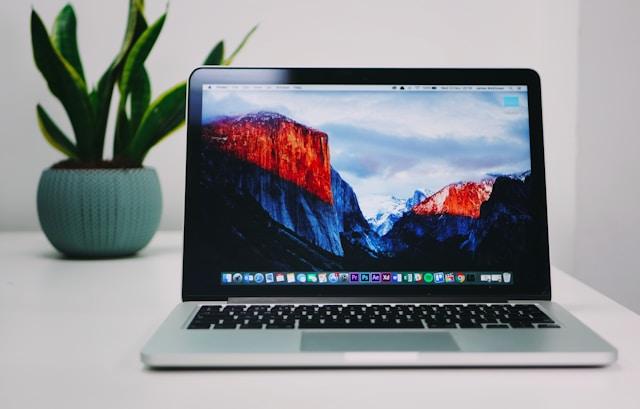
Buying your first laptop often feels difficult because manufacturers offer numerous specifications, features, and price points. Learning how to choose a laptop for beginners starts with identifying what you will use the computer for rather than buying the most powerful model available. A student writing assignments has different needs from someone editing videos or managing a business. By focusing on essential specifications, build quality, battery life, and software compatibility, you can choose a reliable laptop while keeping unnecessary costs out of your budget.
1. Identify What You Will Use the Laptop For
Your intended tasks should determine your laptop requirements. Basic activities such as browsing, email, word processing, video calls, and streaming do not require high-end hardware. If you plan to edit videos, play demanding games, use professional design software, or work with large datasets, you will need stronger specifications.
Make a list of the applications you expect to use regularly. Check their recommended system requirements before shopping. This simple step prevents you from paying for hardware designed for workloads you never plan to perform.
2. Choose the Right Processor
The processor affects how quickly your laptop handles applications and everyday tasks. Entry-level processors are suitable for basic browsing, documents, email, and media consumption, while mid-range chips provide more room for multitasking. Higher-end processors make more sense for demanding workloads such as professional video editing, 3D rendering, and intensive software development.
Look at the processor generation as well as its model. A newer mid-range processor often provides a better balance than an older premium chip. For most beginners, choosing a current mid-range processor is enough for several years of ordinary use.
3. Get Enough RAM for Your Tasks
RAM affects how many applications and browser tabs your laptop can handle smoothly at the same time. For basic computing, 8GB is a practical starting point, while 16GB provides more flexibility for multitasking and demanding applications. Users with specialized workloads might need more, but most beginners do not need to pay for extremely high memory capacities.
Consider how you normally work. If you frequently keep dozens of browser tabs open while running documents, spreadsheets, messaging applications, and video calls, additional RAM can improve the experience. If you mainly browse the web and write documents, a larger memory capacity might provide little noticeable benefit.
4. Prioritize an SSD Over a Large Hard Drive
Storage affects how much data you can keep on your laptop, while the type of storage affects performance. Solid-state drives, or SSDs, provide faster startup times and quicker application loading than traditional hard disk drives. For a new laptop, an SSD should generally take priority over a large but slower hard drive.
A 256GB SSD works for users who primarily store documents online or use cloud storage. A 512GB SSD offers more breathing room for applications, photos, videos, and other files. If you need extensive local storage, external drives or cloud services provide alternatives to buying a laptop with an expensive high-capacity internal drive.
5. Pick a Display That Fits Your Routine
Screen size affects portability and comfort. Smaller laptops are easier to carry, while larger screens provide more workspace for spreadsheets, creative applications, and multitasking. A 13- to 14-inch model often works well for people who want a balance between portability and usable screen space.
Resolution also matters. A Full HD display provides enough detail for everyday work, streaming, and browsing. Higher resolutions are useful for certain creative tasks, but they often increase the price and power consumption without offering meaningful benefits for basic use.
6. Check Battery Life Before Buying
Battery life matters if you frequently work away from a power outlet. Manufacturers often publish estimated battery figures, but actual runtime depends on screen brightness, applications, connectivity, and workload. Look for independent testing when comparing models with similar specifications.
Think about your daily routine. Someone who primarily uses a laptop at home might place less importance on battery capacity because a charger is nearby. A student moving between classes or a professional working in different locations might benefit from longer battery life and efficient hardware.
7. Do Not Overpay for Graphics Performance
A dedicated graphics processor is useful for gaming, video editing, 3D work, and other graphics-intensive applications. It is unnecessary for many common activities, including web browsing, document creation, email, streaming, and basic productivity tasks. Integrated graphics are often sufficient for these workloads.
Consider your software before paying for a dedicated GPU. If your applications do not benefit from additional graphics performance, the extra cost adds little practical value. You might also gain longer battery life and a lighter design by choosing a laptop without dedicated graphics hardware.
8. Consider Portability and Build Quality
A laptop should fit comfortably into your daily routine. Check its weight, thickness, keyboard, trackpad, hinge, and overall construction before making a purchase. A lightweight model is useful for frequent travel, while a slightly heavier laptop might offer more ports, a larger battery, or a more comfortable keyboard.
Do not judge build quality based solely on appearance. Read professional reviews and user feedback for information about durability, keyboard quality, heat management, and common reliability issues. Spending slightly more on a well-built laptop often makes more sense than paying for specifications you will rarely use.
9. Check the Ports and Connectivity
Your laptop should support the accessories you expect to use. Check whether it includes USB-A, USB-C, HDMI, an audio jack, a memory card reader, or other connections relevant to your setup. A laptop with too few ports might require additional adapters or docking equipment later.
Wireless connectivity also deserves attention. Look for current Wi-Fi and Bluetooth standards when comparing newer models. These features support reliable connections with routers, headphones, mice, keyboards, printers, and other accessories.
10. Set a Budget Before Comparing Models
A fixed budget helps you avoid getting distracted by premium specifications. Decide how much you are comfortable spending and identify the features you need before browsing specific models. Then compare laptops based on useful specifications rather than promotional features.
Keep long-term costs in mind as well. Check warranty coverage, included software, accessory requirements, and upgrade options. A slightly more expensive laptop with suitable specifications and strong reliability might provide better value than a cheaper model requiring upgrades or replacements soon after purchase.
Avoid Features You Will Not Use
Do Not Pay for Excessive Performance
High-end specifications often come with higher prices. If your daily tasks consist of browsing, documents, streaming, and video calls, you do not need a workstation-class processor or powerful graphics card. Redirect the savings toward features you use every day, such as a better keyboard, display, battery, or storage.
Be Careful With Premium Displays
High refresh rates, high resolutions, and advanced display technologies appeal to many buyers, but their value depends on your activities. Gamers and creative professionals might benefit from these features, while basic users might notice little difference. Decide whether the display upgrade solves a real need before adding it to your budget.
Think About Upgradeability
Some laptops allow users to replace or expand storage and memory, while others have components permanently integrated into the device. Upgradeability gives you more flexibility if your needs increase later. Check the manufacturer's specifications before purchasing if future upgrades matter to you.
Make Your Final Choice Based on Value
The best laptop for a beginner is the one that handles daily tasks comfortably without unnecessary spending. Compare several models within your budget and focus on the processor, RAM, SSD, display, battery, ports, operating system, and build quality. Reviews can help identify practical differences between laptops with similar specifications.
Before purchasing, revisit your original task list. If a feature does not support something you actually plan to do, question whether it deserves part of your budget. This approach keeps your purchase focused and makes it easier to distinguish useful upgrades from expensive extras.
Key Takeaway
Knowing how to choose a laptop for beginners means matching specifications to your actual needs instead of paying for every premium feature available. Start with your daily tasks, then consider the processor, RAM, SSD, display, battery, graphics, ports, and build quality. Set a firm budget and compare models within it. For basic productivity, a current mid-range processor, 8GB or 16GB of RAM, and a 256GB or 512GB SSD often provide a practical starting point without unnecessary expense.

 English
 Arabic
 French
 Spanish
 Portuguese
 Deutsch
 Turkish
 Dutch
Dutch
 Italiano
 Russian
 Romaian
 Portuguese (Brazil)