


Understanding IPTV Subtitles and Language Options
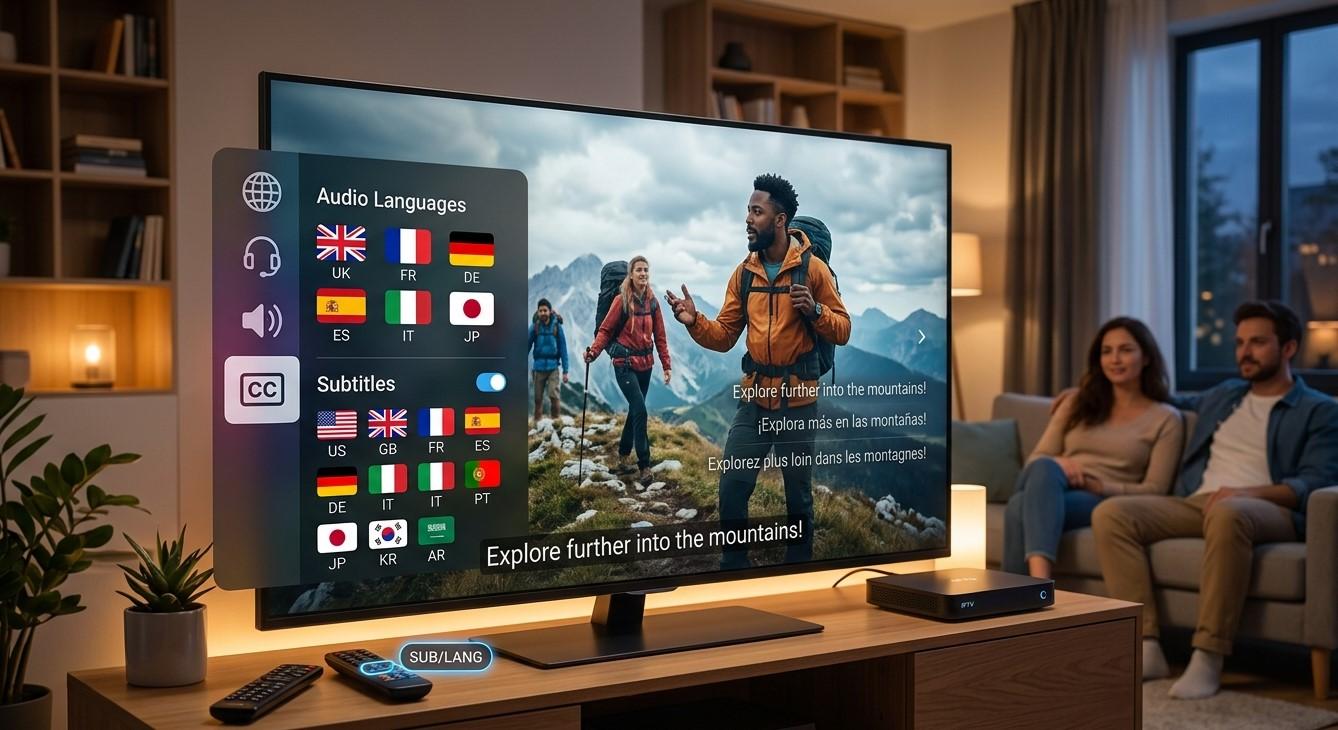
For multilingual households or viewers exploring content outside their native language, subtitles and audio language options can make a huge difference in the viewing experience. If you've wondered how these features work with IPTV, this guide will walk you through the basics, what to expect, and how to make the most of subtitle and language settings on your IPTV India subscription and Indian IPTV Box.
Table of Contents
- Why Subtitles and Language Options Matter
- Types of Subtitle Support in IPTV
- Multi-Language Audio Tracks Explained
- How to Enable Subtitles on Your IPTV App
- Common Subtitle and Language Issues
- Tips for the Best Multilingual Viewing Experience
- FAQs
Why Subtitles and Language Options Matter
India's linguistic diversity means many households regularly switch between multiple languages when watching television. Subtitles and language options help bridge these gaps, allowing family members who may not be fluent in a particular language to still enjoy the same program together. For IPTV India subscribers, having reliable subtitle and audio language support adds significant value, especially in multigenerational or multilingual households.
Types of Subtitle Support in IPTV
Subtitle availability generally falls into a few categories:
- Built-in channel subtitles – Some channels broadcast with subtitles already embedded as part of the original feed
- App-level subtitle options – Certain IPTV apps allow toggling subtitles on or off, and sometimes selecting from multiple language options
- On-demand content subtitles – Movies or shows in an on-demand library may include selectable subtitle tracks, similar to how DVDs or streaming platforms handle this feature
Not all channels or content will have subtitle support, so availability can vary significantly depending on the specific program and provider.
Multi-Language Audio Tracks Explained
In addition to subtitles, some content includes multiple audio track options, allowing you to choose your preferred spoken language:
- Dubbed audio tracks – Some movies or shows may offer audio in more than one language, such as both Hindi and a regional language
- Original language with subtitle options – Rather than dubbing, some content keeps its original audio while offering subtitles in different languages
- Selectable audio through your IPTV app – If supported, you can typically switch between available audio tracks directly within the playback settings
This feature is particularly useful for households where different members prefer to watch in different languages.
How to Enable Subtitles on Your IPTV App
While the exact steps vary depending on your specific app or Indian IPTV Box, the general process typically involves:
- Start playing your chosen channel or on-demand content
- Access the playback settings menu, often represented by a gear icon or similar symbol
- Look for a subtitle or language option within the menu
- Select your preferred subtitle language, if multiple options are available
- Save or apply the setting, which may need to be repeated for each new piece of content depending on the app
Common Subtitle and Language Issues
- Subtitles not available for certain content – Not all channels or programs include this feature, depending on the original broadcast
- Limited language options – Some content may only offer subtitles in one or two languages, rather than a full range
- Sync issues – Occasionally, subtitles may appear slightly out of sync with the audio, which can sometimes be adjusted within app settings
- Missing audio track options – Not all content includes multiple audio language choices, even if subtitles are available
Tips for the Best Multilingual Viewing Experience
- Check content descriptions, if available, to see what language and subtitle options are included before starting
- Adjust subtitle settings before beginning a longer viewing session, rather than mid-way through
- Explore your app's full settings menu, as language options are sometimes tucked into less obvious areas
- Keep your Indian IPTV Box updated, as app updates may improve subtitle and language feature support over time
- Communicate preferences within the household, especially if multiple people share the same viewing sessions with different language needs
FAQs
1. Do all IPTV channels include subtitle options?
No, subtitle availability depends on the specific channel or program, as not all broadcasts include this feature.
2. Can I choose between different audio languages for the same show?
Some content includes multiple audio tracks, though this varies by provider and specific program, so it's not universally available.
3. Why do my subtitles sometimes appear out of sync?
This can occasionally happen due to technical playback issues, and some apps offer a sync adjustment feature to correct minor timing discrepancies.
4. Does my Indian IPTV Box need special support for subtitles?
Most modern boxes and apps support subtitle functionality, though the specific range of language options depends on your provider and content library.
5. Are subtitle options available for live TV, or just on-demand content?
This varies, as live TV subtitle availability often depends on whether the original broadcast feed includes embedded subtitles.
Enjoy Content in the Language That Suits You
Subtitles and language options help make IPTV India content accessible to everyone in your household. Pair your subscription with a reliable Indian IPTV Box and enjoy a more inclusive, multilingual viewing experience. Explore our IPTV plans today and watch your favorite shows in the language you prefer.

 English
 Arabic
 French
 Spanish
 Portuguese
 Deutsch
 Turkish
 Dutch
Dutch
 Italiano
 Russian
 Portuguese (Brazil)
 Greek
Greek