


Simple Ways to Get Better Picture Quality When Watching TV Online
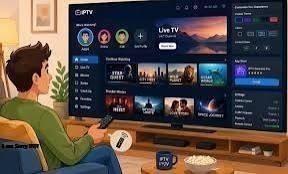
Watching television online gives viewers more freedom than traditional broadcasting. Instead of relying entirely on fixed schedules, people can access live channels, films, sports, series, and other digital content across different devices.
However, access to online television does not automatically mean a perfect picture.
A stream can look blurry, lose sharpness, buffer unexpectedly, or suddenly drop to a lower resolution. Sometimes the problem is caused by the internet connection, but other factors can also affect what appears on the screen.
The good news is that many picture-quality problems can be improved without buying an entirely new television. A few practical changes to the network, streaming settings, device, and viewing environment can make a noticeable difference.
Start With the Internet Connection
A stable internet connection is one of the foundations of good online television.
Streaming services continuously transfer video data to your device. When the connection becomes unstable or heavily congested, the service may lower the video resolution to keep playback running.
This can make an otherwise sharp program appear soft or pixelated.
Start by checking whether the problem occurs across several streaming services. If every service seems affected, the home connection may be worth investigating. If only one platform has problems, the issue could be related to that particular service or content source.
Other activities in the home can also consume bandwidth. Video calls, large downloads, online gaming, cloud backups, and multiple simultaneous streams may compete with television viewing.
Reducing unnecessary network activity during important viewing sessions can sometimes improve consistency.
Check the Available Streaming Quality
Many online television platforms automatically adjust video quality according to current network conditions.
Automatic quality is useful because it can prevent constant buffering. However, it may occasionally select a lower resolution when the connection is capable of handling more.
If a streaming platform provides manual quality settings, check which option is active.
Depending on the service and content, viewers may have access to standard definition, high definition, or higher-resolution formats. Choosing an appropriate setting can improve clarity when the connection and device support it.
There is no need to select the highest available resolution in every situation. A stable high-definition stream can provide a better experience than an unstable higher-resolution stream that repeatedly buffers.
Adjust Your TV's Picture Mode
Modern televisions often include several preset picture modes.
These can include options designed for movies, sports, standard viewing, gaming, or brighter environments. Each mode changes settings such as brightness, contrast, color, and image processing.
For everyday online television, a balanced picture mode may be more comfortable than an extremely bright or heavily processed option.
Try comparing different presets while watching familiar content. A setting that looks impressive with bright promotional footage may not produce the most natural image during a dark film or ordinary television program.
Sharpness is another setting worth checking. Increasing it too much can create artificial outlines around objects and make the picture look less natural.
Small adjustments are usually better than moving every setting to its maximum level.
Look at the Streaming Device
The television itself is only one part of an online viewing setup.
People may stream through a smart TV, streaming stick, media player, gaming console, laptop, or another connected device. These devices can have different capabilities.
An older streaming device may have limitations involving supported resolutions, video formats, software, or processing performance.
If the television supports high-resolution video but the connected device does not, the device can become the limiting factor.
This does not mean that viewers need the newest hardware. Instead, check whether the device currently being used supports the resolution and formats offered by the services you watch.
A suitable device can help ensure that the television receives the best-quality stream available from the source.
Keep Streaming Apps Updated
Software is another easily overlooked part of picture quality.
Streaming applications and smart TV operating systems receive updates that can improve compatibility, playback, security, and general performance. If an application has not been updated for a long time, compatibility problems can sometimes develop.
Check for available updates on both the television and the streaming application.
Restarting the device can also resolve temporary software problems. If picture quality suddenly becomes worse without any obvious change to the internet connection or television settings, a simple restart may be worth trying before making more complicated changes.
Improve Your Wi-Fi Setup
A fast internet subscription does not guarantee a strong Wi-Fi signal at the television.
The physical layout of the home can affect wireless performance. Walls, furniture, distance from the router, interference from other devices, and network congestion may all contribute to an unstable connection.
If possible, place the router in a relatively open and central location. Avoid hiding it inside cabinets or placing it behind large objects.
For a television that stays in one place, an Ethernet connection may also be useful where practical. A wired connection can provide a more consistent link than Wi-Fi in some home environments.
This becomes especially relevant when several devices are connected at the same time.
Match Resolution to Your Screen
Higher resolution can provide greater detail, but the difference is not equally noticeable in every setup.
Screen size and viewing distance both matter. A viewer sitting farther away from a smaller television may notice little difference between certain resolutions. On a large screen viewed from a closer distance, resolution differences can be easier to see.
The quality of the original content matters as well.
A high-resolution television cannot create the same level of detail from a low-resolution source that was never produced with additional detail in the first place.
For this reason, good TV picture quality depends on the complete viewing chain, including the source material, streaming platform, internet connection, playback device, and display.
Reduce Reflections in the Room
Not every picture-quality problem comes from technology.
Room lighting can have a major effect on how a television image appears. Bright windows or lamps reflected directly on the screen can make dark scenes difficult to see and reduce perceived contrast.
Consider the position of the television in relation to windows and major light sources.
If possible, avoid placing the screen directly opposite a bright window. Curtains or blinds can also help during daytime viewing.
At night, a completely dark room is not necessarily required. Comfortable ambient lighting can make long viewing sessions more pleasant while reducing the contrast between a bright screen and a completely dark environment.
Clean the Screen Properly
Dust, fingerprints, and smudges can make a display look less clear.
A dirty screen may be particularly noticeable during bright scenes, large areas of uniform color, or high-contrast content.
Clean the screen according to the television manufacturer's recommendations. Use appropriate materials and avoid applying unsuitable household cleaning products directly to the display.
There is no need for aggressive cleaning. Gentle and occasional maintenance is usually enough to keep the screen clear.
Check the Source Before Changing Your Equipment
Sometimes the television is working exactly as it should.
Different programs and channels may be provided at different resolutions. Older content, archived broadcasts, certain live feeds, and some online videos may simply have lower-quality source material.
If one program looks blurry while another looks sharp, compare several different sources before changing your television or internet setup.
This simple test can help identify where the problem originates.
If only one channel or program looks poor while everything else appears normal, replacing equipment may not solve anything.
Be Careful With Image Processing
Televisions often include features that automatically modify the image.
Motion smoothing, noise reduction, dynamic contrast, sharpening, and other processing tools can change the appearance of content.
Some viewers prefer these effects, while others find that excessive processing makes films or television programs look artificial.
Instead of turning every feature on or setting everything to maximum, make changes gradually. Watch the same type of content before and after each adjustment.
The goal is not to create the most dramatic-looking image. It is to create a picture that appears natural, detailed, and comfortable for everyday viewing.
Consider Your Viewing Distance
The distance between the viewer and the television can also influence perceived picture quality.
Sitting very close to a large screen can make compression artifacts, low-resolution sources, and other imperfections easier to notice.
Moving slightly farther away may make the image appear more cohesive.
There is no universal viewing distance because screen size, resolution, room layout, and personal preference all differ. The important point is to consider the whole viewing environment rather than judging picture quality from a few inches away.
Test Changes One at a Time
When a picture looks poor, it can be tempting to change every setting immediately.
That usually makes troubleshooting more difficult.
Instead, make one adjustment at a time. Start with the basics, such as checking the internet connection and streaming resolution. Then look at the television's picture mode, device settings, software updates, and Wi-Fi arrangement.
If the issue remains, investigate the source content and room conditions.
Testing changes individually makes it easier to identify what actually improves the image and prevents unnecessary changes to settings that were already working well.
Better Picture Quality Does Not Always Require New Equipment
Improving online television does not necessarily require purchasing a new screen or expensive accessories.
A stable internet connection, appropriate streaming resolution, sensible display settings, updated software, good Wi-Fi placement, and controlled room lighting can all contribute to a clearer viewing experience.
The key is to consider the entire setup.
Online television combines several technologies, and each part can affect the final image. By checking those components systematically, viewers can often improve their viewing experience with simple adjustments rather than immediately replacing their equipment.
A better picture is ultimately about balance. When the content source, network, streaming device, television settings, and viewing environment work together, online television can deliver a clearer and more enjoyable experience without unnecessary complexity.

 English
 Arabic
 French
 Spanish
 Portuguese
 Deutsch
 Turkish
 Dutch
Dutch
 Italiano
 Russian
 Romaian
 Greek
Greek