


IPTV Explained: How It Works and How to Choose Safely
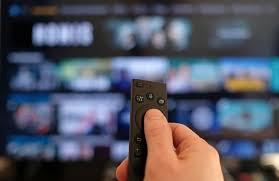
A few years ago, "getting TV" meant a cable box or a dish on the roof. Now most people just open an app. IPTV sits somewhere in the middle, and it confuses a lot of people because the term gets used for everything from a big telecom's set-top box to a random link someone posted in a forum.
This guide explains what GOLDIPTV really is, what you need to run it at home, and, since this is where most people get burned, how to tell a legitimate service from one that will disappear in three months with your money.
IPTV stands for Internet Protocol Television. Strip away the jargon and it means television delivered over an internet connection rather than through a coaxial cable or a satellite signal.
That's it. No special magic. Your phone streaming a live news channel is technically IPTV. So is the TV package your broadband company sells you with its own box. So is the hotel TV system that shows you the welcome screen when you check in.
What trips people up is that the term has become a catch-all. Some folks use it to mean "any streaming TV that isn't Netflix." Others use it to mean a particular kind of subscription, usually a playlist or app login that gives access to hundreds or thousands of channels. Those are very different things, and we'll get to why the difference matters.
In short: IPTV is a delivery method, not a product. What matters is who's supplying the content and whether they have the right to.
When you watch a live channel over IPTV, a few things happen in the background, and it helps to know them because they explain most of the problems you'll ever run into.
First, the channel's video is captured and compressed at a source, often called a headend. Compression is what makes it possible to push video through ordinary internet lines. The compressed stream then gets sent to servers that sit around the world, so you're pulling it from somewhere reasonably close to you rather than from the other side of the planet.
Your device, whether that's a smart TV, a streaming stick, or a phone, requests the stream through an app. The app receives small chunks of video, puts them in order, and plays them. If chunks arrive late, you get buffering. If they arrive damaged or the connection drops, you get freezing or pixelated blocks.
Live video is harder than on-demand video. With a movie, the app can load a few minutes ahead and cover for a bad moment. With a live football match, there isn't much "ahead" to load. That's why live TV tends to expose weak Wi-Fi faster than anything else.
In short: Your connection and the provider's servers both have to hold up. A problem on either end looks the same on your screen.
People often ask which one is "better." There isn't a single answer, but the differences are real.
Cable and satellite send a fixed set of channels through dedicated infrastructure. They're stable and predictable, but you pay for packages you only half use, and contracts can be annoying to get out of.
On-demand apps like Netflix or Disney+ let you pick what to watch and when. They don't really do live channels, apart from the occasional event.
Licensed IPTV and live-TV streaming services deliver live channels over the internet, usually with a cloud recorder and a handful of on-demand extras. You get the channel-surfing feel of cable without the dish or the installer.
Then there's the grey end of the market, which we'll cover properly in a minute.
The honest tradeoff: internet-delivered TV is flexible and works on whatever screens you own, but it's only as good as your home network. Cable doesn't care if your router is old. IPTV does.
You don't need much, but a few things make a big difference.
A decent internet connection
For standard HD, a steady 10 to 15 Mbps per stream is a comfortable target. For 4K, aim for 25 Mbps or more per stream. Notice the "per stream." If two people are watching in different rooms while someone else is on a video call, you need to add those up. A plan advertised as 100 Mbps often delivers less than that over Wi-Fi in the back bedroom.
If you can, plug your main TV into the router with an Ethernet cable. It's boring advice and it fixes more problems than anything fancy.
A compatible device
Most modern setups work with:
-
Smart TVs (Samsung, LG, Sony and so on)
-
Android TV and Google TV boxes
-
Amazon Fire TV sticks
-
Apple TV
-
Phones, tablets and computers
-
Some older set-top boxes designed for IPTV
Check that the service you're considering actually has an app for your device before you pay. This sounds obvious, but plenty of people discover it afterwards.
An app and a login
Legitimate services give you an official app from a recognised store, with a proper sign-in. You shouldn't need to sideload strange files or paste in links from a stranger on a chat app. If setup requires you to do either, treat it as a warning sign.
In short: A stable connection, a supported device, and an official app. If one of those is missing, the experience will be rough no matter which service you choose.
This is the part most beginner guides skip, and it's the part that decides whether your money is well spent.
Telecom and broadband IPTV. Your internet provider sells TV along with your broadband, usually with a set-top box. It's reliable and often bundled cheaply.
Live-TV streaming services. These are subscription services that carry a bundle of live channels over the internet, plus cloud recording. They have licensing deals with the networks, which is why they cost what they cost. A decent bundle is usually well north of $30 a month.
Free ad-supported channels. Services like Pluto TV, Tubi and the free channel lineups built into many smart TVs offer live-style channels and on-demand content at no charge, paid for by ads.
Hospitality and business IPTV. Hotels, hospitals, gyms and offices use managed IPTV systems with proper licensing for public display.
Unlicensed resellers. These sell access to thousands of channels and huge movie libraries, often at prices that look too good to be true. They usually have no rights to the content they redistribute.
All five technically fall under the IPTV label. Only four of them are on solid ground.
You don't need to be a lawyer to see the pattern. A few things tend to show up together.
The channel count is absurd. Tens of thousands of live channels and hundreds of thousands of titles for the price of a couple of coffees. Real licensing costs money, and the numbers simply don't work at those prices.
The brand names are the bait. The sales page lists every premium sports network and movie channel it can think of, but there's no sign of an actual agreement with any of them.
Payment is strange. Only crypto, gift cards, or messaging-app transfers. Legitimate companies take regular cards and give you proper receipts.
Contact is a chat number and nothing else. No company registration, no physical address, no real terms of service. Sometimes there's a disclaimer in the footer saying the site has nothing to do with the content owners, which is a polite way of saying it doesn't have their permission.
The name changes. If you search for reviews and find the same service under three different names, or find posts about it vanishing and relaunching, that's a pattern.
In short: If it looks like every premium channel on earth for pocket change, it almost certainly isn't licensed.
Some people shrug this off. "Everyone does it, what's the harm?" Fair question, so here are the practical reasons beyond the legal one.
Your money isn't protected. Unlicensed services get taken down, often without warning. Subscriptions bought for a year can stop working in a month, and there's nobody to chase for a refund.
Security is a gamble. Apps and files from unknown sources can carry malware, and some collect more data than you'd ever agree to if asked.
Quality is unpredictable. Big live events are exactly when unlicensed streams get overloaded or shut down. People often pay for premium sports and end up watching a frozen screen at kickoff.
There's legal exposure. Laws differ by country, and enforcement is uneven, but in several places viewers and not just sellers have received warnings or fines. It's worth checking the rules where you live.
None of this is meant to preach. It's just the part that doesn't show up on the sales page.
Even a perfectly legitimate service will act up occasionally. Before you blame the provider, run through these.
-
Restart the router and the device. Yes, really. It clears more issues than you'd expect.
-
Switch to Ethernet or move closer to the router. Wi-Fi on the 5 GHz band is faster but doesn't travel through walls well.
-
Check what else is using the connection. Downloads, game updates and cloud backups eat bandwidth quietly.
-
Lower the stream quality temporarily. If 4K stutters, HD might be perfectly smooth.
-
Update the app and the device software. Old versions cause strange bugs.
-
Try another device. If the problem only happens on one, it's the device and not the service.
If all of that fails and it only happens at certain times, say every evening around 8, your internet provider may be congested at peak hours. That's worth raising with them.
Keep this handy for whatever service you're thinking about.
-
Is there a real company name, address and terms of service?
-
Does it use an official app from a recognised store?
-
Can you pay with a normal card and get a receipt?
-
Is there a clear refund or cancellation policy?
-
Are the prices realistic compared to similar services?
-
Can you find independent reviews that aren't all five stars with the same wording?
-
Is there a free trial or a short-term plan so you can test before committing?
If you tick most of these, you're on safer ground. If you can't tick most, walk away.
Is IPTV legal?
The technology is completely legal. What matters is whether the provider has the rights to the channels and content it delivers. Licensed services are fine; unlicensed redistribution is not.
Why does my IPTV keep buffering?
Usually it's Wi-Fi or a congested connection rather than the service itself. Try Ethernet, close other downloads, and drop the quality one step to see if it settles.
Do I need a VPN to watch IPTV?
Not for a licensed service. A VPN can also slow your speeds, and it doesn't change whether the content is licensed.
What's the difference between IPTV and apps like Netflix?
Netflix is mostly on-demand: you pick a title and play it. IPTV is typically live channels delivered over the internet, though many services mix both.
How much internet speed do I need for 4K?
Around 25 Mbps per stream is a sensible minimum. If several people watch at once, add up each stream and leave some headroom.
IPTV isn't shady by nature. It's just television over the internet, and when it's done properly it's flexible, works on nearly any screen, and can be cheaper than traditional cable. The trouble starts when low prices and huge channel lists make people forget to ask where the content comes from.
Take ten minutes before you subscribe to anything. Check who's behind it, how you pay, and what happens if it stops working. That small bit of homework saves a lot of frustration later.
Ready to find your setup? Start with a free trial or a one-month plan from a licensed provider, test it on your actual devices at your usual viewing times, and only commit longer once you're happy with how it runs.

 English
 Arabic
 French
 Portuguese
 Deutsch
 Turkish
 Dutch
Dutch
 Italiano
 Russian
 Romaian
 Portuguese (Brazil)
 Greek
Greek