


How Do Healthcare Website Templates Help Patients Choose the Right Medical Service?
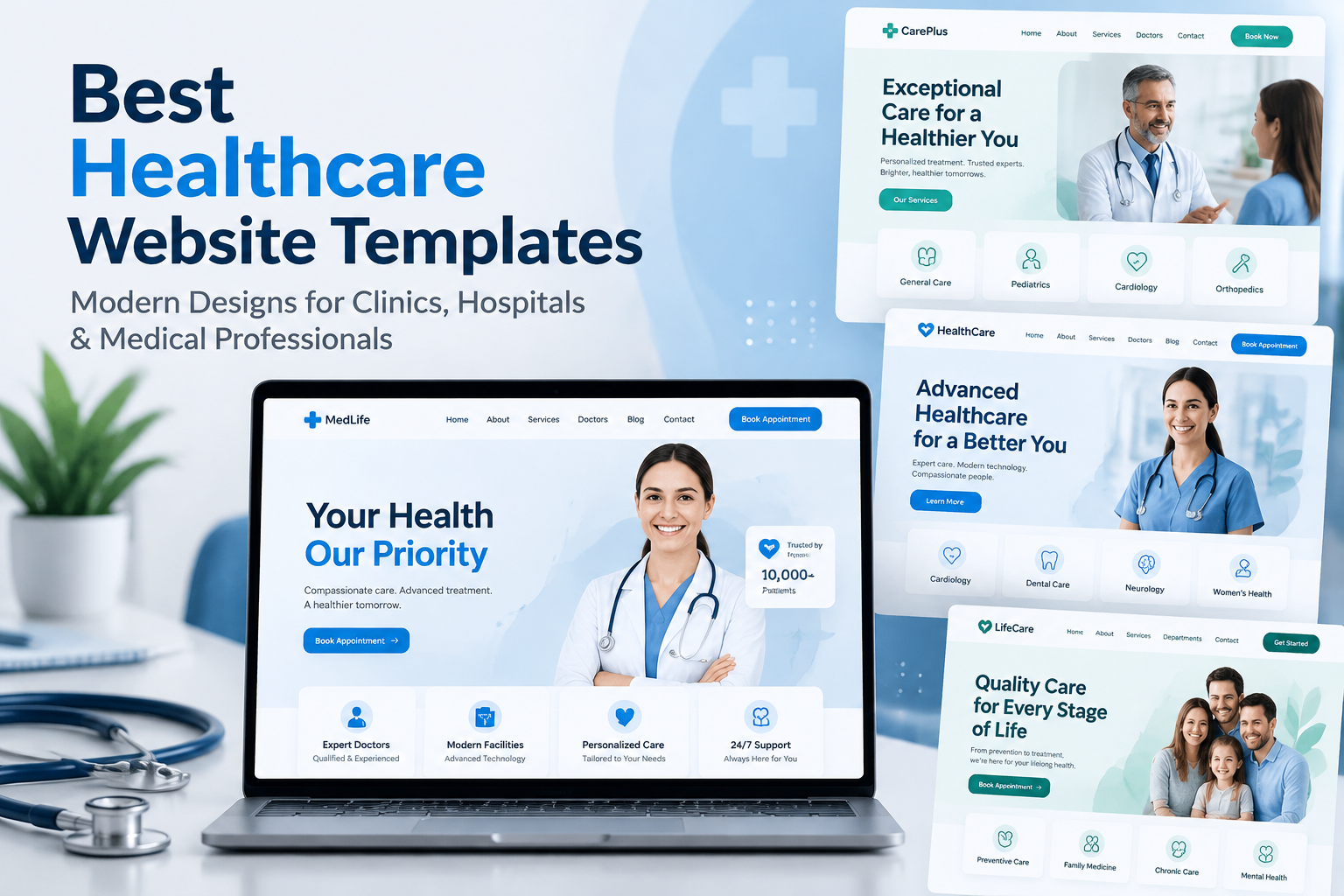
Think about the last time you needed a doctor or a clinic and weren't sure where to start. You probably typed a few words into a search box, opened a handful of websites, and tried to work out which one actually fit your problem. Healthcare website templates can help clinics organize their medical services, specialties, and treatment information clearly. Was it a general check-up you needed, or a specialist? Did the clinic even offer what you were looking for?
Most patients go through this every time. They aren't medical experts, and they shouldn't have to be. A healthcare website that makes the choice simple can be the difference between a patient booking with you or moving on to the next clinic. This is where a good website template quietly does a lot of the work.
Let's look at how.
Patients Don't Always Know What They Need
Medical Words Can Be Confusing
Terms like "orthopedics," "internal medicine," or "diagnostic imaging" sound clear to staff, but plenty of patients don't know what they mean. Someone with a sore knee may not realize which service to pick. If your site only lists services using technical words, people can get lost.
People Often Start With a Problem, Not a Service
Most patients think in terms of symptoms or situations: "my back hurts," "my child has a cough," "I need a check-up for work." A well-designed template lets you organize your site around those everyday needs, not only around department names.
How Templates Make Services Easier to Understand
A Clear Services Page With Simple Descriptions
Good healthcare templates include a services section with space for a short, friendly description of each service. Instead of a long list of names, each item can have a title, a line or two explaining what it is, and a button to learn more. Patients can scan quickly and see what fits.
Individual Pages for Each Service
When every service has its own page, you can explain who it's for, what to expect during a visit, how long it takes, and how to prepare. This gives patients the confidence to book, because they already know what's coming.
Icons and Visuals That Guide the Eye
Small icons beside each service, such as a tooth for dental or a heart for cardiology, help people recognize what they're looking for at a glance. Templates built for healthcare usually include these, so you don't have to design them yourself.
Helping Patients Compare and Decide
Showing Who Provides Each Service
Patients often choose a doctor as much as a service. Template layouts for team members let you show photos, qualifications, and areas of interest. Seeing a friendly face and a short introduction makes people more comfortable.
Highlighting What Makes Each Service Different
If you offer both a quick consultation and a longer full assessment, explain the difference in plain words. A simple side-by-side layout or short table makes this easy to see. Don't make visitors guess.
Being Open About Costs and Insurance
People hesitate when they can't tell what something will cost. If you can, include general price information or a note about which insurance you accept. If prices vary, explain what they depend on. Honest information builds trust.
Answering Questions Before Patients Ask
FAQs on Each Service Page
A few short questions and answers on each page can clear up the usual worries. "Is it painful?" "Do I need a referral?" "How long does it take?" Many templates include accordion-style sections that keep this tidy.
Simple Guidance on Who Should Book What
A short "Not sure which service you need?" section helps people who feel stuck. It can include a few simple examples or a link to contact your team. This small addition can save patients from booking the wrong thing.
Read More: Healthcare WordPress Theme for Growing Medical Brands
Building Trust So Patients Feel Safe Choosing You
Reviews and Patient Stories
Short, genuine patient comments near each service give people reassurance. Choose reviews that mention the specific service so visitors can relate.
Credentials and Accreditations
Showing licenses, memberships and years of experience tells patients they're in capable hands. Templates usually have a spot for this near the top of the page, where people see it early.
Real Photos of Your Clinic
Photos of your actual waiting room, equipment and staff are much more comforting than generic stock pictures. They help new patients picture the visit and feel less nervous.
Making It Easy to Take the Next Step
Booking Buttons in the Right Places
Once a patient has found the right service, they shouldn't have to hunt for how to book. Put a clear button on each service page, and keep one visible in the menu or header. Templates with built-in booking sections make this simple.
Contact Options for People Who Want to Talk First
Some patients prefer to speak to someone before booking. Show your phone number clearly, and consider adding a simple contact form or a chat option. A friendly person on the other end can guide people to the right service.
Mobile Layouts That Work Properly
Many patients browse on their phones, often while worried or in a hurry. Make sure your services, booking buttons, and phone number are easy to use on a small screen. Most modern templates are built for this, but always test your pages yourself.
Keeping Things Accurate and Up to Date
New services, changed hours, and updated staff can quickly make a site outdated. Check your service pages regularly so patients always see the right information. Out-of-date details lead to confusion and frustrated phone calls.
Conclusion
Choosing a medical service shouldn't feel like solving a puzzle. When your website explains services in plain words, shows who provides them, answers common questions and makes booking simple, patients can make a confident decision. A well-built template gives you the structure to do all of this without starting from scratch. If you're setting up or refreshing your clinic's site, premium WordPress templates made for healthcare can give you service layouts, team sections, and booking tools that help patients find the right care more easily.
Frequently Asked Questions
1. How can a website template help patients understand my services?
A good template provides clear service sections with room for short descriptions, icons, and individual pages. This lets you explain each service in simple language so patients can quickly see what fits their needs.
2. Should I organize services by medical department or by patient needs?
Ideally, both. Many patients think in terms of symptoms or situations rather than department names, so grouping services by everyday needs, alongside the medical names, makes it easier to choose.
3. Is it a good idea to list prices on my healthcare website?
If you can, yes. Even general price ranges or a note about accepted insurance help patients feel more comfortable. If costs vary, explain what they depend on.
4. How do reviews and credentials help patients choose a service?
They build trust. Reviews that mention a specific service help patients relate to others' experiences, while credentials and accreditations show that your team is qualified.
5. What if a patient isn't sure which service they need?
Add a short section that helps them decide, with simple examples and an easy way to contact your team. A quick phone call or message can guide them to the right service.

 English
 Arabic
 French
 Spanish
 Portuguese
 Deutsch
 Turkish
 Dutch
Dutch
 Italiano
 Russian
 Romaian
 Portuguese (Brazil)