


Types of Mobile Apps for Businesses: Features, Benefits & Uses
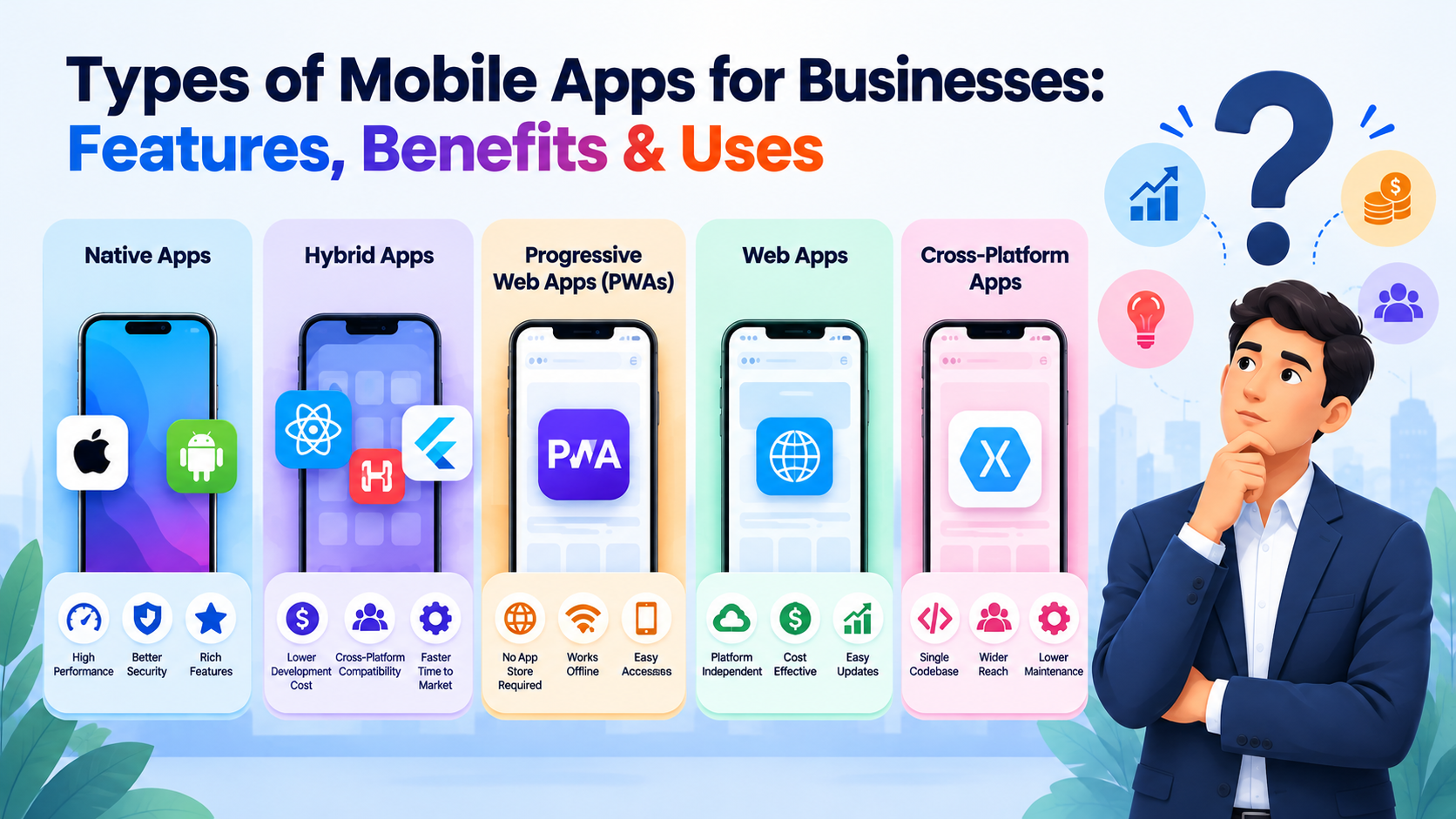
Choosing the right mobile app is an important decision for any business planning to reach customers through smartphones. The app you build can affect how customers interact with your brand, how smoothly your services work, and how much you spend on development and maintenance.
Some businesses need fast, feature-rich applications, while others need an affordable solution that works across different devices. Understanding the types of mobile apps can help you select an option that fits your business requirements, budget, and long-term plans.
This guide explains the main types of mobile apps, how they work, their advantages and limitations, and how to choose the right one for your business.
What Are the Different Types of Mobile Apps?
Mobile applications are built using different technologies and development approaches. The most common options are native apps, web apps, hybrid apps, cross-platform apps, and progressive web apps (PWAs).
Each type serves a different purpose. Some focus on performance and device integration, while others prioritize accessibility, development speed, or affordability.
1. Native Mobile Apps
Native apps are developed specifically for an operating system, such as Android or iOS. Android developers commonly use Kotlin, while developers use Swift for iOS.
Because native applications are designed for a particular platform, developers can make better use of its features, including the camera, GPS, biometric authentication, and push notifications.
Advantages of native apps:
-
Smooth performance and responsive interactions.
-
Access to platform-specific features.
-
Support for offline functionality when built into the app.
-
User interfaces designed around Android or iOS guidelines.
Limitations:
-
Separate development may be needed for Android and iOS.
-
Initial development and ongoing maintenance can cost more.
-
New features may require work across multiple codebases.
Best suited for: Banking applications, mobile games, fitness trackers, and services that rely heavily on device features or consistent performance.
2. Web Apps
Web apps run through a web browser rather than requiring users to install a traditional mobile application. They are built using web technologies such as HTML, CSS, and JavaScript, often alongside back-end frameworks and databases.
Users can open a web app through a link on their smartphone, tablet, or computer. Businesses can also update the application centrally without asking users to download a new version from an app store.
Advantages of web apps:
-
Accessible through a browser.
-
One web application can support multiple device types.
-
Updates can be deployed without app store releases.
-
Can be a cost-effective starting point for businesses.
Limitations:
-
Some device features may be less accessible than in native apps.
-
Offline functionality depends on how the application is built.
-
Performance and usability can vary across browsers and devices.
Best suited for: Customer portals, booking platforms, online dashboards, internal business tools, and services that need broad browser access.
3. Hybrid Mobile Apps
Hybrid apps combine web technologies with a native application container. Developers build much of the interface using HTML, CSS, and JavaScript, then package it for distribution through mobile app stores.
Depending on the framework and implementation, hybrid apps can connect to device features through plugins or native integrations.
Advantages of hybrid apps:
-
Shared code can reduce development effort.
-
One project can support multiple mobile platforms.
-
Updates to shared components can simplify maintenance.
-
Suitable for applications that do not require intensive graphics or processing.
Limitations:
-
Complex interfaces may need extra performance optimization.
-
Some device-specific features require additional integration.
-
Platform differences can affect the user experience.
Best suited for: Business utilities, content-based applications, simple customer service apps, and projects that need a practical balance between cost and functionality.
4. Cross-Platform Mobile Apps
Cross-platform development lets developers build apps for Android and iOS with a shared codebase. Popular frameworks include Flutter and React Native.
Unlike a standard browser-based web app, a cross-platform application can be distributed as an installable mobile app. The framework determines how much code can be shared and how platform-specific functionality is implemented.
Advantages of cross-platform apps:
-
Shared code can reduce duplicate development work.
-
Android and iOS versions can be developed together.
-
Maintenance and feature updates can be more efficient.
-
A practical option for businesses targeting both platforms.
Limitations:
-
Some features still require platform-specific code.
-
Complex integrations can increase development time.
-
Performance depends on the framework, implementation, and application requirements.
Best suited for: Startups, e-commerce businesses, customer-facing platforms, and companies that want to launch on Android and iOS without building every feature separately.
5. Progressive Web Apps (PWAs)
Progressive web apps combine browser-based access with selected app-like features. Users can open a PWA through a web link and, where supported, add it to their device's home screen.
PWAs can use caching and service workers to support certain offline experiences. Depending on browser and operating system support, they may also offer push notifications and other device capabilities.
Advantages of PWAs:
-
Users can access the app through a web link.
-
Installation from an app store is not always necessary.
-
Updates can be deployed through the web.
-
A single web codebase can serve different device types.
Limitations:
-
Device feature support varies by platform and browser.
-
Some advanced native capabilities may not be available.
-
Users may not find the app through traditional app store searches.
Best suited for: Retail businesses, news platforms, content services, online catalogues, and companies seeking an app-like experience without building separate native apps immediately.
How Do Mobile Apps Work?
Although mobile apps can look similar on a screen, their internal processes depend on the development approach.
A native app uses platform-specific components and communicates with operating system services. A web app sends requests through a browser to retrieve or process information. Hybrid and cross-platform apps combine shared development components with mobile platform capabilities. A PWA runs through a browser and can use web technologies such as service workers for caching and selected offline tasks.
Most business applications also connect to a back-end system. This system may manage customer accounts, product information, payments, bookings, notifications, and other business data.
For example, when a customer places an order through a shopping app, the application sends the order details to a server. The server processes the request, stores the information, and returns a response that the customer can see.
Which Type of Mobile App Works Best for Your Business?
There is no single app type that works best for every business. The right choice depends on the features you need, your audience, available budget, launch schedule, and plans for future development.
Consider these common situations:
-
Choose native app development if your product requires intensive processing, advanced device integration, or a highly optimized platform-specific experience.
-
Choose web app development if customers need easy access through a browser and your project prioritizes centralized updates.
-
Choose hybrid app development if you want to reuse web technologies while distributing an installable mobile application.
-
Choose cross-platform development if you want to reach Android and iOS users with a largely shared codebase.
-
Choose a PWA if you want browser accessibility, home-screen installation where supported, and selected app-like capabilities.
Before making a decision, list your essential features, identify how customers will use the application, and determine which integrations are necessary. Consider ongoing maintenance and security alongside the initial development cost.
It is also worth planning for growth. An app that meets today's requirements should be maintainable as your customer base expands and new features become necessary.

 English
 Arabic
 French
 Spanish
 Portuguese
 Turkish
 Dutch
Dutch
 Italiano
 Russian
 Romaian
 Portuguese (Brazil)
 Greek
Greek