


What Pages Should Recruitment Agency Website Templates Include for Specialized Hiring?
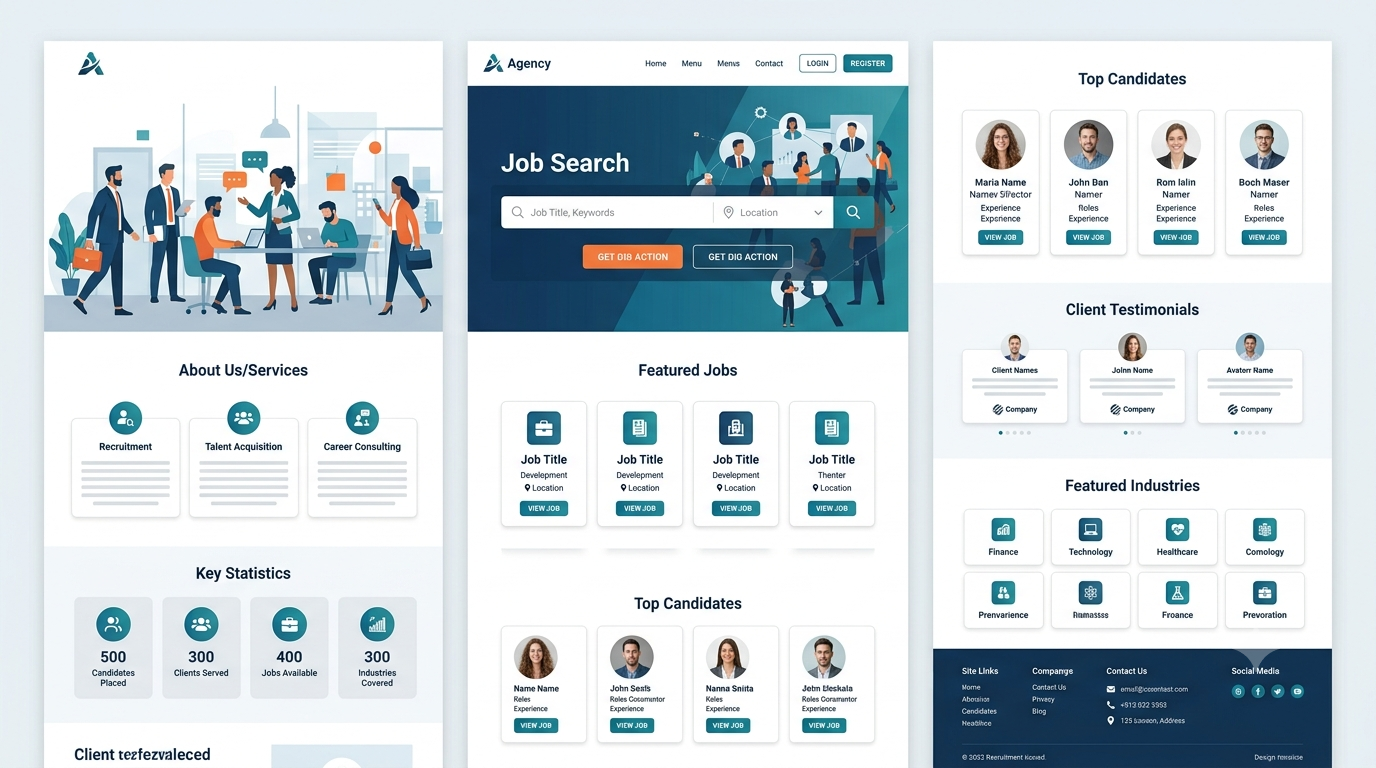
Hiring a general office assistant is one thing. Hiring a cloud engineer, a registered nurse, a tax specialist, or a welder with a particular licence is something else entirely. Specialized hiring takes more knowledge, more care, and a lot more trust. Well-designed recruitment agency website templates can help agencies showcase their industry expertise, explain specialized hiring services, and build confidence among employers seeking candidates with specific skills and qualifications.
If your agency focuses on a specific field, your website has to prove one thing quickly: "We understand this industry." Employers want to know you can find the right people. Candidates want to know you can find them the right job. A generic website won't convince either group.
The pages you choose matter just as much as the design. Here's a plain guide to the pages a recruitment agency website template should include for specialized hiring, and why each one helps.
Start With the Basics That Every Agency Needs
A Clear Homepage
Your homepage should say who you are, what field you work in and who you help, all within a few seconds. Something like "We help healthcare employers hire qualified nurses and carers" is far better than "Your trusted recruitment partner."
Add two clear buttons near the top: one for employers ("Hire Talent") and one for job seekers ("Find a Job"). Each visitor should know right away where to go.
An About Page
People hire recruiters they trust. Tell your story in simple words: who you are, how long you've worked in your field and what makes your approach different. Add photos of your real team, and avoid empty phrases.
A Contact Page
Make it easy to reach you. Show a phone number, email, address and a short form. If you work in several cities, list each office or area you cover.
Pages That Show Your Specialist Knowledge
Industry or Sector Pages
If you cover more than one field, give each its own page, such as IT, healthcare, engineering, finance or skilled trades. Each page should explain the roles you fill, the skills you understand and the kinds of employers you work with.
A Page for Each Key Job Type
For specialized hiring, a page for each major role can help a lot. For example, "Hire a Data Analyst" or "Hire a Registered Nurse." Explain what the role involves, what to look for in a candidate and how you find them. Keep the language simple and practical.
Skills and Qualifications Guides
Explain the certificates, licences or experience that matter in your field. Employers appreciate it when you know the details, and candidates like knowing what employers expect. Always check the facts are accurate and up to date.
Pages for Employers
A "Hire Talent" Page
This is your main page for employers. Explain how you work, from the first call to the final placement, in a few simple steps. A step-by-step layout is ideal.
Services Page
List what you offer, such as permanent placements, temporary or contract staff, executive search or bulk hiring. Explain each one in plain words, so employers can see which suits them.
A Page Explaining Your Hiring Process
Employers want to know how you find, check and present candidates. Describe your process honestly, including how you screen people. Avoid big promises like "the perfect candidate every time."
Pricing or Fees Information
You don't always have to list prices, but explain how fees generally work and how employers can get a quote. Honest information builds trust.
An Employer Enquiry or Request Form
A short form where employers can describe the role they need to fill speeds everything up. Ask only for the essentials, such as the job title, location, skills needed and how soon they need someone.
Pages for Job Seekers
A Job Listings Page
This is the heart of most recruitment sites. Make sure the template supports job listings with filters for location, job type, industry and salary range. Keep each listing clear, with a short summary and an easy "Apply" button.
An Individual Job Page
Each job should have its own page with a clear title, responsibilities, requirements, location and how to apply. For specialized roles, include the qualifications or licences needed.
A "Register Your CV" Page
Let candidates upload their CV and register their interest, even if there's no perfect job today. Make the form simple, and explain what happens next.
Career Advice Resources
Helpful pages on CV writing, interview tips and salary guides give candidates a reason to return. Write them in everyday language.
A Candidate FAQ Page
Answer common questions such as "Is it free to register?" "How long does it take to hear back?" and "Do you keep my details private?" Keep the answers honest and simple.
Pages That Build Trust
Testimonials and Case Studies
Short, genuine stories from employers and candidates show that you deliver. Always get permission, and don't invent quotes. A simple case study, such as "How we filled five engineering roles in three weeks," can be powerful, if it's true and the client agrees.
Meet the Team
Specialized hiring is personal. Show your recruiters, their areas of expertise and how to contact them. A short bio for each person helps a lot.
Accreditations and Memberships
If you belong to industry bodies or hold recognized accreditations, show them. Only include what's real and current.
Visit Us: Human Resources WordPress Theme for HR Professionals
Pages That Help You Get Found
A Blog or News Section
Posts about hiring trends, salary guides and tips for your industry help you show expertise and attract search traffic. Write about real problems your audience has.
Salary Guides or Market Reports
If you can, share simple guides on pay and demand in your field. Make sure the information is accurate, dated and clearly sourced, so readers trust it.
Location Pages
If you recruit in several areas, create a page for each, such as "IT Recruitment in Manchester" or "Nurse Recruitment in Toronto." This helps local searchers find you. Keep each page unique and useful, rather than copying the same text.
Legal and Practical Pages
Privacy Policy
Recruitment involves lots of personal data, such as CVs and contact details. A clear privacy policy explains what you collect and how you use it. Ask a qualified professional to prepare it, because rules differ by location.
Terms and Conditions
Set out the basics of how your services work. Again, have a professional review them.
Cookie Notice
If your site uses cookies or analytics, include a clear notice that meets local requirements.
Template Features to Look For
Job Board Support
Check that the template works with job listing plugins or has them built in, so you can add and manage jobs easily.
Easy Forms and CV Uploads
Look for forms that handle file uploads, such as CVs, and send you notifications. Make sure they work well on mobile phones.
Filters and Search
Visitors should be able to narrow jobs by role, location and type. Test the demo's search and filters before you choose.
Mobile-Friendly Design
Many candidates browse jobs on their phones. Check that pages load fast and buttons are easy to tap.
Easy Editing
Your team will add jobs and update pages often. Choose a template that's simple to edit without a developer.
Conclusion
For specialized hiring, your website needs more than a nice design. It needs the right pages: a clear homepage, sector and role pages, employer and candidate sections, job listings, trust-building stories and the legal pages that keep things safe. Together, they show that you truly understand your field and make life easier for both employers and job seekers. If you want a dependable starting point, premium WordPress templates made for recruitment agencies often come with job listing layouts, CV upload forms, sector pages and testimonial sections, so you can build a professional, specialist site much faster.
Frequently Asked Questions
1. Why do specialized recruitment agencies need different pages?
Because employers and candidates in specialized fields want proof that you understand their industry. Sector pages, role guides and clear processes show your expertise.
2. What are the most important pages for a recruitment website?
A clear homepage, a "Hire Talent" page for employers, a job listings page, a "Register Your CV" page, an About page, testimonials and a contact page. Add sector and role pages for specialist hiring.
3. Should I create a separate page for each industry I recruit in?
Yes, it's a good idea. Separate pages let you speak directly to each audience, explain the roles you fill and use the right keywords so people can find you.
4. Do I need a privacy policy on my recruitment website?
Yes. You collect CVs and personal details, so a clear privacy policy is important. Ask a qualified professional to prepare it, because rules vary by location.
5. What template features matter most for a recruitment site?
Job listing support, search filters, CV upload forms, mobile-friendly design and easy editing. Test the demo carefully before you choose.

 English
 Arabic
 French
 Portuguese
 Deutsch
 Turkish
 Dutch
Dutch
 Italiano
 Russian
 Romaian
 Portuguese (Brazil)
 Greek
Greek