


A Food Truck Owner's Guide to a Website That Actually Earns Its Keep
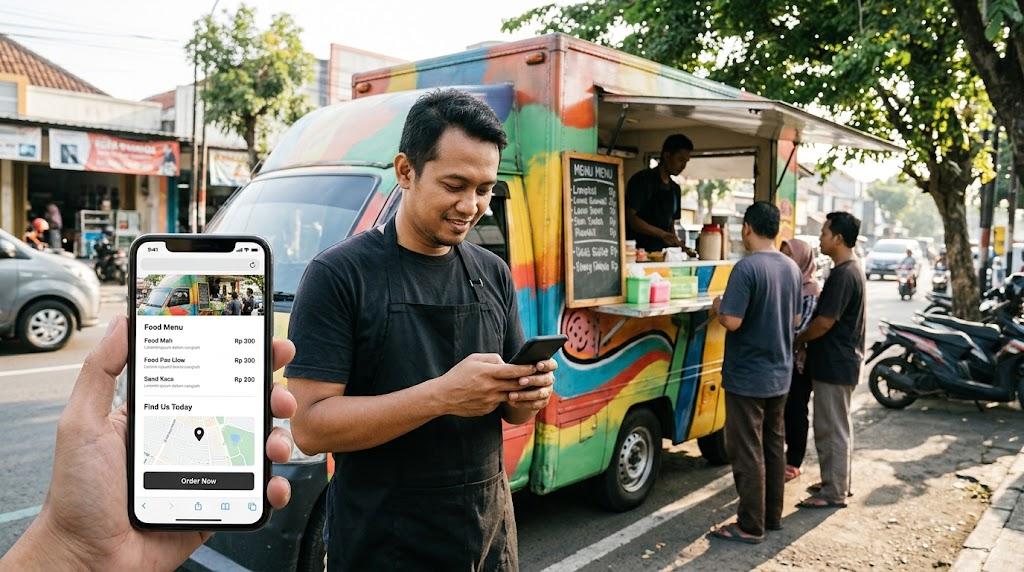
Nothing illustrates the cost of a weak online presence quite like a lunch rush. Potential customers stand on a corner, phone in hand, comparing options. The truck with a clean, current page gets chosen. The one with a dead Facebook link does not.
The industry has a habit of inflating requirements. Bundled POS systems, booking engines, weekly blogs — most trucks never need any of it. What they need is a page that loads, informs, and updates without drama.
Below is a breakdown of what belongs on a food truck website, what does not, and how to fund the whole project well under five hundred dollars.
Defining the Page's Mission
Every design decision should trace back to one objective: equip a hungry stranger with the information required to become a customer. Nothing more.
Consider the conditions. One thumb, bright sunlight, possibly a queue moving behind them. Roughly three questions need answering before the phone goes back in a pocket.
What is on the menu. Where the truck is parked today. What steps lead to eating the food.
Everything else — brand storytelling, press mentions, mission statements — sits below the fold or off the site entirely. Affordable web design follows this logic: fewer moving parts, faster answers, lower cost of ownership. Treat those three questions as a filter, and watch how much of your wishlist evaporates.
Five Components That Justify Their Existence
The menu. Render it as readable text, not a downloadable file. PDFs break on mobile browsers constantly, and search engines extract nothing from inside them. Plain HTML with prices, item names, and short descriptions keeps both humans and crawlers happy.
The location schedule. This carries more weight than any other single element. A plain-text list of weekly stops will outperform a flashy map embed without fail. Post the current week, archive nothing, and revise every Monday. Stale locations poison trust in everything else on the page.
Food photography. Authenticity beats production value here. Photos captured on a phone while plating an order communicate reality in a way studio shots cannot. Shoot ten of them — close-ups of signature items, the truck itself, the line out front if you have one. Quantity of honest images outweighs polish.
A contact channel. One method, clearly displayed. Phone, email, or a three-field form. Catering inquiries and event invitations need somewhere to land, and "are you guys open" messages follow the same route. Keep it near the bottom of the first screen.
A link to existing ordering infrastructure. Square, Toast, ChowNow — whatever processes your cards today. Point to it and stop thinking about payments. Building checkout from scratch exposes you to security obligations that have nothing to do with cooking food.
Resistances Worth Honoring
No blog. Writing demands time that food trucks do not have. A single orphaned post under a "News" heading tells visitors you abandoned the project mid-thought. Omit the section entirely.
No animated logo. Motion graphics consume budget that a second fryer or better signage would absorb far more productively. Nobody has ever followed a food truck because of a loading animation.
No team page. Biographical sketches suit full-service restaurants with waitstaff. Truck customers want to see tacos, not read about your culinary philosophy.
No custom ordering build. Third-party processors manage compliance, encryption, and regulatory updates on your behalf. Rolling your own means inheriting every one of those duties permanently.
No enterprise CMS. When your maintenance routine involves swapping a stop list once a week, a platform requiring specialized training is counterproductive. A builder offering click-to-edit text blocks covers the job. Fewer toggles, fewer accidents during a Friday afternoon rush.
Sourcing Outside Help Wisely
The freelance economy has made professional assistance unusually accessible. A cheap website designer operating through a marketplace can produce a polished single-page site within the two-to-four-hundred-dollar band, assuming you supply content upfront. Projects balloon in cost for one reason above all others: the client shows up empty-handed and expects the contractor to fabricate everything. Preparation is the budget control.
Concrete prep looks like this. Draft the complete menu with prices. Photograph ten dishes using whatever phone you already own. Settle the domain name before outreach begins. Deliver all three on day one of the engagement. Contractors who must chase clients for materials bill for those hours, and those hours add up.
Insist on hosting you control. Squarespace, Wix, and Carrd each provide editors simple enough for non-technical owners. The acceptance test: schedule a change for next week, then execute it yourself on a phone in under two minutes.
Some operators worry that searching for a cheap website designer implies settling for mediocrity. In practice, the opposite often holds — a disciplined scope handed to an experienced freelancer produces cleaner results than an open-ended budget handed to an agency. Define the deliverable precisely and most of the risk disappears.
Building It Yourself: The Current Landscape
Owner-operated construction has never been more viable. Today's affordable web design tools produce results that would have required a developer five years ago.
Carrd leads on economics. Around nineteen dollars per year, it supports a single scrolling page with menu, schedule, and an outbound ordering link. For one truck with no plans to expand, this is the default recommendation.
Squarespace, at sixteen to twenty-three dollars monthly, offers broader template selection and smoother expansion paths. Add a catering page or a second location without rebuilding. Wix occupies the same tier with a gentler interface and templates that look marginally less refined. Either handles the job.
Google Sites delivers a functional single page at no cost. The obvious limitation: a Google-branded URL that signals informality to some visitors. Separately, domain registration runs about twelve dollars a year through Namecheap or Cloudflare. Buy from one of those registrars directly rather than through your hosting provider — the markup difference is real.
A Five-Hundred-Dollar Map
Here is how the math breaks down under careful management. Domain: twelve dollars annually. Builder platform: nineteen dollars a year on the low end with Carrd, up to roughly two hundred seventy-six for a year of mid-tier Squarespace.
If you hire for the initial build, add two hundred to three hundred fifty dollars. That figure drops when your menu, photos, and domain are ready before work starts. Some owners find that a cheap website designer quoting toward the lower end of that range delivers exactly what a truck needs — a functional page, handoff credentials, and no retainer.
Photography is a free line item if you shoot it yourself. Hiring a local student for an afternoon runs fifty to a hundred dollars and yields better lighting than most phone attempts.
Total the lines and the realistic range lands between two hundred thirty and seven hundred forty. Budget-conscious choices — Carrd, self-shot photos, disciplined scope — hold the total under three hundred including a full year of hosting. Squarespace paired with a contractor lands near six hundred.
Overprovisioning remains the most common error. A two-thousand-dollar custom build and a three-hundred-dollar Carrd page perform the same three core functions: display a menu, show a location, route to ordering. The custom version introduces additional components, each a potential point of failure.
The Short Version
Rethink the website as a directory listing wearing decent clothes. Its purpose is informational, not promotional — a place where a hungry person confirms what you cook and where to find you.
Keep the page lean, the schedule current, and total expenditure under five hundred dollars. Whatever remains in the budget goes further invested in propane, inventory, and equipment maintenance than it ever would in digital embellishment.

 Arabic
 French
 Spanish
 Portuguese
 Deutsch
 Turkish
 Dutch
Dutch
 Italiano
 Russian
 Romaian
 Portuguese (Brazil)
 Greek
Greek