


Beyond Microscope Images: Improving Scientific Workflows with Digital Image Analysis
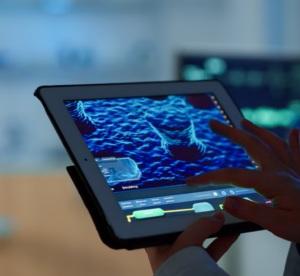
Microscopy plays an important role in scientific observation, but capturing an image is often only one part of the process. Researchers and laboratory professionals may also need to document observations, compare images, organise results, and prepare material for reports or presentations.
Digital image analysis can support these activities by helping users work with microscope images in a more structured way. When combined with an appropriate microscope and compatible imaging software, digital workflows can improve how observations are recorded and communicated.
What Is Digital Image Analysis in Microscopy?
Digital image analysis involves examining microscope images using software-based tools. Depending on the software's capabilities, this may include viewing images, adjusting display settings, organising files, comparing observations, or measuring selected image features.
The appropriate workflow depends on the research question. A student preparing a laboratory report may primarily need to capture and label images, while a research team conducting quantitative analysis may require calibrated measurements and documented analysis procedures.
It is important to distinguish simple image display or enhancement from quantitative analysis. Measurements require suitable calibration, validated methods, and an understanding of the limitations of the imaging setup.
How Digital Workflows Support Laboratory Documentation
Digital microscopy can make it easier to preserve observations and share them with colleagues. Rather than relying entirely on handwritten notes or sketches, users can retain image files alongside specimen identifiers, observation dates, and relevant experimental details.
A consistent file-naming and record-keeping process can help laboratories retrieve images and compare observations over time. Documenting acquisition settings and any image processing is particularly important when images are used as evidence in research or technical reports.
These practices support traceability and make it easier for other team members to understand how an image was obtained.
Image Comparison and Measurement
Some microscopy workflows require users to compare images or measure features within a specimen. Depending on the available software, tools may support measurements such as length, area, or other defined image characteristics.
For quantitative work, calibration is essential. The pixel-to-distance relationship must be established using an appropriate calibration method, and the optical setup should be suitable for the measurement being performed.
Image processing should also be applied carefully. Changes to brightness, contrast, or other image properties may affect interpretation, so original images and processing steps should be preserved where research integrity requires them.
Introducing MagVision Software
Magnus Opto offers MagVision software as part of its digital microscopy-related solutions.
When evaluating microscopy software, users should verify the functions available in the specific version, the supported camera and microscope configurations, file compatibility, and any measurement or analysis capabilities required for their work.
Choosing software based on actual workflow requirements helps laboratories avoid paying for unnecessary features or relying on functions that may not be supported by their setup.
What to Consider Before Choosing Microscope Software
Before selecting a digital microscopy solution, consider the following:
-
Compatibility with the microscope and camera.
-
Image capture and supported file formats.
-
Image organisation and export requirements.
-
Availability of measurement or analysis tools.
-
Calibration procedures for quantitative work.
-
Ease of use and training requirements.
-
Documentation and data-management practices.
The right choice depends on whether the primary goal is image capture, teaching, research documentation, or quantitative analysis.
Conclusion
Digital image analysis can extend the usefulness of microscopy by supporting image documentation, comparison, measurement, and communication. However, reliable results depend on appropriate equipment, compatible software, calibration where needed, and consistent working procedures.
To explore a microscopy software option from Magnus Opto, visit the official MagVision software page.
For more information about the role of digital tools in scientific imaging, read our related article on MagVision software and scientific image analysis.
Frequently Asked Questions
1. What is digital image analysis in microscopy?
It is the use of software tools to examine microscope images, which may include viewing, organising, comparing, or measuring image features.
2. Why is microscope image analysis software useful?
It can support digital documentation, image sharing, reporting, and analysis workflows, depending on the features provided by the software.
3. Is calibration necessary for microscope image measurements?
Yes. Quantitative measurements require an appropriate calibration procedure to relate image pixels to real-world dimensions.
4. Can image processing affect scientific interpretation?
Yes. Processing may change how features appear. Researchers should preserve original images and document processing steps where appropriate.
5. What should I check before choosing microscopy software?
Confirm microscope and camera compatibility, supported file formats, required analysis features, calibration options, and data-export requirements.
6. Where can I find more information about MagVision software?
Visit the official Magnus Opto MagVision software page for product information and supported capabilities.

 English
 Arabic
 French
 Spanish
 Portuguese
 Deutsch
 Turkish
 Dutch
Dutch
 Italiano
 Russian
 Romaian
 Greek
Greek