


How to Use an Email Marketing Tool to Automate Customer Communication
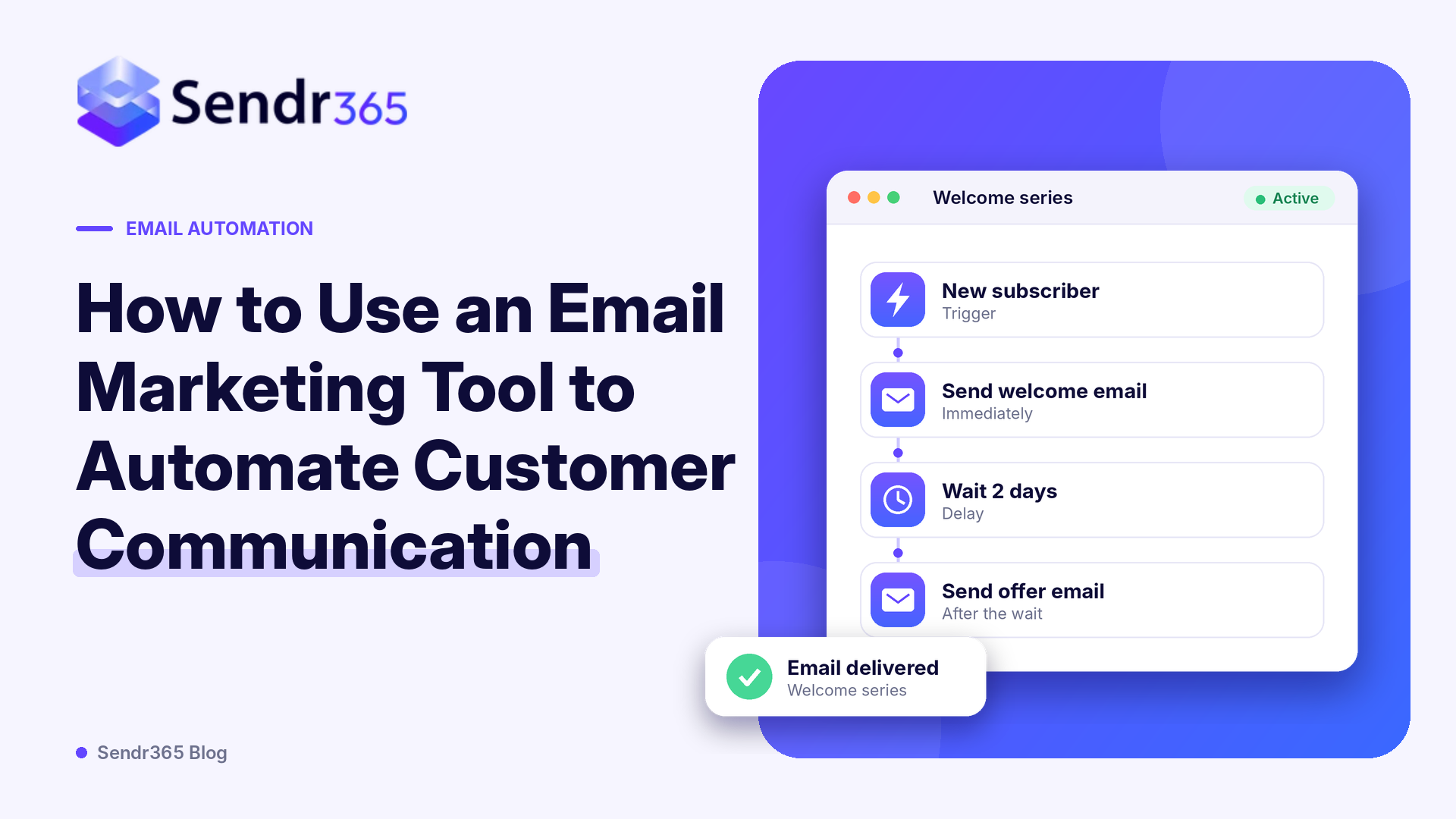
Managing customer communication becomes more challenging as a business grows. A company may need to welcome new customers, share product updates, send newsletters, announce offers, and keep users informed about important changes. Sending every email manually takes time and makes it difficult to maintain consistent communication.
An Email Marketing Tool helps businesses automate these activities by allowing them to create campaigns, organise contacts, schedule messages, and send emails based on customer actions. Instead of preparing every message individually, businesses can build workflows that handle regular communication automatically. For startups, SaaS companies, online stores, and growing businesses, email automation can save time and help maintain stronger customer relationships. This guide explains how to use an email marketing tool to automate customer communication, which workflows are useful, and what features businesses should consider.
What Is Email Marketing Automation?
Email marketing automation is the process of sending emails automatically according to a schedule, customer activity, or predefined conditions.
For example, when someone subscribes to a company's newsletter, the business can automatically send a welcome email. When an online store announces a new collection, it can schedule a promotional campaign for its subscribers. An email marketing tool makes these activities easier by connecting contact information, campaign content, and automation rules.
Instead of manually sending messages to every customer, businesses can create a workflow once and use it to manage repeated communication.
Why Do Businesses Need to Automate Customer Communication?
Customers expect timely and useful communication from businesses. However, managing every interaction manually can become difficult, especially when a company has hundreds or thousands of contacts. Automation helps businesses manage regular communication without requiring employees to prepare every message individually.
1. Save Time on Repetitive Tasks
Businesses often send similar messages repeatedly, such as welcome emails, newsletters, product announcements, and follow-up messages.
An email marketing tool allows teams to prepare these messages in advance and schedule them according to their communication needs. This reduces repetitive work and gives employees more time to focus on other business activities.
2. Maintain Consistent Communication
Regular communication helps customers stay informed about a business. However, sending messages manually can lead to delays or missed updates. Automated workflows help businesses maintain a consistent communication schedule. Once a workflow is configured, messages can be sent whenever the relevant conditions are met.
3. Improve Customer Engagement
Relevant communication can encourage customers to interact with a brand. For example, businesses can send product updates to interested subscribers or share useful information with new customers. Using contact groups and customer preferences, an email marketing tool can help businesses send more relevant messages instead of sending the same content to everyone.
4. Support Business Growth
As a business grows, its contact list and communication requirements also increase. Manually managing every campaign becomes harder with a larger audience. Automation provides a more organised way to manage communication. Businesses can build workflows that support larger contact lists and recurring campaigns without increasing the amount of manual work at the same rate.
7 Ways to Automate Customer Communication Using an Email Marketing Tool
Businesses can automate several types of customer communication depending on their audience, products, and goals. Here are some practical examples.
1. Send Automated Welcome Emails
A welcome email is often the first direct communication a customer receives after subscribing to a newsletter or creating an account. Businesses can create a welcome workflow that sends a message automatically when a new contact joins a mailing list. A welcome email can introduce the company, explain its services, share useful resources, or guide customers towards the next step.
For example, a software company can welcome new subscribers and provide a link to its product guide. This helps customers understand the business without requiring someone from the team to send each message manually.
2. Schedule Promotional Campaigns
Promotional emails help businesses announce discounts, product launches, seasonal offers, and special events. Instead of sending these messages individually, marketing teams can prepare campaigns in advance and schedule them for a suitable date and time. An email marketing tool can help businesses organise campaign content, select the intended contact list, and manage scheduled sending.
For example, an online store can prepare a festive offer campaign and schedule it before the sale begins. This helps the marketing team plan communication ahead of time.
3. Create Customer Follow-Up Emails
Following up with customers is an important part of maintaining business relationships. However, remembering when to contact every customer can become difficult. Automated follow-up emails can help businesses send relevant messages after a customer subscribes, downloads a resource, or interacts with a campaign.
For example, a company can send an additional guide a few days after someone downloads its introductory resource. This gives the customer more useful information and keeps the conversation active.
4. Segment Contacts for Relevant Communication
Not every customer is interested in the same products or information. Sending identical emails to an entire contact list may result in less relevant communication. Contact segmentation helps businesses divide their audience into smaller groups based on details such as interests, preferences, customer type, or activity.
For example, a software company may maintain separate groups for new users, existing customers, and newsletter subscribers. Each group can receive content that matches its needs. An email marketing tool with contact management and segmentation capabilities makes it easier to organise these groups and select the right audience for each campaign.
5. Send Product and Company Updates
Customers often want to know about new features, service improvements, product launches, and important company announcements. Businesses can use scheduled campaigns to share these updates with relevant subscribers.
For example, a SaaS company can prepare a monthly product update that explains new features and improvements. A scheduled campaign can then deliver the update to its selected audience. This keeps customers informed and helps businesses maintain regular communication.
6. Automate Newsletter Distribution
Newsletters allow businesses to share educational content, company news, industry information, and useful resources with subscribers. Preparing and sending newsletters manually every time can take considerable effort. An email marketing tool helps teams create reusable templates, manage subscriber lists, and schedule newsletter campaigns. Businesses can establish a weekly or monthly newsletter schedule to maintain a regular connection with their audience.
7. Review Campaign Performance
Automation does not end when an email is sent. Businesses should also review campaign performance to understand how recipients interact with their messages. Depending on the platform, campaign reporting may include information such as sent emails, delivery status, opens, clicks, and other engagement activity. These insights help marketing teams identify which messages are performing well and where improvements may be needed.
How to Set Up an Email Automation Workflow
Creating an automation workflow does not have to be complicated. Businesses can start with a simple process and add more steps as their requirements grow.
Step 1: Define Your Communication Goal
Start by deciding what you want to achieve. Your goal could be welcoming new subscribers, promoting a product, sharing company updates, or maintaining regular contact with existing customers. A clear goal helps you decide which messages to create and who should receive them.
Step 2: Organise Your Contact List
Before creating a campaign, organise your contacts into relevant groups. You can use information such as subscription preferences, customer type, or interests to create suitable segments. Always use contacts who have given appropriate permission to receive marketing communications.
Step 3: Prepare Your Email Content
Write clear subject lines and useful email content. Make sure each message has a purpose and gives readers a reason to engage. You can also use reusable templates to maintain consistent branding across different campaigns.
Step 4: Select a Trigger or Schedule
Decide when the email should be sent. Some campaigns are scheduled for a particular date, while other workflows begin when a customer performs an action. For example, a welcome campaign can start when a new subscriber joins a list. A monthly newsletter can be scheduled for a specific day.
Step 5: Test Your Workflow
Before activating an automation, review the email content, sender details, audience, links, and timing. Send test messages where possible to check how the email appears and make sure the workflow follows the intended conditions.
Step 6: Monitor and Improve
After the campaign starts, review the available reports and engagement data. Use these insights to improve your subject lines, content, audience selection, and sending schedule.
What Features Should You Look for in an Email Marketing Tool?
Choosing the right platform is important because different businesses have different communication requirements. Before selecting a solution, consider the following features.
Campaign Builder and Email Templates
A campaign builder helps users create and organise marketing emails. Reusable templates can save time and maintain consistent branding across newsletters, announcements, and promotional messages.
Contact Management and Segmentation
The platform should make it easy to organise subscribers, manage contact lists, and select specific groups for campaigns.
Scheduling and Automation
Look for options to schedule campaigns and create automated workflows. These features help businesses manage recurring communication and customer interactions.
Email Delivery Infrastructure
Creating a good email campaign is only one part of the process. Businesses should also consider how their emails are sent.
SMTP relay and email API integration can be important for companies that need to connect email delivery with websites, applications, and other business systems.
Campaign Analytics
Reporting tools help businesses understand campaign activity and identify opportunities to improve future communication.
Security and Sending Domain Authentication
Businesses should also pay attention to sender authentication and account security. Technologies such as SPF, DKIM, and DMARC help authenticate email sending domains and support a more reliable email setup.
How Sendr365 Supports Business Email Communication
Businesses that need both marketing campaigns and application-related email delivery may benefit from a platform that supports different sending requirements.
Sendr365 provides email infrastructure for business communication, including SMTP relay, REST API integration, transactional email sending, and marketing campaign capabilities.
Its campaign functionality supports contact lists, campaign scheduling, and audience management. The developer documentation also describes API-based transactional email sending for messages such as password resets, order confirmations, and alerts.
This can be useful for businesses that manage marketing communication alongside emails generated by their websites or applications.
For example, a SaaS company may use marketing campaigns to share product announcements and newsletters while using transactional email delivery for account-related notifications.
Common Mistakes to Avoid When Automating Customer Communication
Although automation can simplify email management, businesses should use it carefully. Some common mistakes can reduce the usefulness of their campaigns.
Sending too many emails: Frequent messages can overwhelm subscribers. Create a reasonable communication schedule and avoid unnecessary emails.
Ignoring audience preferences: Sending the same message to every contact can make communication less relevant. Use appropriate contact groups and respect subscriber preferences.
Using unclear subject lines: Subject lines should explain what the email contains. Avoid misleading wording or exaggerated promises.
Not testing campaigns: Incorrect links, formatting issues, and incorrect audience selection can affect the customer experience. Review campaigns before sending them.
Ignoring unsubscribe requests: Businesses should provide a clear way for recipients to stop receiving marketing emails and ensure those preferences are respected.
Failing to review performance: Sending campaigns without checking available reports makes it difficult to understand whether the communication is effective.
Conclusion
Automating customer communication helps businesses save time, maintain consistency, and manage email campaigns more effectively. From welcome messages and newsletters to promotional campaigns and product updates, automation can support many everyday business communication activities.
The right Email Marketing Tool should make it easier to manage contacts, create campaigns, schedule messages, and review performance. Businesses that also send application notifications should consider their transactional email and delivery infrastructure requirements. Start with a few useful workflows, understand what your customers need, and improve your communication based on campaign results. With a suitable platform and a clear strategy, businesses can build a more organised and consistent email communication process.
Frequently Asked Questions
1. What is an email marketing tool used for?
An email marketing tool is used to create, send, schedule, and monitor email campaigns. Businesses can also use it to manage contacts, organise subscribers, and automate customer communication.
2. Can an email marketing tool automate customer communication?
Yes. Many platforms support scheduled campaigns and automated workflows. Businesses can use them to send welcome emails, newsletters, promotional messages, and follow-up communication based on predefined conditions.
3. What emails can businesses automate?
Businesses can automate welcome emails, newsletters, product announcements, promotional campaigns, follow-up messages, and other recurring marketing communication. Transactional emails, such as password resets and order confirmations, may require transactional email infrastructure.
4. Is email automation useful for small businesses?
Yes. Email automation can help small businesses manage regular communication without manually preparing every message. It can also make it easier to organise contacts and maintain a consistent campaign schedule.
5. What is the difference between email marketing and transactional emails?
Email marketing messages are generally sent to promote products, share updates, or communicate with subscribers. Transactional emails are triggered by specific user activities and provide information related to an account or transaction.
6. Does an email marketing tool need SMTP or API integration?
Not every marketing platform requires a separate SMTP or API integration. However, businesses that need to connect email sending with websites, applications, or internal systems may benefit from SMTP relay or email API support.
7. How can businesses improve automated email campaigns?
Businesses can improve campaigns by using relevant contact segments, writing clear subject lines, sending useful content, testing workflows, respecting subscriber preferences, and reviewing campaign reports.
8. Can one platform manage both marketing and transactional emails?
Some platforms support both marketing campaigns and transactional email delivery. Businesses should check whether the platform offers the campaign management, SMTP relay, API integration, and delivery capabilities they actually need.

 English
 Arabic
 French
 Spanish
 Portuguese
 Deutsch
 Turkish
 Dutch
 Italiano
 Russian
 Romaian
 Greek