


How INP Optimization Improves eCommerce Website Performance
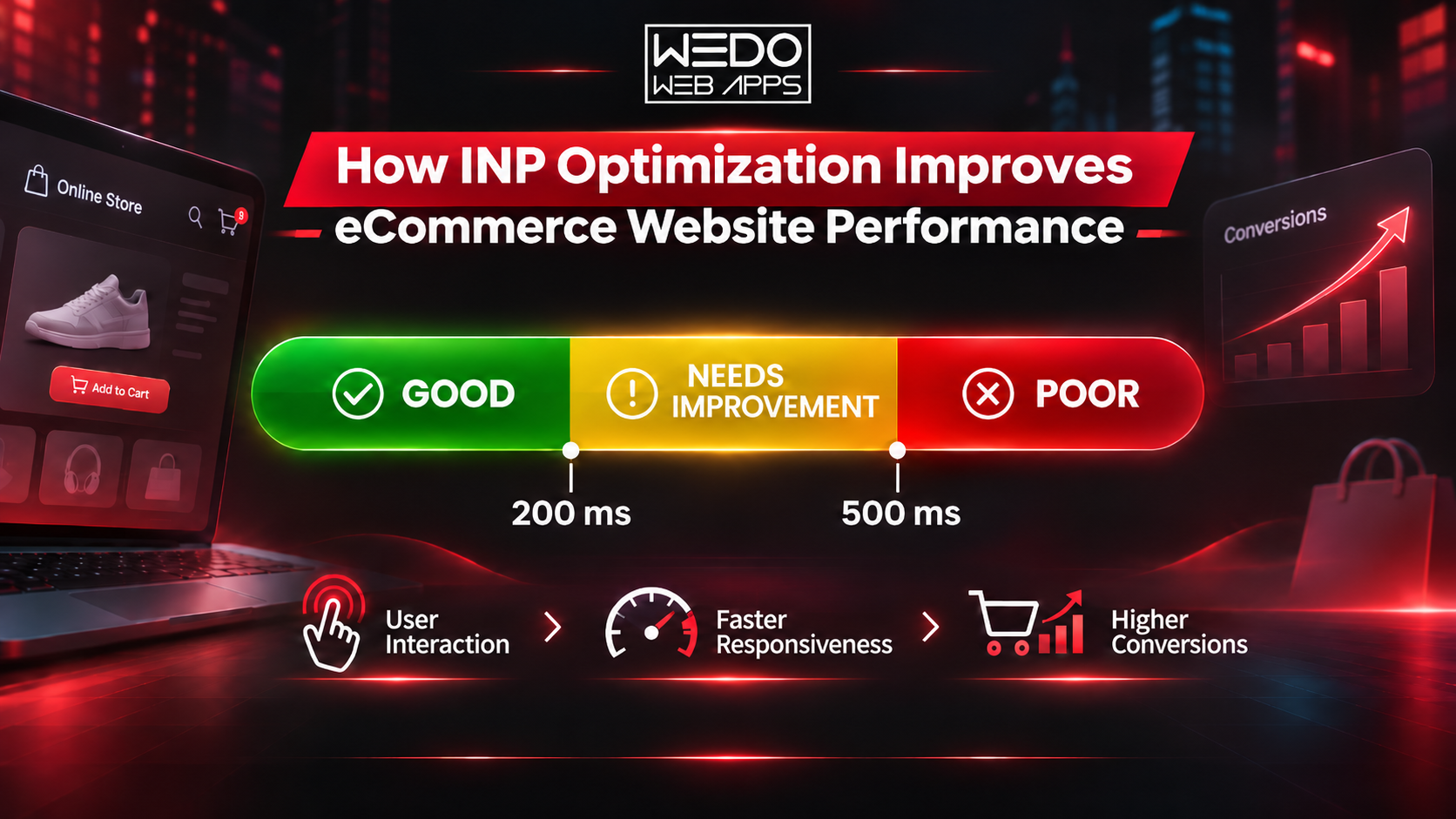
A successful eCommerce website needs more than attractive product pages and a wide range of products. Customers also expect every action to work quickly, whether they are searching for products, applying filters, adding items to their shopping carts, or completing payments. When a website takes too long to respond, visitors may become frustrated and leave before completing their purchases.
This is where Interaction to Next Paint (INP) becomes important. INP measures how quickly a website responds to user interactions and provides visual feedback. For online businesses, monitoring this metric helps identify performance issues that can affect the shopping experience, customer satisfaction, and sales opportunities. Read more about why INP score matters for eCommerce sales and how website responsiveness affects online shopping experiences.
What Is Interaction to Next Paint (INP)?
Interaction to Next Paint is a Google Core Web Vitals metric that measures the responsiveness of a webpage throughout a visitor's session. It considers interactions such as mouse clicks, screen taps, and keyboard inputs.
For example, when a customer clicks an Add to Cart button, the website should respond with visible feedback without noticeable delay. If the button takes several seconds to react, customers may assume that the website is not working correctly.
Unlike First Input Delay (FID), which measured the delay before the browser began processing the first interaction, INP considers interactions throughout the page visit and evaluates the time until the next visual update.
Why Does INP Matter for eCommerce Websites?
Every interaction on an online store can influence a customer's decision to continue shopping. A responsive website makes it easier for visitors to browse products, compare options, and complete transactions.
Here are some reasons why INP deserves attention.
1. Creates a Better Shopping Experience
Customers expect immediate feedback when interacting with an online store. Delayed product filters, unresponsive buttons, and slow cart updates can interrupt their shopping journey.
A good INP score supports smoother interactions, letting customers navigate product categories, select variations, and move between sections without unnecessary waiting.
2. Helps Reduce Cart Abandonment
Cart abandonment is a common challenge for eCommerce businesses. Customers may leave when they experience problems during product selection, cart updates, or checkout.
For example, imagine a shopper selecting multiple products and clicking the checkout button. If the website freezes or takes too long to respond, the shopper may lose confidence and abandon the purchase.
Improving interaction responsiveness can remove some of these technical obstacles and make the purchasing process more convenient.
3. Supports Core Web Vitals Performance
INP is one of Google's Core Web Vitals metrics, alongside Largest Contentful Paint (LCP) and Cumulative Layout Shift (CLS).
These metrics evaluate different aspects of website experience:
-
LCP measures how quickly the main content becomes visible.
-
INP measures how quickly the website responds to user interactions.
-
CLS measures unexpected layout movement during page loading.
Maintaining good Core Web Vitals performance supports a better overall website experience. Since Core Web Vitals are part of Google's page experience considerations, INP should also be included in ongoing technical SEO activities.
4. Improves Mobile Shopping Usability
Many customers browse online stores using smartphones. However, mobile devices may have limited processing power, slower network connections, or different browser capabilities.
A website that performs well on desktop may still lag on mobile devices.
Monitoring INP across devices helps businesses identify problems that affect mobile shoppers, particularly on product listing pages, navigation menus, and checkout forms.
Common Reasons for a Poor INP Score
Several technical problems can affect how quickly an eCommerce website responds to visitors.
1. Excessive JavaScript Execution
JavaScript controls many interactive website features, including product filters, dropdown menus, cart updates, and dynamic pricing.
When scripts contain lengthy tasks or unnecessary operations, they can block the browser's main thread. This prevents the browser from responding promptly to customer actions.
2. Too Many Third-Party Scripts
Online stores often use analytics tools, advertising pixels, chat widgets, review systems, and marketing integrations.
Although these tools provide useful functionality, running too many scripts can increase browser workload and delay important interactions.
3. Unoptimized Product Features
Features such as product customization, image galleries, live search, product recommendations, and filtering systems may require considerable processing.
If these features are not implemented efficiently, customers may experience delays while interacting with the store.
4. Inefficient Website Code
Poorly structured event handlers, unnecessary calculations, and large frontend components can affect website responsiveness.
Developers should review how scripts handle user actions and identify operations that keep the main thread busy for too long.
5. Slow Backend Operations
Some shopping actions depend on server communication. Product availability checks, inventory updates, account information, and checkout calculations may require additional processing.
If the website waits for these operations before showing feedback, the interaction may feel slow to customers.
Effective Ways to Improve INP on an eCommerce Website
Improving INP requires identifying the specific interactions causing delays and addressing their technical causes. The following practices can help.
1. Optimize JavaScript Code
Review unnecessary JavaScript and remove scripts that no longer support important website functionality. Use code splitting to load only the resources required for a particular page or feature.
Breaking long tasks into smaller operations also helps the browser respond to user input more frequently.
2. Reduce Main Thread Work
The browser's main thread handles JavaScript execution, user input, and visual rendering. When it remains occupied with lengthy tasks, interactions may become delayed.
Developers can improve responsiveness by dividing large tasks into smaller sections, using asynchronous operations, and moving suitable background processing to web workers.
3. Improve Important Shopping Interactions
Give priority to website elements that directly affect purchasing decisions.
These include:
-
Add to Cart and Buy Now buttons.
-
Product search and filtering options.
-
Product size and colour selection.
-
Shopping cart quantity updates.
-
Checkout forms and payment steps.
Providing immediate visual feedback helps customers understand that their actions have been registered.
4. Manage Third-Party Integrations
Review all external scripts installed on the store. Remove unnecessary integrations and delay non-essential scripts when appropriate.
Analytics tools, advertising scripts, customer support widgets, and promotional features should not interfere with important shopping interactions.
5. Improve Backend and Server Performance
A responsive frontend also depends on efficient backend operations. Optimize database queries, review API response times, and use appropriate caching strategies.
A content delivery network (CDN) can also help deliver static resources to customers across different geographical locations.
6. Test Performance on Mobile Devices
Do not rely only on desktop testing. Evaluate how the store responds on different mobile devices, browsers, and network conditions.
Pay particular attention to product filtering, navigation, cart updates, and checkout interactions, as these features can have a significant impact on the shopping experience.
INP Optimization Across Popular eCommerce Platforms
Different eCommerce platforms require different approaches to performance improvement.
Shopify: Review installed apps, theme scripts, custom JavaScript, and external integrations. Removing unnecessary app functionality can reduce frontend workload.
WooCommerce: Check plugin performance, theme functionality, database queries, and scripts loaded across product and checkout pages. Unnecessary plugins and poorly optimized extensions may contribute to interaction delays.
Magento: Review frontend assets, third-party modules, JavaScript components, and backend operations. Performance testing can help identify problems affecting product navigation and checkout functionality.
Regardless of the platform, optimization should focus on the actual interactions that customers use most frequently.
Conclusion
Website responsiveness plays an important role in the success of an eCommerce business. Customers expect product searches, filters, cart updates, and checkout processes to work without unnecessary delays. A poor INP score can indicate technical problems that interrupt these activities and create a frustrating shopping experience.
Businesses should regularly monitor Core Web Vitals, review frontend code, manage third-party scripts, and test important shopping interactions across desktop and mobile devices.
INP optimization is not a one-time task. It requires regular monitoring, testing, and technical improvements as the website grows. By giving attention to interaction performance, eCommerce businesses can provide a smoother shopping experience and create better conditions for customers to complete their purchases. Businesses planning to improve their online stores can also consider professional eCommerce development services to support website functionality, performance, and scalability.

 English
 Arabic
 French
 Spanish
 Portuguese
 Deutsch
 Dutch
 Italiano
 Russian
 Romaian
 Portuguese (Brazil)
 Greek