


How an Art Gallery HTML Template Can Promote Upcoming Art Exhibitions
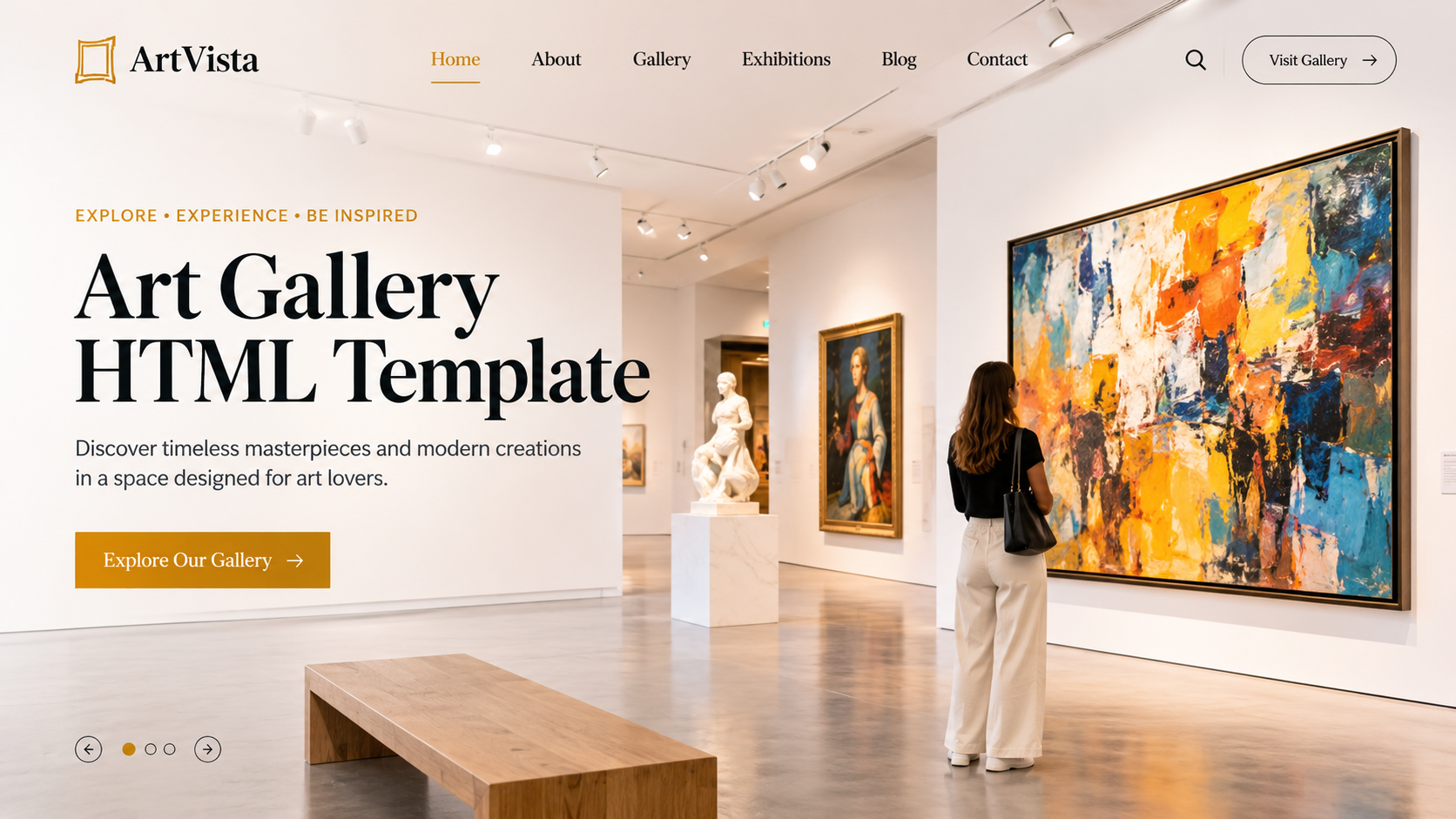
You've spent months planning a new exhibition. The artists are confirmed, the works are framed, the wall labels are printed and the opening night is on the calendar. Then comes the part that worries every gallery owner: will anyone actually turn up? An art gallery HTML template can help promote upcoming exhibitions, share event details, showcase featured artwork, and encourage more visitors to attend.
Getting people through the door starts well before opening night, and for most galleries, the website does a lot of the heavy lifting. People check it to see what's on, when it opens and whether it's worth the trip. If your upcoming shows are hard to find or look dull online, many visitors will simply skip them.
A good art gallery HTML template can fix that. It gives you a clean, ready-made layout to show off your exhibitions, build interest early and make it easy for people to plan a visit. Here's how to use one well.
Why Your Website Matters for Exhibitions
It's Often the First Impression
Before anyone visits in person, they usually look you up online. What they see on your site tells them what kind of gallery you are and whether the show fits their taste.
Visitors Plan Ahead
People like to know what's coming up. Some check a gallery's site weeks in advance, then mark a date on the calendar. If your next show isn't listed, they can't plan to see it.
Word Spreads Through Links
When someone loves an exhibition, they share a link with friends. A tidy, easy-to-read exhibition page is much more likely to be shared than a messy one.
Put Upcoming Shows Where People Can See Them
A Strong Homepage Banner
Use the top of your homepage for your next big exhibition. A large image, the show title, the dates and a clear "Learn more" button do the job. Change it with each new show so the site always feels fresh.
A Simple "Upcoming Exhibitions" Section
Add a section below the banner listing the next two or three shows. Each one needs an image, a title, dates and a short line about what it's about. Keep it tidy, so it's easy to scan on a phone.
A Clear Menu Link
Add "Exhibitions" or "What's On" to your main menu, with sub-links for "Current," "Upcoming" and "Past." Visitors shouldn't need to hunt for it.
Build a Page for Each Exhibition
Start With a Striking Image
Choose one strong artwork that captures the feel of the show. Use a high-quality, well-cropped photo that looks good on large and small screens.
Give the Basics Up Front
Put the essentials near the top: the title, the dates, the opening hours and the location. People shouldn't need to scroll to find when it starts.
Tell the Story in Plain Words
Write a short, friendly description of the show. Say what it's about, who the artists are and why it might interest visitors. Avoid heavy art jargon. If you'd explain it simply to a friend, write it that way.
Introduce the Artists
Add short bios and photos of the artists, with links to their work. People enjoy knowing the person behind the art. Always get the artist's permission before using their images or words.
Show a Preview of the Works
A photo gallery of a few featured pieces builds curiosity. Many HTML templates come with gallery or slider layouts that work well here. Don't give away everything, just enough to make people want to see the real thing.
Create Excitement Before the Opening
A Countdown Timer
A simple countdown to opening night adds a little buzz. Many templates include one, or it's easy to add.
A Sneak Peek Section
Share a couple of images or a short behind-the-scenes note, such as the artist setting up or the gallery being prepared. It makes people feel part of the story.
Opening Night Details
If you hold an opening event, give it a clear spot on the page. Include the date, time, whether it's free, whether guests need to register and a simple RSVP button or form.
Artist Talks and Events
Many exhibitions come with talks, workshops or guided tours. List them with dates and booking links. They give people extra reasons to come, and a reason to return.
Also Visit: Conference WordPress Theme - Modern & Responsive Design
Make It Easy to Plan a Visit
Opening Hours and Entry Information
Show your hours, ticket prices (or "free entry") and any rules for groups or school visits. Keep it clear, and keep it up to date.
Location, Map and Parking
Add a map, your address and simple directions. Mention parking, public transport and access for wheelchairs and prams. A "Get directions" button helps mobile visitors.
Booking and Ticketing
If entry needs a ticket, link to your booking tool or add a clear button. Test it often, so it works properly on every device.
Contact Details
Show a phone number, email address and a short contact form. People often have small questions, like "Is it okay to bring a stroller?"
Use Your Website to Support Marketing
Easy Sharing Buttons
Add buttons so visitors can share the exhibition on social media or send it to a friend. Make sure the shared preview shows a good image and title.
A Newsletter Sign-Up
Place a simple sign-up box on your exhibition pages. Visitors who join your list will hear about future shows first. Use a trusted email tool, and check which privacy rules apply where you work.
Add to Calendar
A small "Add to calendar" link helps visitors remember the date. It's a simple extra that makes a difference.
A Blog or News Section
Short posts about the artists, the ideas behind the show or what to expect can bring in new visitors through search engines. They also give you something to share on social media.
Keep Design Simple and Let the Art Shine
Clean Layouts
Art deserves space. Choose a template with plenty of white space, simple fonts and a neutral colour palette that doesn't compete with the artwork.
High-Quality Images, Loaded Fast
Big photos look great but can slow a page down. Compress images so pages still load quickly, especially on phones.
Mobile-First Thinking
Many people will check your exhibitions on their phones. Test how the pages look and work on small screens, and make sure buttons are easy to tap.
Accessibility
Use readable fonts, good contrast and short descriptions for images (alt text). It helps visitors with visual difficulties, and it helps search engines too.
Keep Everything Current
Update Quickly After Each Show
Move finished shows to a "Past Exhibitions" page, and replace the homepage banner promptly. An out-of-date site makes visitors wonder if the gallery is still open.
Check Dates and Details
Re-read dates, times and ticket links before publishing. Small mistakes can send visitors away disappointed.
Respect Copyright
Only use images you have permission to show, and credit artists properly. Check the rules with the artists or a qualified professional if you're not sure.
Conclusion
An exhibition only works if people know about it. A clear homepage banner, a dedicated page for each show, artist introductions, a few sneak peeks and easy planning details can turn browsers into visitors. Add sharing tools, a newsletter sign-up and a clean, art-first design, and your website becomes one of your best promotion tools. If you'd like a quick, dependable start, premium Website Templates made for galleries often include exhibition layouts, image galleries, event listings and booking sections that make promoting your shows much easier.
Frequently Asked Questions
1. Why use an HTML template for a gallery website?
A template gives you a professionally designed layout that's ready to customize. It saves time and money, and many include gallery, event and exhibition sections made for art spaces.
2. What should an upcoming exhibition page include?
A strong image, the title, dates, opening hours, location, a short description, artist bios, a preview of works, event details and a clear way to book or get in touch.
3. How early should I post an upcoming exhibition?
As early as you can confirm the details. Many galleries list shows a few weeks ahead, then add sneak peeks and reminders as opening night gets closer.
4. Can I use the artists' images on my website?
Only with their permission. Ask the artists what images and wording they're happy for you to use, and credit them properly.
5. How do I make exhibition pages work well on phones?
Use a mobile-friendly template, compress your images so pages load fast, keep text short and make buttons large and easy to tap. Always test on a real phone before publishing.

 English
 Arabic
 French
 Spanish
 Portuguese
 Deutsch
 Turkish
 Dutch
 Russian
 Romaian
 Portuguese (Brazil)
 Greek