


Conference Website Template Tips for Promoting Panel Discussion Topics
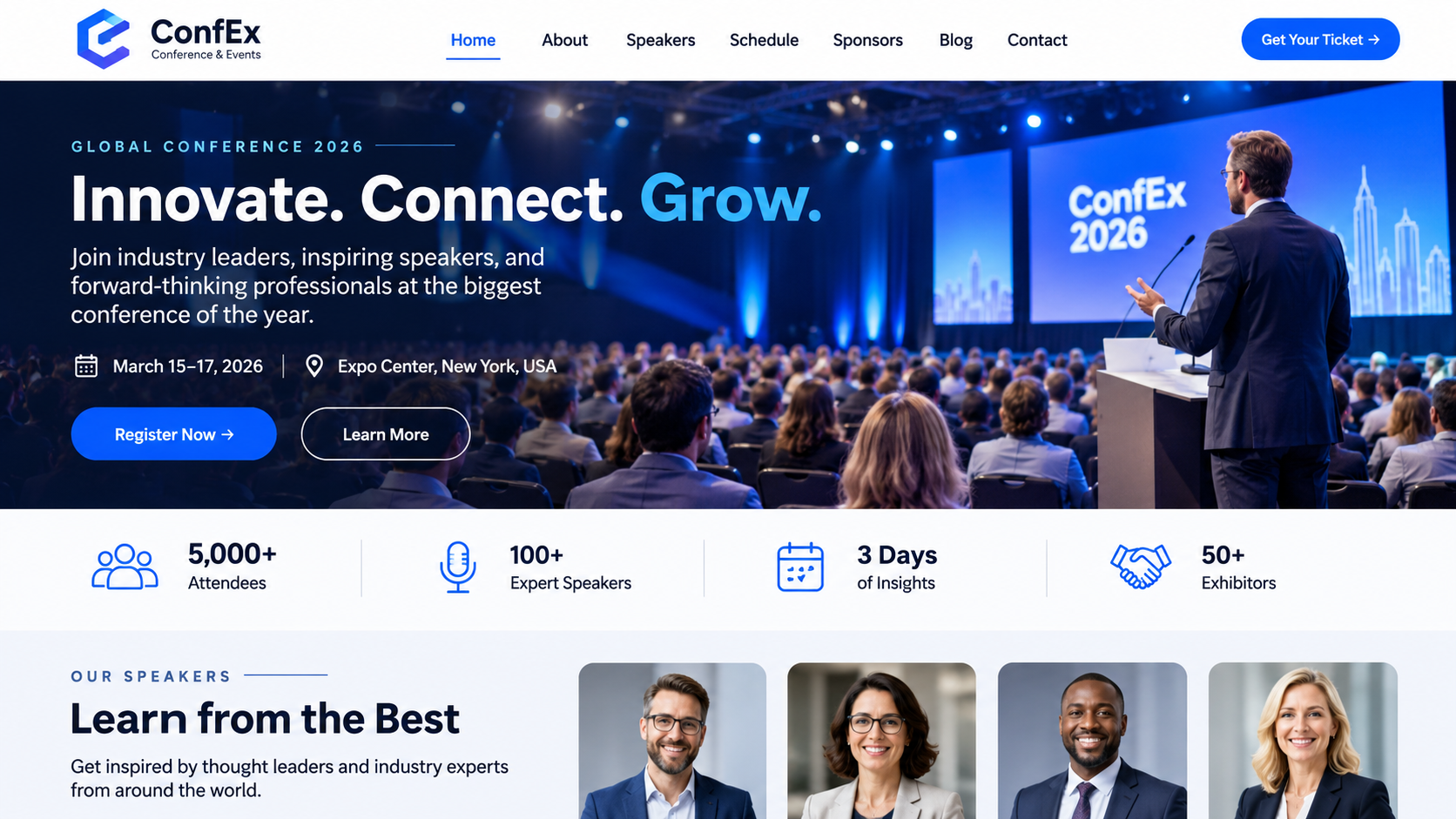
Ask anyone who has been to a conference what they remember most, and many will say a good panel. Maybe it was a lively debate, a surprising answer from a speaker or a question from the audience that changed the whole conversation. Panels are often where the real value of an event shows up. A conference website template can help organisers promote panel discussions, introduce speakers, share discussion topics, and encourage attendees to take part in meaningful conversations.
But here's the catch. People only buy a ticket for a panel if they know what it's about and why it matters to them. A vague line like "Panel Discussion, 2:00 PM" won't get anyone excited.
Your conference website is the best place to fix that. A well-chosen conference website template can help you present your panel topics clearly, make them sound interesting and push people to register. Here are practical tips to do it well.
Why Panel Topics Need Proper Promotion
Panels Are a Big Reason People Attend
Many people choose a conference because of its panels. They want to hear different views on one subject, from people who know it well. If you don't show that clearly, you're hiding one of your best selling points.
A Title Alone Doesn't Say Enough
"Future of Work" could mean a hundred things. Visitors need a short explanation, such as what questions will be asked and who it's useful for.
Good Promotion Helps People Plan
Attendees often pick sessions in advance. Clear panel pages make it easier for them to decide what to attend, and to tell their colleagues why it's worth coming.
Create a Dedicated Panel Discussions Page
Make It Easy to Find
Add a menu item such as "Panels," "Panel Discussions" or "Sessions." Visitors shouldn't have to scroll through a long schedule to find them.
Start With a Short Introduction
Write two or three friendly sentences about what your panels offer. For example: "Our panels bring together people from different backgrounds to share real experiences and honest opinions. Come with questions."
Use a Clean Grid or List
Show each panel as a card or row with the title, date, time, room and speakers. A simple layout is easier to scan than a long block of text.
Write Panel Descriptions That People Want to Read
Lead With the Big Question
Instead of a dull title, start with the question the panel will answer. "Is remote work here to stay?" is much more inviting than "Workplace Trends Discussion."
Keep It Short and Plain
Two or three short sentences are usually enough. Say what will be discussed, why it matters and who it's for. Avoid heavy jargon.
Add a Short List of Topics
A few bullet points help people see what to expect, such as "How teams stay connected," "Tools that actually help" and "Mistakes to avoid." Three or four points are plenty.
Say Who Should Attend
A line like "Great for managers, small business owners and anyone planning a team change" helps visitors decide quickly whether it's for them.
Introduce the Panelists Well
Photos and Short Bios
Show a clear photo, name, job title and a two-line bio for each speaker. Keep bios friendly and relevant to the topic, not a long list of achievements.
Mention the Moderator
A good moderator makes a big difference. Name them and say a little about their background. It builds confidence.
Link to Speaker Pages
If your template supports it, link each panelist to a fuller profile showing other sessions they're part of. This helps visitors see who's worth meeting.
Get Permission
Always check that speakers are happy with their photo, bio and any quotes you use before you publish.
Use Template Features to Make Panels Stand Out
Schedule and Timetable Layouts
Most conference templates include a schedule block. Use filters or tabs by day, track or room, so visitors can find panels quickly.
Accordion Descriptions
Expandable sections let you give full details without making the page too long. Visitors tap to read more about the panels that interest them.
Featured Panel Highlights
Pick two or three panels and feature them on the homepage with a bold image and short teaser. Rotate them as the event gets closer.
Tags and Categories
Label panels with tags such as "Marketing," "Technology" or "Leadership." Visitors can filter by what they care about.
Countdown and Date Badges
A countdown timer or date badge adds a sense of urgency, especially in the last few weeks.
Add Visuals and Extras That Build Interest
Speaker Videos
A short video where a panelist teases the topic can make people curious. Keep it under a minute and add captions.
Highlights From Past Events
If you've held conferences before, show short clips, photos or quotes from earlier panels. Get permission first, and only use real material.
Share Buttons
Make it easy for visitors to share a panel page on social media or by email. Many people will send a link to colleagues.
Downloadable Schedule
Offer a printable or phone-friendly schedule, so attendees can plan their day.
Invite Audience Involvement
Collect Questions Early
Add a simple form where registrants can submit questions for the panel. It makes people feel involved, and helps you plan better discussions. Be clear about how the questions will be used.
Explain How Q&A Will Work
Tell attendees whether there will be live questions, an app or written cards. A short note avoids confusion on the day.
Encourage Discussion Online
If you use a hashtag or community group, mention it on the page, and make sure someone is there to moderate it.
Make Registration Easy
Clear Call-to-Action Buttons
Put a "Register now" button on every panel page and on your main schedule. Make it stand out.
Show Ticket Options Simply
If panels are included in some tickets but not others, say so in plain words. Confusion about tickets costs registrations.
Be Open About Changes
Plans can change. Explain how you'll tell people about updates, and keep your site current. Add a "last updated" note to the schedule.
Keep the Site Easy to Use
Mobile-Friendly Design
Many visitors will check your panels on their phones. Make sure text is readable, schedules scroll smoothly and buttons are easy to tap.
Fast Loading
Compress images and keep pages light, especially speaker photo galleries.
Accessibility
Use readable fonts, strong contrast and captions on videos. Share accessibility details about your venue, so everyone can plan.
Privacy
If forms collect personal details, use secure tools and check what privacy rules apply where you work.
Conclusion
Panels can be the heart of a conference, but only if people know what they're about. A dedicated panels page, clear and friendly descriptions, strong speaker introductions, simple schedule tools and easy registration can turn curiosity into ticket sales. Keep your wording plain, your information current and your promises honest. If you want a quick, reliable way to build all this, premium Website templates made for conferences often include schedule layouts, speaker profiles, countdown timers and registration tools that make promoting your panel topics much easier.
Frequently Asked Questions
1. Why should a conference website promote panel topics in detail?
Because many people choose events based on the sessions. Clear topics, speakers, and descriptions help visitors see the value and decide to register.
2. How long should a panel description be?
Two or three short sentences, plus a few bullet points, are usually enough. Lead with the main question and say who the panel is for.
3. What should I show about panel speakers?
A clear photo, name, job title and a short, friendly bio. Also name the moderator, and make sure every speaker has approved what you publish.
4. Which template features help most with promoting panels?
Schedule layouts with filters, accordion descriptions, speaker profiles, featured session blocks, tags and countdown timers all help visitors find and understand panels quickly.
5. How can I get attendees involved before the event?
Add a simple question form, explain how live Q&A will work and share a hashtag or online group. Be clear about how questions will be used.

 English
 Arabic
 French
 Portuguese
 Deutsch
 Turkish
 Dutch
 Italiano
 Russian
 Romaian
 Portuguese (Brazil)
 Greek