


Odoo Next to Your Specialized Systems: The "Commercial Layer" ERP Strategy
Most ERP conversations begin with a replacement mindset. Pick a platform, retire the old systems, and move everything over. For a small company running on spreadsheets and a basic accounting tool, that works well. For a business that already depends on a warehouse management system (WMS), a manufacturing execution system (MES), or a transport management system (TMS), it is rarely realistic, and often not wise.
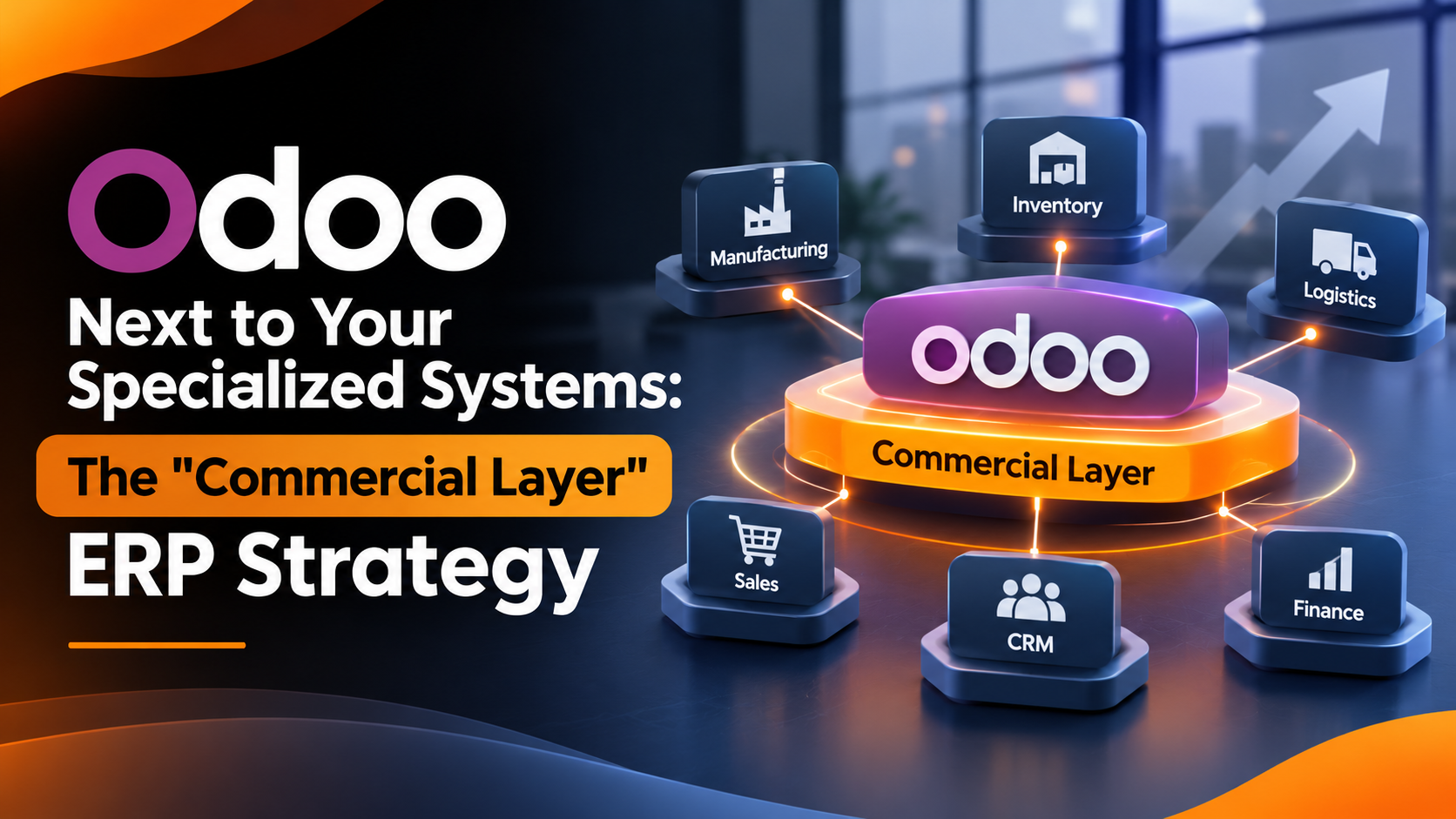
There is a more practical path. Let Odoo become the commercial and financial layer of the business, and let the specialized systems keep doing the work they were built for. This "commercial layer" approach protects what already works while giving finance, sales and purchasing a single connected platform.
Why "replace everything" often fails
Specialized operational systems earn their place. A WMS handles slotting, wave picking and scanner workflows. An MES talks to machines and captures shop-floor events in real time. A TMS optimizes routes and carrier selection. These tools carry years of tuning and, just as importantly, years of user habit.
Replacing them with a general-purpose ERP module forces two risks at once. The first is functional: you may lose depth your operations team relies on. The second is organizational: you ask the people who run daily operations to change tools at the same moment finance changes its tools. Projects that carry both risks tend to run long and lose support.
What the commercial layer actually means
The commercial layer is everything that deals with money and commitments: customers, quotes, sales orders, purchase orders, invoicing, payments, accounting, tax and reporting. Odoo covers these areas in one database with one set of master data.
The operational layer is everything that deals with physical execution at speed: moving stock inside a warehouse, running machines, dispatching vehicles. The specialized systems keep this layer.
The two layers exchange a small, well-defined set of information. Odoo sends down what needs to happen, such as confirmed orders, purchase receipts expected and product master data. The operational systems send back what did happen, such as shipped quantities, goods received, production output and delivery confirmations.
A simple ownership rule that prevents most problems
The most common integration failure is two systems believing they own the same data. Settle ownership before any build starts, and write it down.
- Customers, vendors and products: usually owned by Odoo, pushed to operational systems.
- Orders and invoices: owned by Odoo.
- Physical stock movements and scan events: owned by the operational system, reported back to Odoo.
- Costs and valuation: owned by Odoo, using the quantities the operational system confirms.
Each record type should have exactly one system of record. Everything else is a copy.
Integration patterns that work
There is no single best way to connect the layers. The right pattern depends on volume and how fast the other side needs the data.
API-based, near real time. Odoo exposes external APIs, and most modern operational tools offer their own. This suits order release, shipment confirmation and status updates where a delay of seconds or minutes is acceptable.
Queue-based ingestion. When messages arrive in bursts, such as a large batch of goods-received confirmations at the end of a shift, push them into a queue and let Odoo process them at a steady pace. This protects the ERP from being overwhelmed and makes failures easy to retry.
Scheduled batch. For data that does not need to be instant, such as daily cost updates or end-of-day stock reconciliation, a scheduled job is simpler and easier to monitor than a live connection.
File or message-based exchange. Some industries still rely on established message standards and flat-file exchange. A translation layer that converts those messages into Odoo records is often the cleanest answer.
Whichever pattern you choose, build in three things: idempotency (processing the same message twice should not create duplicates), clear error logging, and a reconciliation report that compares both sides on a schedule.
Where this pattern fits best
The commercial layer approach tends to work well when:
- You run a specialized system that your operations team trusts and uses daily.
- Your pain is on the finance and commercial side: disconnected invoicing, manual reconciliation, duplicate data entry between sales and accounting.
- You operate several business units or sites and want consistent reporting without forcing identical operations everywhere.
- You need a faster, lower-risk first phase than a full replacement would allow.
It works less well when your existing operational tools are failing or unsupported. In that case a broader replacement may be the better investment, and Odoo's own inventory, manufacturing and logistics apps deserve a serious look.
Common mistakes to avoid
Syncing everything. Teams sometimes mirror every field both ways. Sync only what the other system needs to do its job. Every extra field is another thing to map, test and maintain through upgrades.
Skipping the failure plan. Integrations will fail at some point: a network outage, a malformed message, a system maintenance window. Decide in advance what happens to queued data, who gets alerted, and how work is replayed.
Underestimating master data. If product codes or customer IDs differ between systems, no integration will fix that. Clean and align master data first.
Ignoring performance limits. Odoo is a business application, not a millisecond-level control system. Anything that needs split-second decisions, such as machine control or live dispatch, belongs in the specialized system.
A practical way to start
Begin with a one-page map before you engage any Odoo ERP implementation services. List every system in your business, what it owns, and what it needs from the others. Mark the hand-offs: where does an order move from commercial to operational, and where does confirmation come back? Those hand-offs are your integration scope.
Then deliver in phases, as any good Odoo ERP software development company would. Start with the commercial core in Odoo, connect the highest-value hand-off first, prove it for a few weeks, and only then add the next. This keeps risk low and gives your team early wins.
Conclusion
An ERP project does not have to be a rip-and-replace exercise. By treating Odoo as the commercial layer and respecting the strengths of your specialized systems, you can modernize finance and sales without disrupting the floor, the warehouse or the fleet.
If you are planning this kind of architecture, working with an experienced Odoo ERP development company can help you define system ownership, choose the right integration pattern and phase the rollout so each step delivers value.

 English
 Arabic
 French
 Spanish
 Portuguese
 Turkish
 Dutch
 Italiano
 Russian
 Romaian
 Portuguese (Brazil)
 Greek