


PDF to AutoCAD vs Paper to CAD: Which Conversion Method Is Right for Your Project?
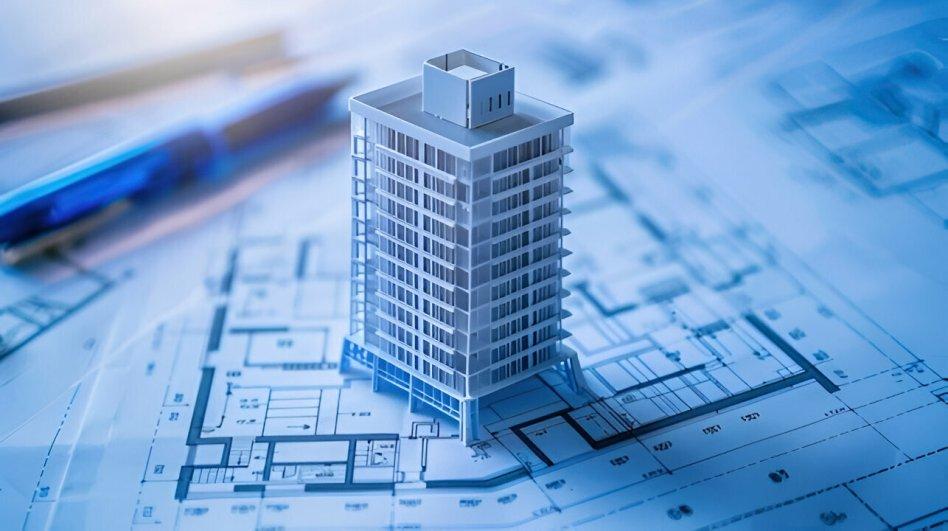
In today’s fast-evolving design and construction landscape, accurate digital drawings are no longer optional they’re essential. Whether you're an architect in London, a contractor in New York, or a startup building your first product prototype, converting legacy drawings into editable CAD formats can significantly impact your project’s efficiency, cost, and scalability.
But here’s the key question many decision-makers struggle with:
Should you choose PDF to AutoCAD conversion or Paper to CAD conversion?
At first glance, both methods seem similar they transform static drawings into editable CAD files. But in reality, they differ in workflow, accuracy, cost, and use cases.
This guide breaks down both approaches in detail, helping you decide which method aligns best with your project goals while also exploring industry trends in CAD Conversion Services across the UK and USA.
What Is PDF to AutoCAD Conversion?
PDF to AutoCAD conversion services involve transforming digital PDF drawings into editable CAD formats like DWG or DXF. These PDFs may originate from CAD exports, scanned documents, or design software.
Why is it popular?
With the rise of digital documentation, PDFs have become the standard format for sharing technical drawings. However, PDFs are not editable in CAD environments making conversion necessary.
Key benefits of PDF to AutoCAD conversion
- Faster turnaround times due to digital input
- Higher baseline accuracy (especially with vector PDFs)
- Cost-effective compared to manual redrawing
- Ideal for design revisions and updates
- Compatible with tools like AutoCAD for seamless workflows
What Is Paper to CAD Conversion?
Paper to CAD conversion involves digitizing physical drawings blueprints, sketches, or printed plans into CAD formats.
This process typically includes scanning the document first, followed by manual drafting or semi-automated conversion.
Where is it used?
- Legacy building plans
- Historical archives
- Hand-drawn engineering sketches
- Old manufacturing layouts
Key benefits of Paper to CAD conversion
- Preserves valuable legacy data
- Enables digital transformation of old records
- Supports modernization of outdated infrastructure designs
PDF vs Paper to CAD: What’s the Core Difference?
Let’s simplify the comparison:
| Factor | PDF to AutoCAD Conversion | Paper to CAD Conversion |
|---|---|---|
| Input Format | Digital (PDF) | Physical (Paper drawings) |
| Accuracy | High (especially vector PDFs) | Moderate (depends on scan quality) |
| Speed | Faster | Slower |
| Cost | Lower | Higher |
| Automation | Possible | Limited |
| Best Use Case | Modern projects | Legacy projects |
Which Conversion Method Is More Accurate?
Accuracy is often the deciding factor.
PDF to AutoCAD: Higher Precision
If the PDF is vector-based, the conversion can be partially automated, preserving:
- Line weights
- Dimensions
- Layers
However, raster PDFs (scanned images) reduce accuracy and may require manual tracing.
Paper to CAD: Depends on Source Quality
Paper drawings introduce challenges:
- Faded ink
- Distortion from scanning
- Missing dimensions
Even with advanced tools, manual drafting is often required, increasing the risk of human error.
📊 Industry Insight:
According to construction digitization studies, companies that adopt accurate CAD conversion workflows reduce design errors by up to 30%, leading to significant cost savings in rework and delays.
When Should You Choose PDF to AutoCAD Conversion?
Ask yourself:
Do you already have digital drawings?
If yes, pdf to autocad conversion services are the obvious choice.
Ideal scenarios:
- Updating architectural plans
- Modifying MEP drawings
- Converting client-shared PDFs into editable CAD
- Scaling designs for new projects
Key advantages:
- Faster project kickoff
- Lower conversion costs
- Easier collaboration across teams
When Is Paper to CAD the Better Option?
Despite being more time-consuming, Paper to CAD remains essential in many industries.
Choose this method if:
- Your drawings exist only in physical form
- You’re working with heritage buildings or legacy infrastructure
- Your organization is undergoing digital transformation
Real-world example:
Many UK construction firms working on renovation projects rely heavily on paper-to-CAD workflows because original drawings from the 1980s or earlier were never digitized.
What Are the Latest Trends in CAD Conversion Services?
The CAD industry is rapidly evolving, especially in the UK and USA.
1. AI-Powered Conversion Tools
Artificial Intelligence is improving both methods by:
- Detecting shapes and patterns
- Automating line recognition
- Reducing manual drafting time
However, human validation remains critical for precision.
2. Cloud-Based Collaboration
Modern CAD Conversion Services now integrate with cloud platforms, enabling:
- Real-time editing
- Global team collaboration
- Version control
This is especially valuable for distributed teams across the UK, USA, and offshore locations.
3. Demand for 2D to 3D Conversion
Many companies are no longer stopping at 2D drafting.
They’re upgrading to:
- 3D CAD models
- BIM (Building Information Modeling) workflows
This trend is driving demand for 2d cad conversion services that can scale into 3D environments.
4. Outsourcing for Cost Efficiency
Businesses in the US and UK increasingly outsource autocad conversion services to specialized firms.
📊 Stat Insight:
Outsourcing CAD drafting can reduce operational costs by 40–60%, especially when working with experienced offshore teams.
What Challenges Should You Consider?
1. File Quality Issues
- Low-resolution scans affect accuracy
- Poor PDF exports create conversion errors
2. Time Constraints
- Paper to CAD takes significantly longer
- Tight deadlines may favor PDF conversion
3. Data Security Concerns
For sensitive projects, especially in defense or infrastructure, secure handling of drawings is critical.
How to Choose the Right Conversion Method (Quick Checklist)
Use this simple decision guide:
Choose PDF to AutoCAD if:
- You have digital files
- Speed is important
- Budget is limited
- Accuracy is critical
Choose Paper to CAD if:
- Only physical drawings exist
- You’re digitizing archives
- Project timelines are flexible
What Role Does Conversion Play in Business Growth?
For business owners and decision-makers, CAD conversion is not just a technical process it’s a strategic investment.
Key business benefits:
- Faster design iterations
- Improved project accuracy
- Reduced operational costs
- Better client communication
Companies that invest in high-quality CAD Conversion Services often see:
- Shorter project cycles
- Increased profitability
- Enhanced scalability
Future Opportunities in CAD Conversion
Looking ahead, the demand for both conversion methods will continue to grow due to:
- Smart city development in the UK and USA
- Infrastructure upgrades
- Increased adoption of BIM and digital twins
Emerging opportunities include:
- Integration with AR/VR for visualization
- Automated compliance checks
- Real-time design optimization
Final Thoughts: Which One Should You Choose?
There’s no one-size-fits-all answer.
- PDF to AutoCAD conversion is ideal for speed, efficiency, and modern workflows
- Paper to CAD conversion is essential for preserving and digitizing legacy designs
The right choice depends on your project requirements, timeline, and source material quality.
Conclusion
As industries across the UK and USA continue to digitize, choosing the right conversion method can directly impact your project’s success. Whether you're handling modern PDFs or decades-old paper drawings, investing in the right autocad conversion services ensures accuracy, efficiency, and long-term scalability.
For businesses looking to streamline their workflows, partnering with an experienced CAD design company can make all the difference. Many leading UK-based firms now offer end-to-end solutions from pdf to autocad conversion services to advanced 2d cad conversion services helping organizations stay competitive in an increasingly digital world.
FAQs
1. What is the difference between PDF to AutoCAD and Paper to CAD conversion?
PDF conversion uses digital files and is faster, while Paper to CAD involves scanning and manually redrawing physical documents.
2. Which conversion method is more accurate?
PDF to AutoCAD is generally more accurate, especially when using vector PDFs.
3. Is Paper to CAD conversion still relevant today?
Yes, it’s essential for digitizing legacy drawings and historical records.
4. How much do CAD conversion services cost?
Costs vary based on complexity, but PDF conversion is typically more affordable than Paper to CAD.
5. Can CAD conversion improve project efficiency?
Absolutely accurate CAD files reduce errors, improve collaboration, and speed up project timelines.

 Arabic
 French
 Spanish
 Portuguese
 Deutsch
 Turkish
 Dutch
Dutch
 Italiano
 Russian
 Romaian
 Portuguese (Brazil)
 Greek
Greek